

Route Manager
Web ClientCommunity Edition+Introduction
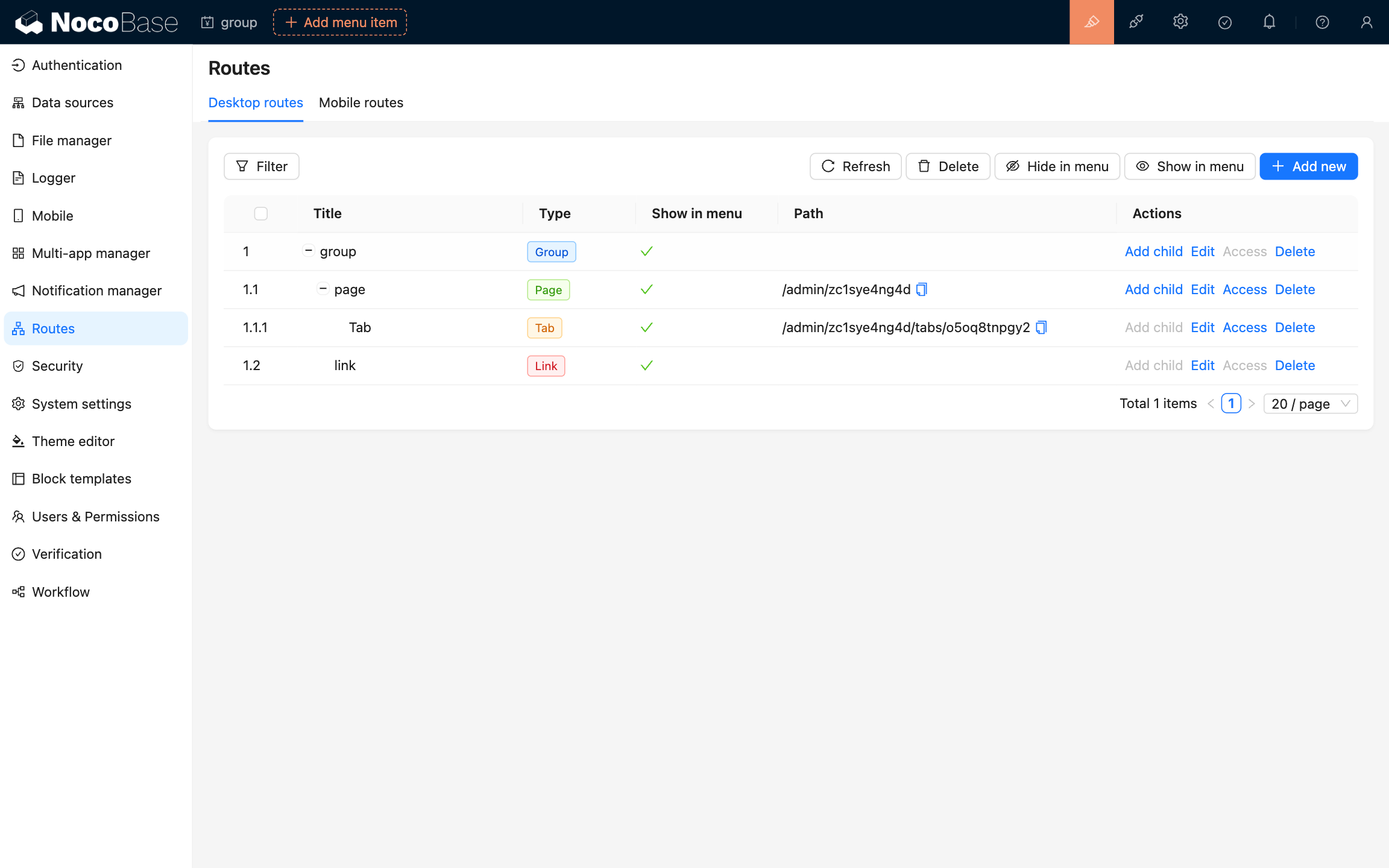
The route manager is a tool for managing the routes of the main page of the system, supporting desktop and mobile endpoints. Routes created using the route manager will be synchronized to the menu (can be configured to not display in the menu). Conversely, menus added in the page menu will also be synchronized to the route manager list.
User Manual
Route Types
The system supports four types of routes:
- Group (group): Used to manage routes by grouping them, and can include sub-routes
- Page (page): System internal page
- Tab (tab): Used to switch between tabs in a page
- Link (link): Internal or external link, can directly jump to the configured link address
Add Route
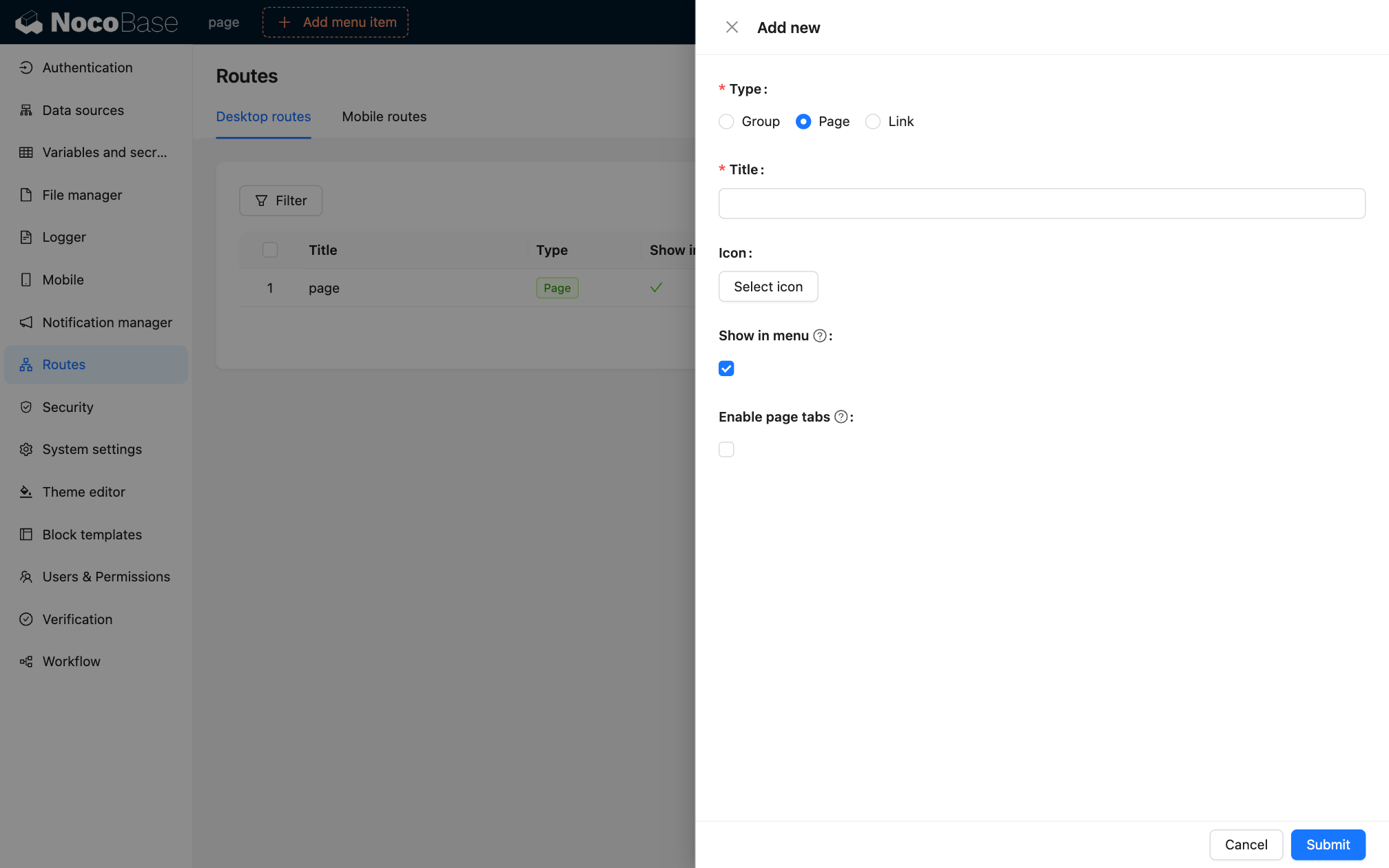
Click the "Add new" button in the upper right corner to create a new route:
- Select the route type (Type)
- Fill in the route title (Title)
- Select the route icon (Icon)
- Set whether to display in the menu (Show in menu)
- Set whether to enable page tabs (Enable page tabs)
- For page type, the system will automatically generate a unique route path (Path)
Route Actions
Each route entry supports the following actions:
- Add child: Add a sub-route
- Edit: Edit the route configuration
- View: View the route page
- Delete: Delete the route
Batch Actions
The top toolbar provides the following batch actions:
- Refresh: Refresh the route list
- Delete: Delete the selected route
- Hide in menu: Hide the selected route in the menu
- Show in menu: Show the selected route in the menu
Route Filter
Use the "Filter" function at the top to filter the route list.
Modifying route configurations will directly affect the navigation menu structure of the system. Please proceed with caution and ensure the correctness of the route configurations.