Language Settings
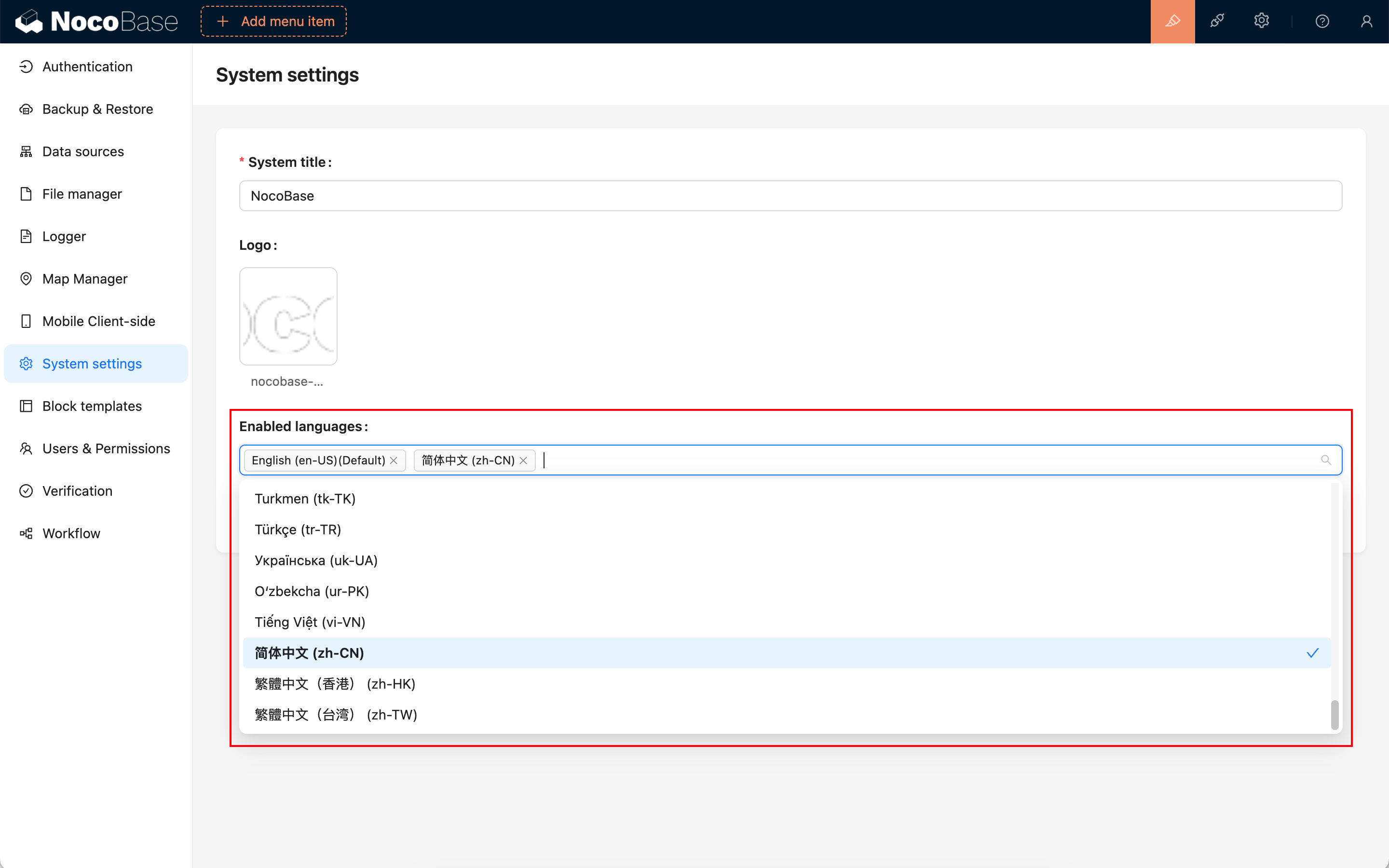
System settingsCommunity Edition+In "System Settings," under "Enabled Languages," you can adjust the system's global language environment. The first language in the list serves as the default.
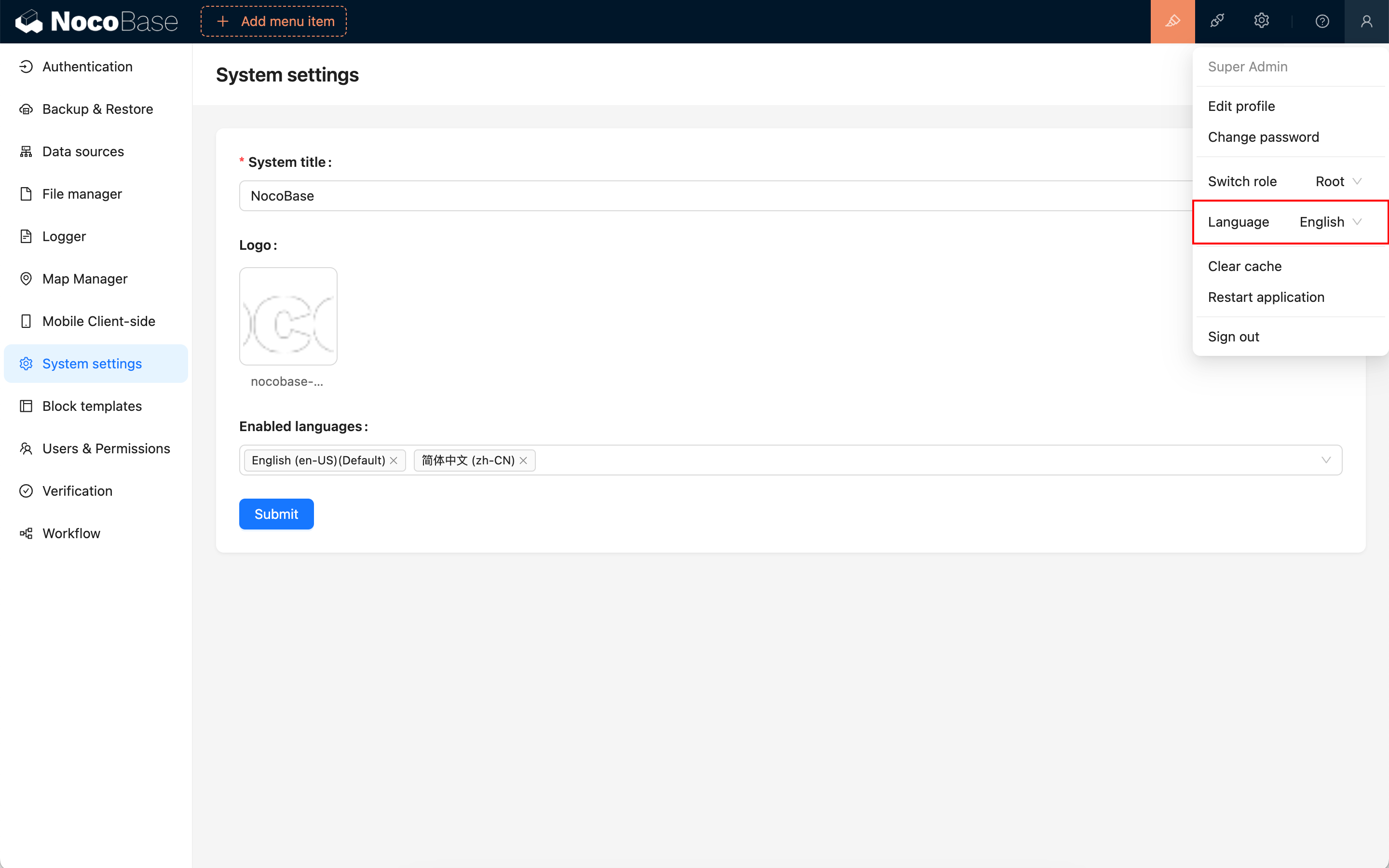
When multiple languages are enabled, users can set their language preference in the Personal Settings menu (top right corner).
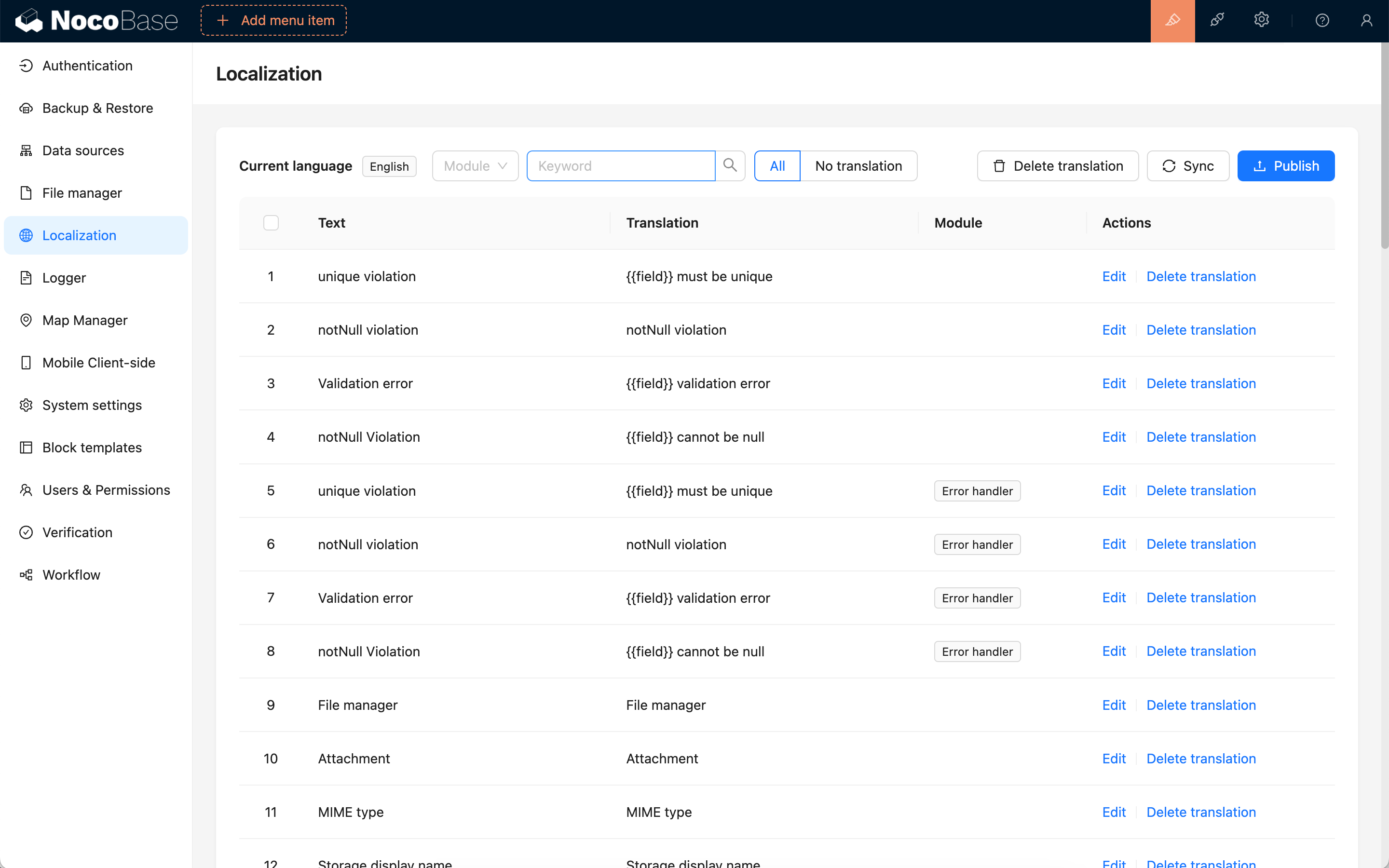
If a language you are using is not fully translated, you can use the "Localization Management" plugin to add or edit translations.