

logologo
Get Started
Guide
Development
Plugins
API
Home
English
简体中文
日本語
한국어
Español
Português
Deutsch
Français
Русский
Italiano
Türkçe
Українська
Tiếng Việt
Bahasa Indonesia
ไทย
Polski
Nederlands
Čeština
العربية
עברית
हिन्दी
Svenska
Get Started
Guide
Development
Plugins
API
Home
logologo
System Settings
Plugin Manager
Language Settings
Localization Management
Custom Brand
Theme Editor
Previous PageSystem Settings
Next PageLanguage Settings

#Plugin Management

#Plugin Manager

By clicking the plugin manager icon in the top right corner, you can access the plugin manager page. Here, you can view, install, enable, and disable plugins.
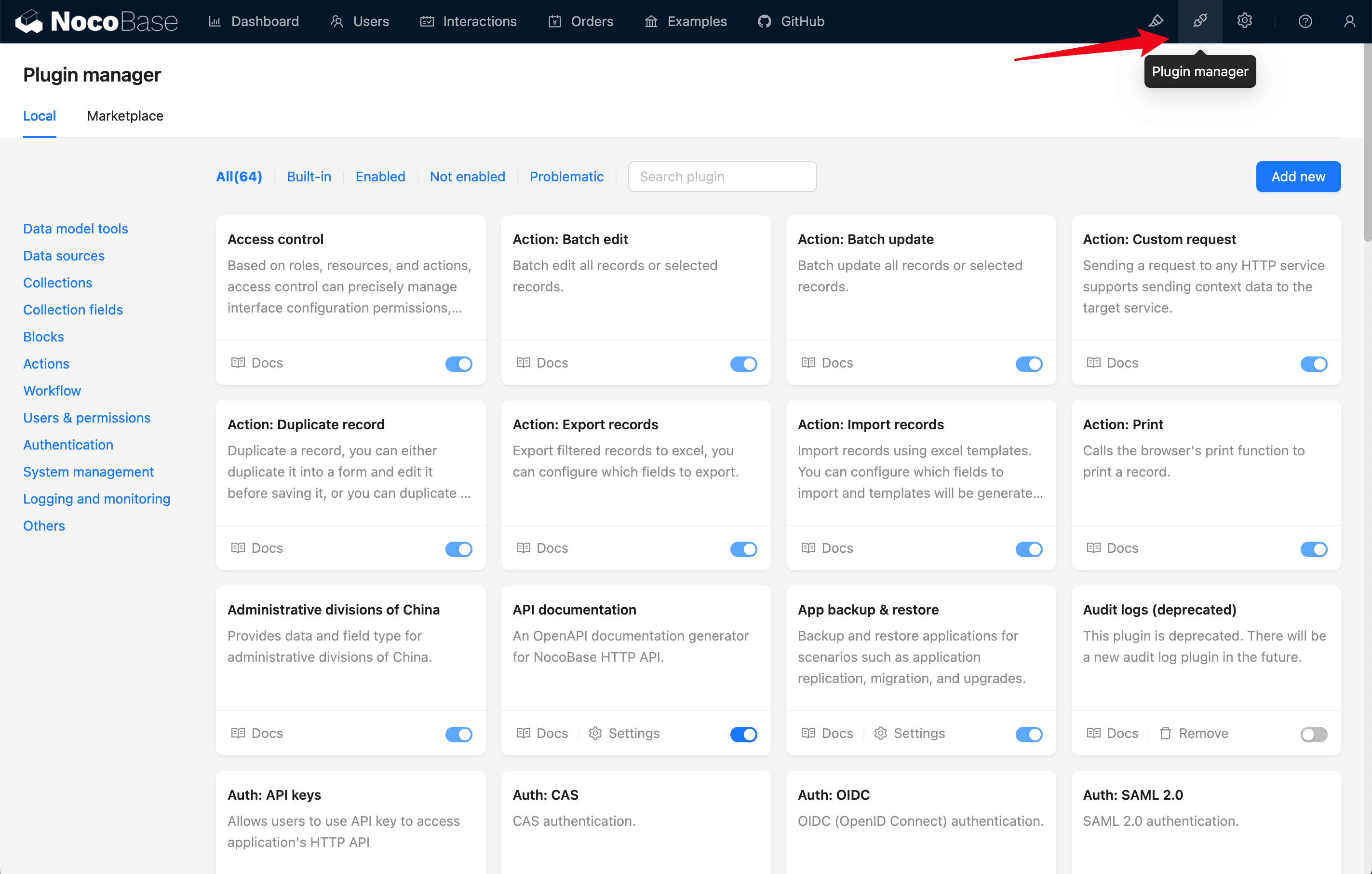
2024-04-10_08-47-45

#Plugin Settings Center

Plugins usually come with their own settings page. By clicking on the settings icon in the top right corner, you can see the menu of all plugin settings pages. Click on the relevant menu item to configure the corresponding plugin.
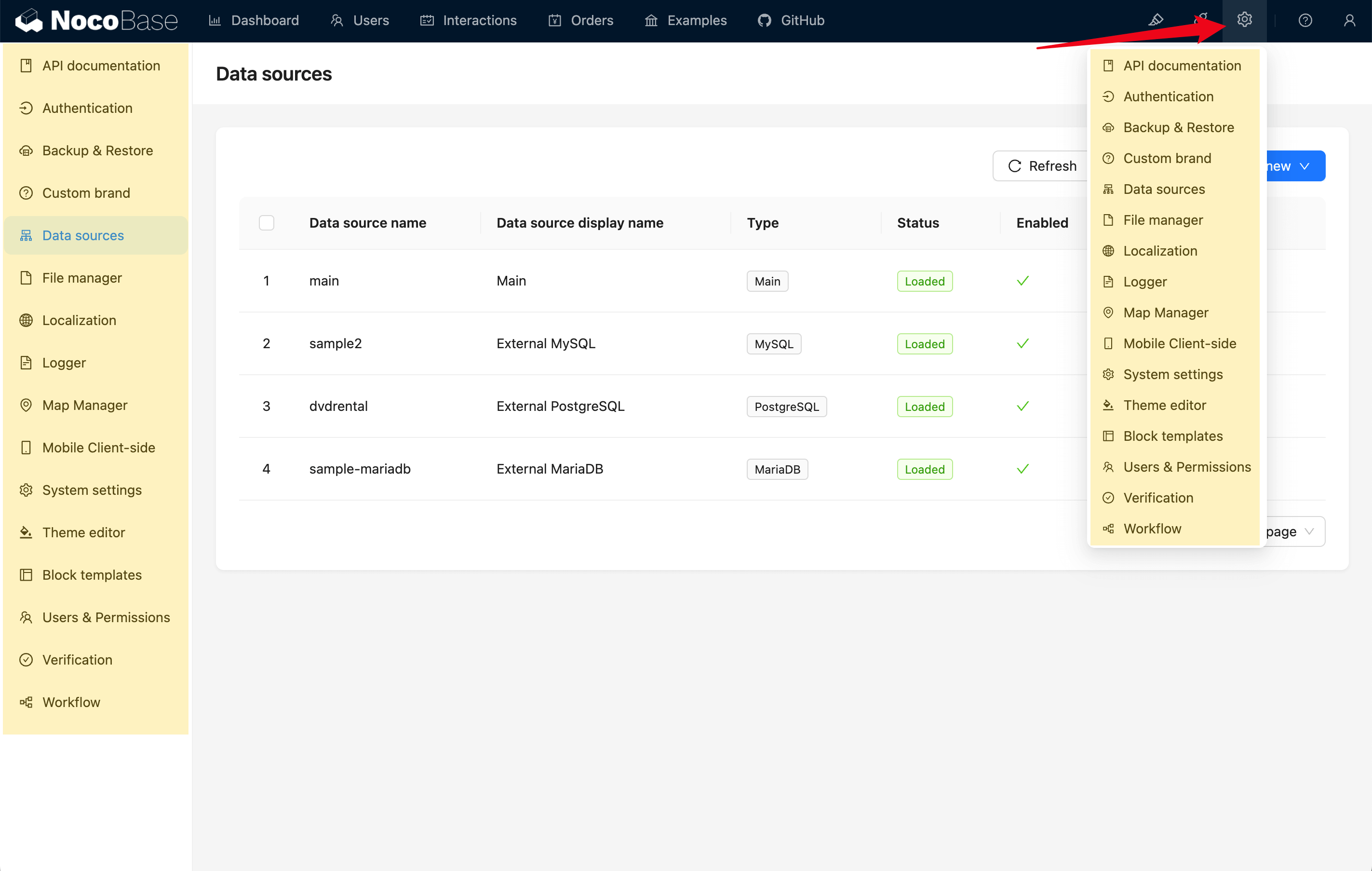
2024-04-10_08-52-41