

เอกสารนี้แปลโดย AI หากมีข้อมูลที่ไม่ถูกต้อง โปรดดูเวอร์ชันภาษาอังกฤษ
การขยายแหล่งข้อมูลที่ซิงโครไนซ์
ภาพรวม
NocoBase รองรับการขยายประเภทแหล่งข้อมูลสำหรับการซิงโครไนซ์ข้อมูลผู้ใช้ได้ตามความต้องการครับ/ค่ะ
ฝั่งเซิร์ฟเวอร์
อินเทอร์เฟซแหล่งข้อมูล
ปลั๊กอินการซิงโครไนซ์ข้อมูลผู้ใช้ที่มาพร้อมกับระบบมีฟังก์ชันสำหรับการลงทะเบียนและจัดการประเภทแหล่งข้อมูลครับ/ค่ะ ในการขยายประเภทแหล่งข้อมูล คุณจะต้องสืบทอด (inherit) คลาส abstract SyncSource ที่ปลั๊กอินมีให้ และ implement อินเทอร์เฟซมาตรฐานที่เกี่ยวข้อง
คลาส SyncSource มี property options สำหรับดึงการตั้งค่าแบบกำหนดเองของแหล่งข้อมูลครับ/ค่ะ
คำอธิบายฟิลด์ UserData
| ฟิลด์ | คำอธิบาย |
|---|---|
dataType | ประเภทข้อมูล, ตัวเลือกคือ user และ department |
uniqueKey | ฟิลด์ระบุตัวตนที่ไม่ซ้ำกัน |
records | เรคคอร์ดข้อมูล |
sourceName | ชื่อแหล่งข้อมูล |
หาก dataType เป็น user ฟิลด์ records จะมีฟิลด์ดังต่อไปนี้:
| ฟิลด์ | คำอธิบาย |
|---|---|
id | ID ผู้ใช้ |
nickname | ชื่อเล่นผู้ใช้ |
avatar | รูปโปรไฟล์ผู้ใช้ |
email | อีเมล |
phone | หมายเลขโทรศัพท์ |
departments | อาร์เรย์ของ ID แผนก |
หาก dataType เป็น department ฟิลด์ records จะมีฟิลด์ดังต่อไปนี้:
| ฟิลด์ | คำอธิบาย |
|---|---|
id | ID แผนก |
name | ชื่อแผนก |
parentId | ID แผนกแม่ |
ตัวอย่างการ implement อินเทอร์เฟซแหล่งข้อมูล
การลงทะเบียนประเภทแหล่งข้อมูล
แหล่งข้อมูลที่ขยายเพิ่มเติมจะต้องถูกลงทะเบียนกับโมดูลการจัดการข้อมูลครับ/ค่ะ
ฝั่งไคลเอนต์
ส่วนติดต่อผู้ใช้ฝั่งไคลเอนต์จะลงทะเบียนประเภทแหล่งข้อมูลโดยใช้วิธี registerType ที่มีให้โดยอินเทอร์เฟซไคลเอนต์ของปลั๊กอินการซิงโครไนซ์ข้อมูลผู้ใช้ครับ/ค่ะ
ฟอร์มการจัดการส่วนหลังบ้าน
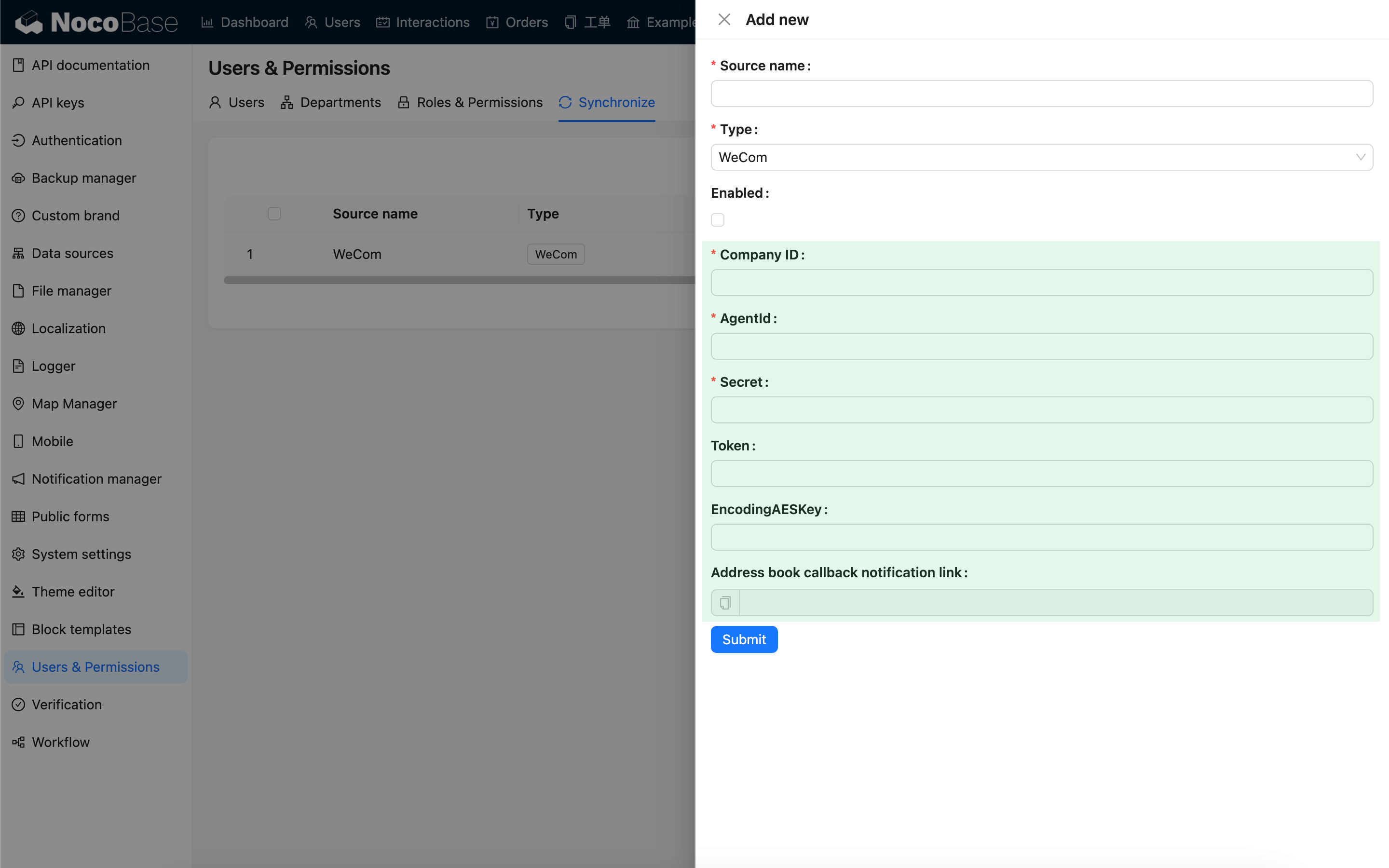
ส่วนบนเป็นการตั้งค่าแหล่งข้อมูลทั่วไป ส่วนล่างเป็นส่วนของฟอร์มการตั้งค่าแบบกำหนดเองที่สามารถลงทะเบียนได้ครับ/ค่ะ