

Adding Data Block with Modal
Scenario
In many cases, before clicking to create a block, we need to first select configuration information. For example:
Kanbanblock requires selectingGrouping fieldandSorting fieldafter clickingCalendarblock requires selectingTitle field,Start date field,End date fieldfirstChartblock requires configuring chart-related information first
Example
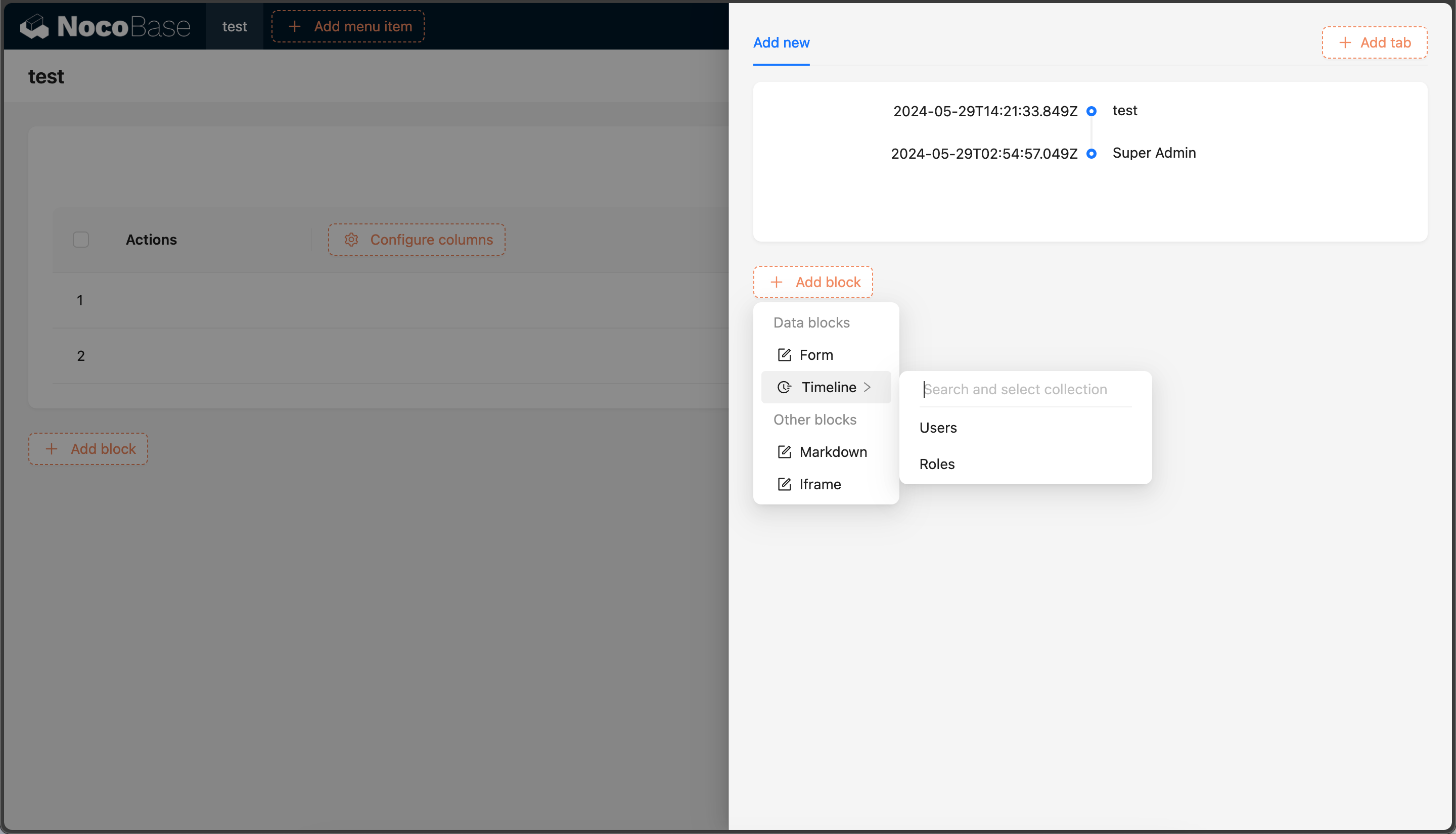
This example will create a Timeline block based on ant-design Timeline component, and before creating the block, select Time Field and Title Field.
This example is mainly to demonstrate the use of initializer. For more information about block extension, please refer to the Block Extension documentation.
The complete example code for this document can be found in plugin-samples.
Initialize Plugin
Following the Write Your First Plugin documentation, if you don't have a project yet, you can create one first. If you already have one or have cloned the source code, you can skip this step.
Then initialize a plugin and add it to the system:
Then start the project:
After logging in, visit http://localhost:13000/admin/pm/list/local/ to see that the plugin has been installed and enabled.
Implementation
Before implementing this example, we need to understand some basic knowledge:
- ant-design Timeline component
- SchemaInitializer Tutorial: Used to add various blocks, fields, operations, etc. to the interface
- SchemaInitializer API: Used to add various blocks, fields, operations, etc. to the interface
- UI Schema: Used to define the structure and style of the interface
- Designable Designer: Used to modify Schema
1. Define Name
First, we need to define the block name, which will be used in various places.
We create packages/plugins/@nocobase-sample/plugin-initializer-block-data-modal/src/client/constants.ts:
2. Implement Block Component
2.1 Define Block Component
This example is about a Timeline block component with the following specific requirements:
First, we create packages/plugins/@nocobase-sample/plugin-initializer-block-data-modal/src/client/component/Timeline.tsx file with the following content:
The Timeline component is essentially a component wrapped by withDynamicSchemaProps, which accepts 2 parameters:
loading: Data loading statedata:itemsproperty ofTimelinecomponent
withDynamicSchemaProps is a higher-order component used to handle dynamic properties in Schema.
2.2 Register Block Component
We need to register Timeline to the system through the plugin.
2.3 Verify Block Component
There are 2 ways to verify components:
- Temporary page verification: We can temporarily create a page and render the
Timelinecomponent to check if it meets the requirements - Documentation example verification: You can start the documentation
yarn doc plugins/@nocobase-sample/plugin-initializer-block-data-modal, and verify if it meets the requirements by writing documentation examples (TODO)
We use temporary page verification as an example. We create a new page and add one or more Timeline components according to property parameters to check if they meet the requirements.
Then visit http://localhost:13000/admin/timeline-block-component to see the corresponding test page content.
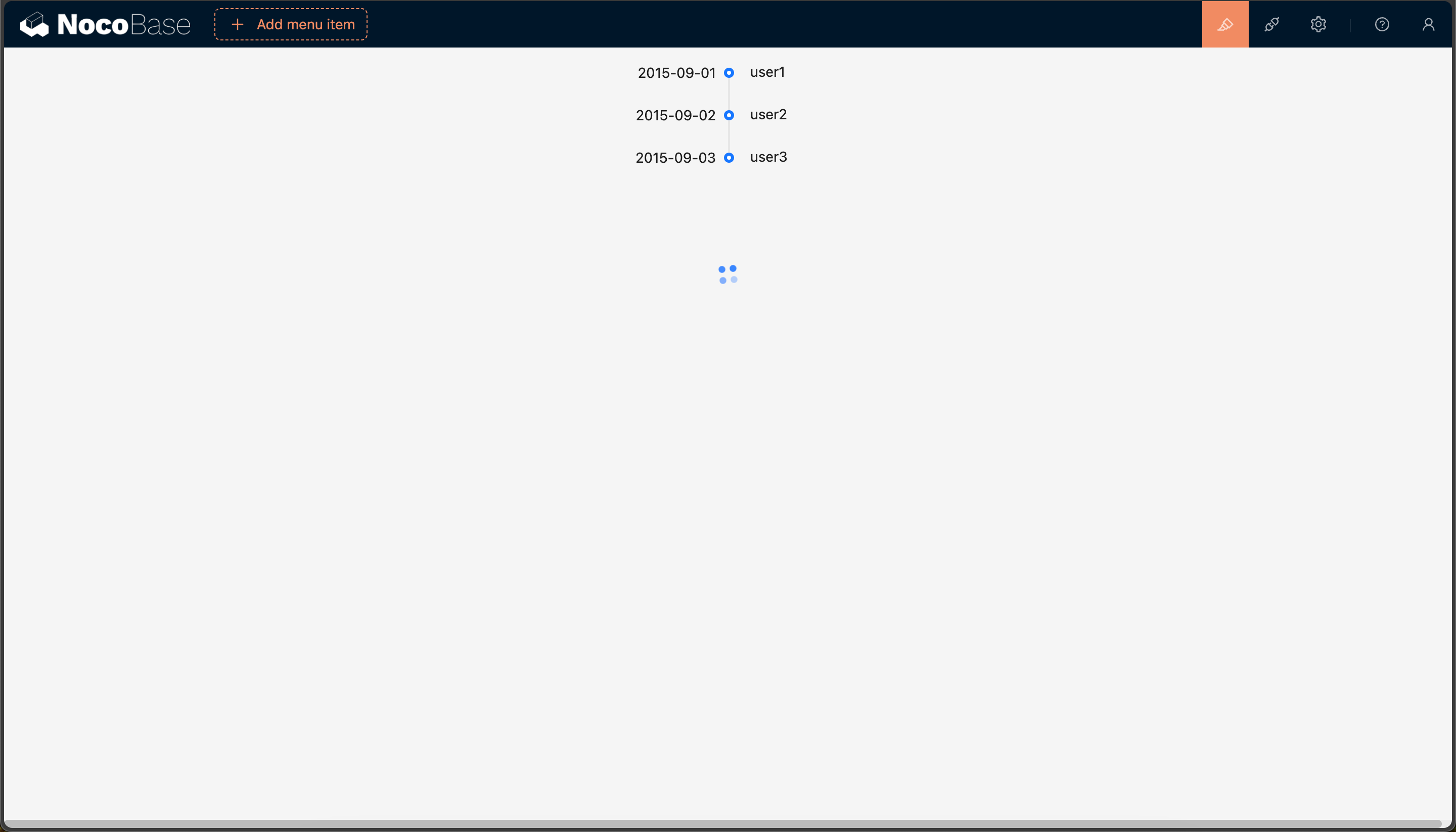
After verification, the test page needs to be deleted.
3. Define Configuration Form
According to the requirements, we need to configure Time Field and Title Field after selecting the data table, so we need to define a configuration form, named TimelineInitializerConfigForm.
3.1 Define Configuration Form Component
We need to understand the following knowledge first:
- Action
- Action.Modal: Modal
- ActionContextProvider:
Actioncontext - SchemaComponent: Used to render Schema
We create packages/plugins/@nocobase-sample/plugin-initializer-block-data-modal/src/client/initializer/ConfigForm.tsx file with the following content:
TimelineInitializerConfigForm component accepts 4 parameters:
visible: Whether to displaysetVisible: Set whether to displaycollection: Data table namedataSource: Data source nameonSubmit: Form submit callback
Among them, collection and dataSource are obtained after clicking the data table, so they are dynamic here.
- app: Get application instance through useApp()
- app.getCollectionManager: Get CollectionManager instance
- getCollection: Get data table
- getFields: Get data table fields
ActionContextProvider is used to pass visible and setVisible to child nodes, SchemaComponent is used to render Schema.
3.2 Implement Configuration Form Schema
We need to understand the following knowledge first:
We defined a createSchema function to generate the configuration form Schema, which accepts a fields parameter, which is the fields of the data table.
The above effect is that there is a form inside the modal, and there are 2 selectors in the form, one is Title Field, one is Time Field, and there are a Close and Submit button.
- The
CloseandSubmitbuttons need to use Hooks, so we use x-use-component-props Title Field: All fields can be selectedTime Field: Onlydatetype fields can be selected
Then we also need to modify TimelineInitializerConfigForm to register useSubmitActionProps and useCloseActionProps to scope.
3.3 Verify Configuration Form
Then visit http://localhost:13000/admin/timeline-config-form to see the corresponding test page content.
After verification, the test page needs to be deleted.
4. Define Block Schema
4.1 Define Block Schema
NocoBase's dynamic pages are all rendered through Schema, so we need to define a Schema, which will be used later to add the Timeline block to the interface. Before implementing this section, we need to understand some basic knowledge:
- UI Schema Protocol: Detailed introduction to the structure of Schema and the role of each property
- DataBlockProvider: Data block
We create packages/plugins/@nocobase-sample/plugin-initializer-block-data-modal/src/client/schema/index.tsx file:
There are 2 points to explain here:
getTimelineSchema() accepts dataSource, collection, titleField, timeField and returns a Schema, which is used to render the Timeline block:
type: 'void': Indicates no datax-decorator: 'DataBlockProvider': Data block provider, used to provide data. For more information about DataBlockProvider, please refer to DataBlockProviderx-decorator-props: Properties ofDataBlockProviderdataSource: Data sourcecollection: Data tableaction: 'list': Operation type, here it islist, to get the data listparams: { sort }: Request parameters, here we sorttimeFieldin descending order. For more information about request parameters, please refer to useRequestx-component: 'CardItem': CardItem component, currently all blocks are wrapped in cards, which provide styles, layouts, and drag-and-drop functionality'x-component': 'Timeline': Block component, which is theTimelinecomponent we defined'x-use-component-props': 'useTimelineProps': Used to handle the dynamic properties of theTimelinecomponent, and because it needs to be stored in the database, the value type here is a string type.
useTimelineProps(): Dynamic properties of the Timeline component
- useDataBlockProps: Get the props property of DataBlockProvider, which is the value of
x-decorator-props - useDataBlockRequest Get the data block request, provided by DataBlockProvider
The above Schema is equivalent to the following React component:
4.2 Register scope
We modify packages/plugins/@nocobase-sample/plugin-initializer-block-data-modal/src/client/index.tsx file to register useTimelineProps to the system, so that x-use-component-props can find the corresponding scope.
For more information about Scope, please refer to Global Registration of Component and Scope
4.3 Verify Block Schema
Same as verifying components, we can verify the Schema by temporary page verification or documentation example verification. Here we use temporary page verification as an example:
- SchemaComponentOptions: Used to pass
componentsandscoperequired in Schema. For details, please refer to Local Registration of Component and Scope - SchemaComponent: Used to render Schema
We visit http://localhost:13000/admin/timeline-schema to see the corresponding test page content.
After verification, the test page needs to be deleted.
5. Define Schema Initializer Item
We create packages/plugins/@nocobase-sample/plugin-initializer-block-data-modal/src/client/initializer/index.tsx file to define Schema Initializer Item:
The operation flow is to first click on the data table to get the values of collection and dataSource, then get the timeField and titleField fields through the configuration form TimelineInitializerConfigForm, and when the form is submitted, create a schema based on the data and insert it into the page.
The core to achieving the data block effect is DataBlockInitializer (documentation TODO).
timelineInitializerItem:
name: Unique identifier, used for CRUDComponent: Unlike Adding Simple Block Simple Block which usestype, here we useComponent. 2 ways to define are both acceptable
TimelineInitializerComponent:
DataBlockInitializertitle: Titleicon: Icon, more icons can be found at Ant Design IconscomponentType: Component type, here it isTimelineonCreateBlockSchema: Callback after clicking the data tableitem: Information of the clicked data tableitem.name: Data table nameitem.dataSource: Data source of the data table
- useSchemaInitializer: Provides methods for inserting Schema
For more information about Schema Initializer definitions, please refer to the Schema Initializer documentation.
6. Implement Schema Settings
6.1 Define Schema Settings
A complete Block also needs to have Schema Settings, which are used to configure some properties and operations, but Schema Settings is not the focus of this example, so we only have a remove operation here.
We create packages/plugins/@nocobase-sample/plugin-initializer-block-data-modal/src/client/settings/index.ts file with the following content:
- componentProps
removeParentsIfNoChildren: Whether to delete the parent node if there are no child nodesbreakRemoveOn: Break condition when deleting. BecauseAdd Blockautomatically wraps children inGrid, we setbreakRemoveOn: { 'x-component': 'Grid' }here, so when deletingGrid, it doesn't delete upwards anymore.
6.2 Register Schema Settings
6.3 Use Schema Settings
We need to modify the getTimelineSchema() in packages/plugins/@nocobase-sample/plugin-initializer-block-data-modal/src/client/schema/index.tsx:
7. Add to Add block
There are many Add block buttons in the system, but their names are different.
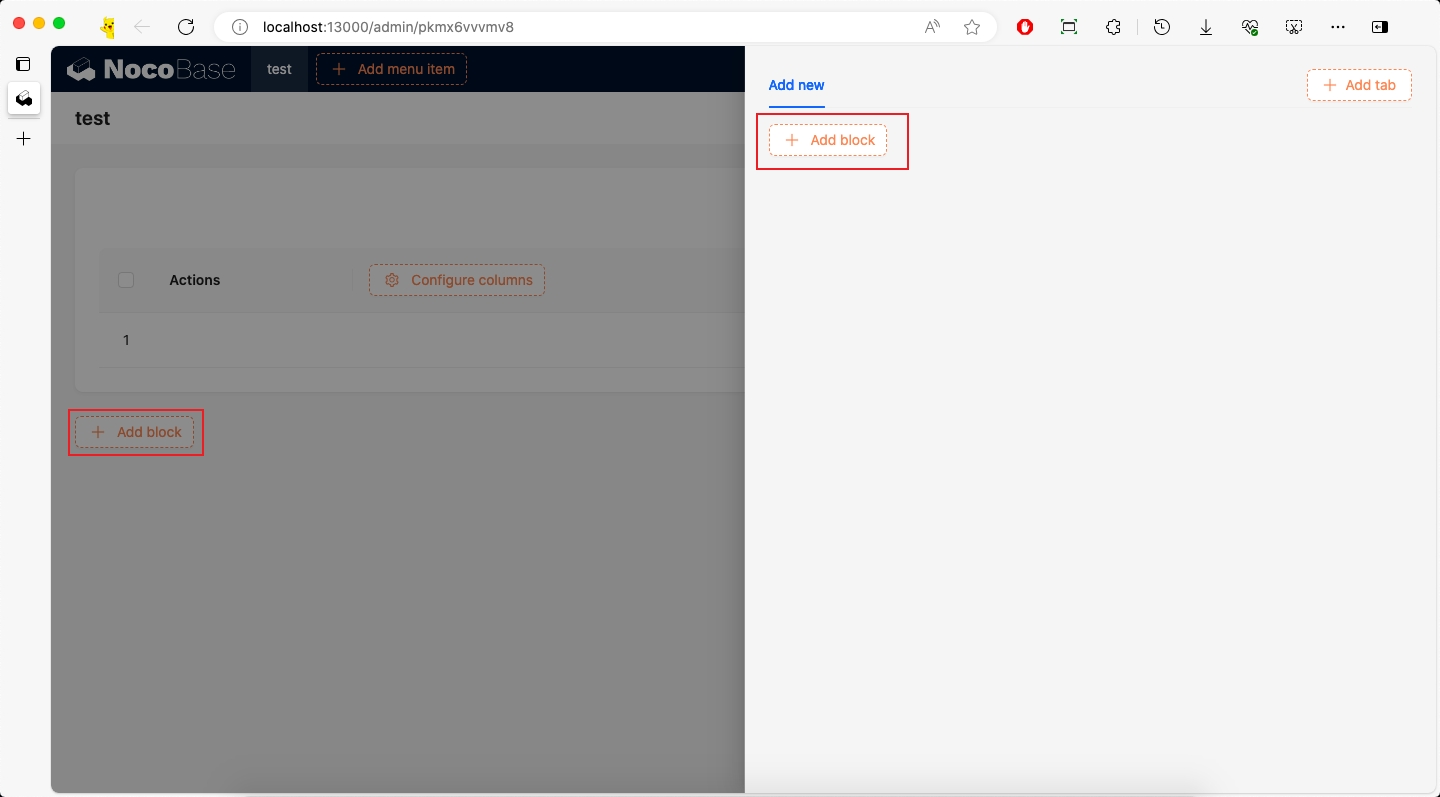
7.1 Add to Page-level Add block
If we need to add it to the page-level Add block, we need to know the corresponding name. We can view the corresponding name through TODO method.
TODO
From the above figure, we can see that the page-level Add block corresponds to the name page:addBlock, and Data Blocks corresponds to the name dataBlocks.
Then we modify packages/plugins/@nocobase-sample/plugin-initializer-block-data-modal/src/client/index.tsx file:
7.2 Add to Modal Add block
We need to add it not only to the page-level Add block, but also to the Add block in the Table block Add new modal.
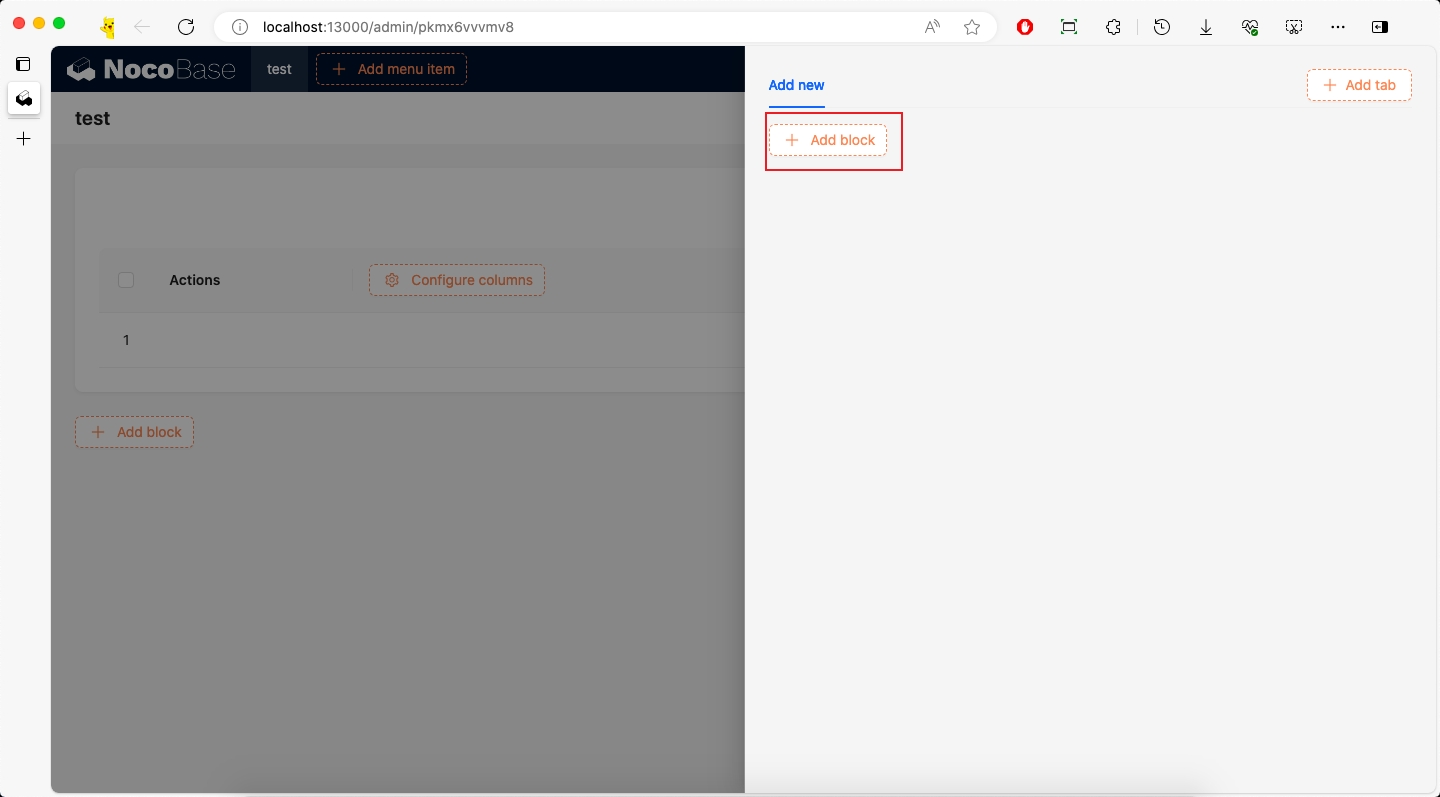
According to the method of obtaining the page-level name, we get the Add block name of the Table block as popup:addNew:addBlock, and Data Blocks corresponds to the name dataBlocks.
Then modify packages/plugins/@nocobase-sample/plugin-initializer-block-data-modal/src/client/index.tsx file:
7.3 Add to Mobile Add block
First, you need to activate the mobile plugin, refer to the Activate Plugin documentation.
We can add it to the mobile Add block. The method of obtaining the name will not be repeated here.
Then modify packages/plugins/@nocobase-sample/plugin-initializer-block-data-modal/src/client/index.tsx file:
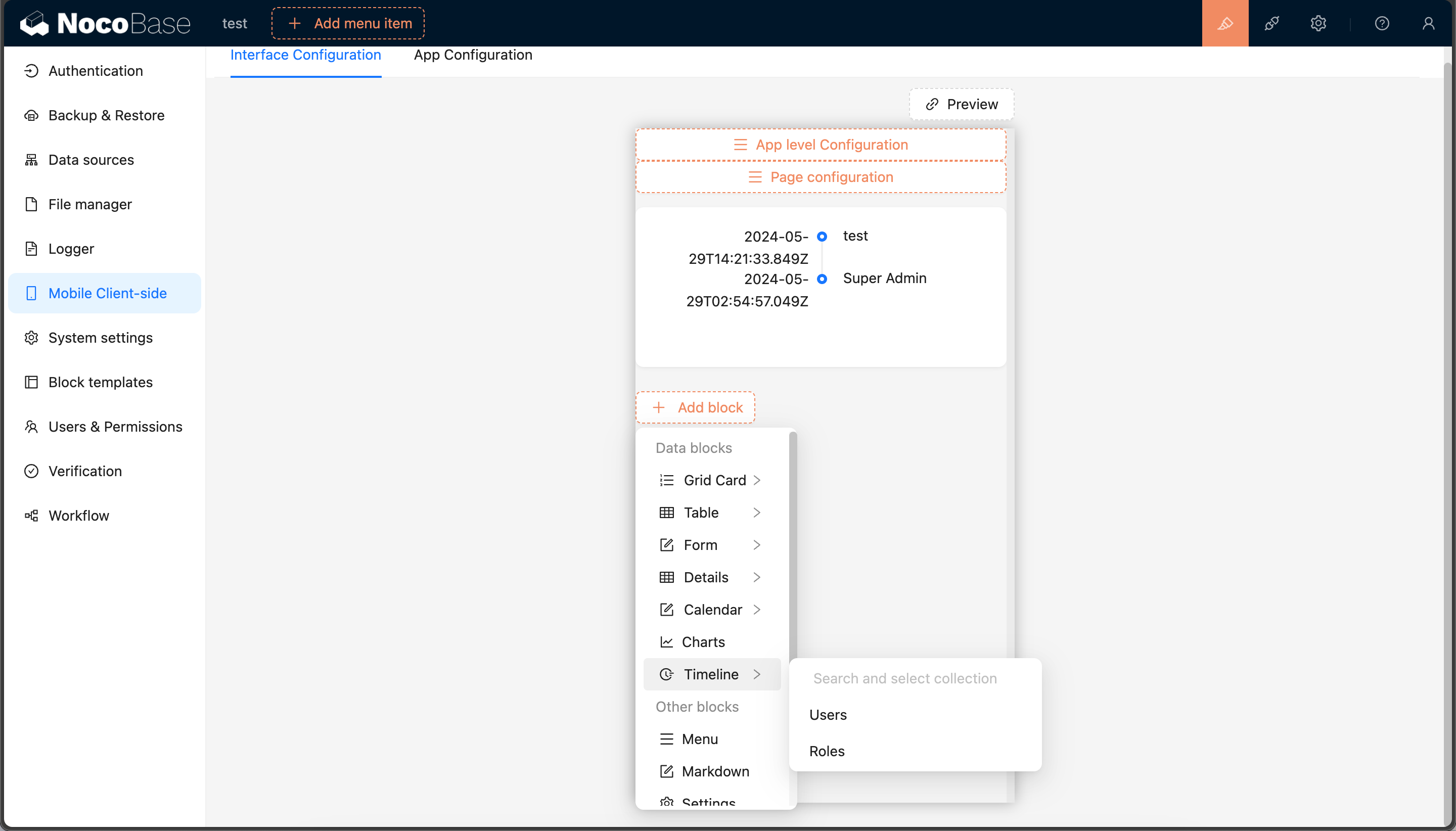
If you need more Add block, you can continue to add them, just need to know the corresponding name.
8. Multi-language
8.1 English
We edit packages/plugins/@nocobase-sample/plugin-initializer-block-data-modal/src/locale/en-US.json file:
8.2 Chinese
We edit packages/plugins/@nocobase-sample/plugin-initializer-block-data-modal/src/locale/zh-CN.json file:
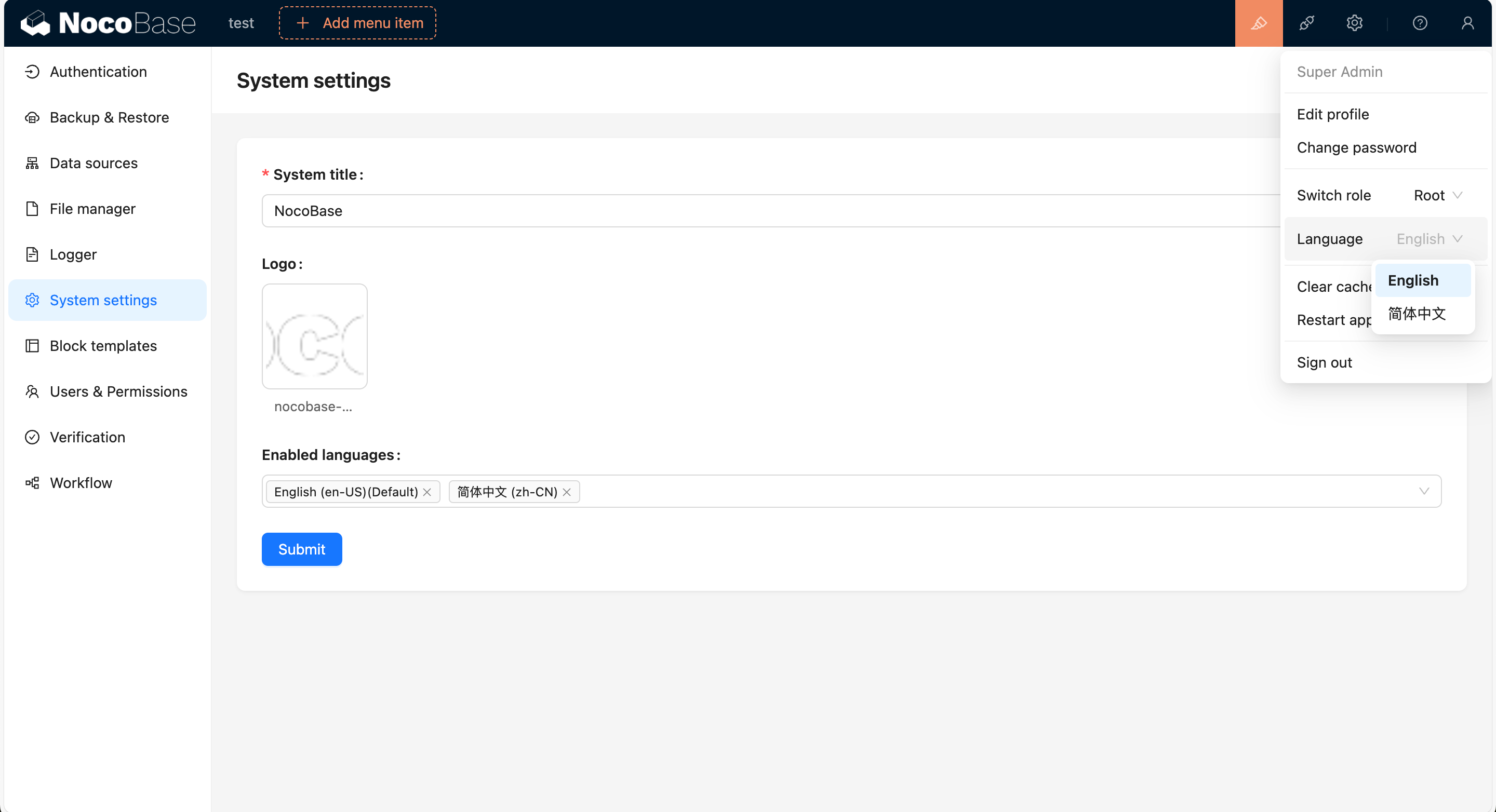
We can add multiple languages through http://localhost:13000/admin/settings/system-settings, and switch languages in the upper right corner.
Packaging and Uploading to Production Environment
According to the Build and Package Plugin documentation, we can package the plugin and upload it to the production environment.
If you cloned the source code, you need to execute a full build first to build the plugin's dependencies as well.
If you used create-nocobase-app to create the project, you can directly execute:
This way you can see the storage/tar/@nocobase-sample/plugin-initializer-block-data-modal.tar.gz file, and then install it by uploading.