

Block Embedded Initializer - Configure Actions
Scenario
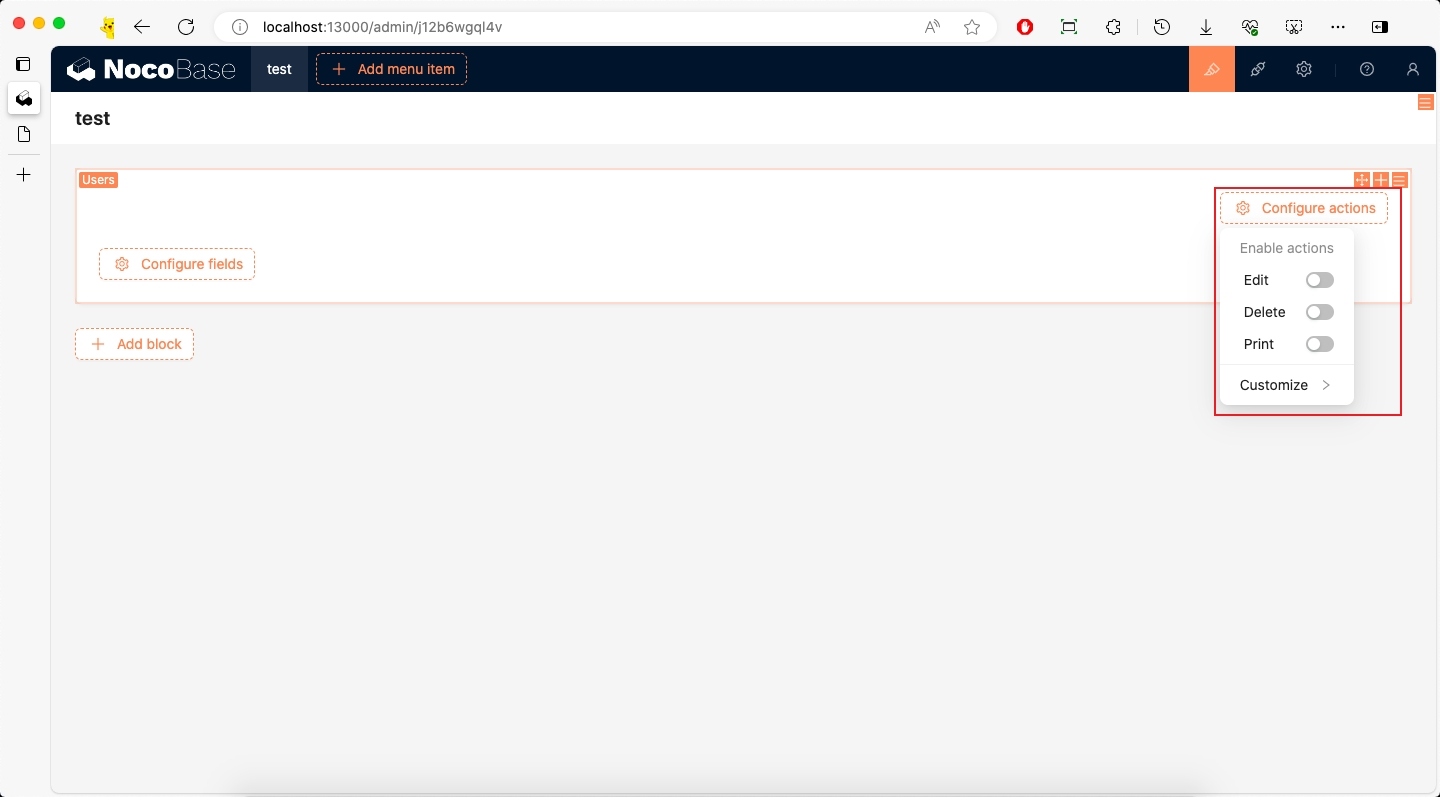
If a newly created block is a complex data block, it may contain multiple dynamically added parts. The Configure actions initializer is mainly responsible for dynamically adding some buttons to implement various operations. For example, in the Details block, we can add Edit, Print, and other buttons through Configure actions.
Example
This example will continue based on Adding Data Block Data Block to implement an effect similar to the Details block, configuring buttons through Configure actions.
The complete example code for this document can be found in plugin-samples.
Initialize Plugin
Following the Write Your First Plugin documentation, if you don't have a project yet, you can create one first. If you already have one or have cloned the source code, you can skip this step.
Then initialize a plugin and add it to the system:
Then start the project:
After logging in, visit http://localhost:13000/admin/pm/list/local/ to see that the plugin has been installed and enabled.
Implementation
Before implementing this example, we need to understand some basic knowledge:
- SchemaInitializer Tutorial: Used to add various blocks, fields, operations, etc. to the interface
- SchemaInitializer API: Used to add various blocks, fields, operations, etc. to the interface
- UI Schema: Used to define the structure and style of the interface
- Designable Designer: Used to modify Schema
1. Create Block
As mentioned earlier, this example will continue based on Adding Data Block Data Block, so we can copy the packages/plugins/@nocobase-sample/plugin-initializer-block-data/src/client directory to overwrite packages/plugins/@nocobase-sample/plugin-initializer-configure-actions/src/client.
Then modify packages/plugins/@nocobase-sample/plugin-initializer-configure-actions/src/client/index.tsx:
Then modify packages/plugins/@nocobase-sample/plugin-initializer-configure-actions/src/client/constants.ts:
2. Implement initializer
2.1 Define initializer
We create packages/plugins/@nocobase-sample/plugin-initializer-configure-actions/src/client/initializer/configureActions/configureActionsInitializer.ts file:
We defined a new SchemaInitializer through the above code, and the sub-items are temporarily empty.
- SchemaInitializer: Used to create a Schema Initializer instance
icon: Icon, more icons can be found at Ant Design Iconstitle: Button title- items: Sub-items under the button
Then export it in packages/plugins/@nocobase-sample/plugin-initializer-configure-actions/src/client/initializer/configureActions/index.ts:
And modify packages/plugins/@nocobase-sample/plugin-initializer-configure-actions/src/client/initializer/index.tsx to export configureActions:
2.2 Register initializer
Then modify packages/plugins/@nocobase-sample/plugin-initializer-configure-actions/src/client/index.tsx file to import and register this initializer:
2.3 Use initializer
We modify packages/plugins/@nocobase-sample/plugin-initializer-configure-actions/src/client/schema/index.ts file to add a new actions child node:
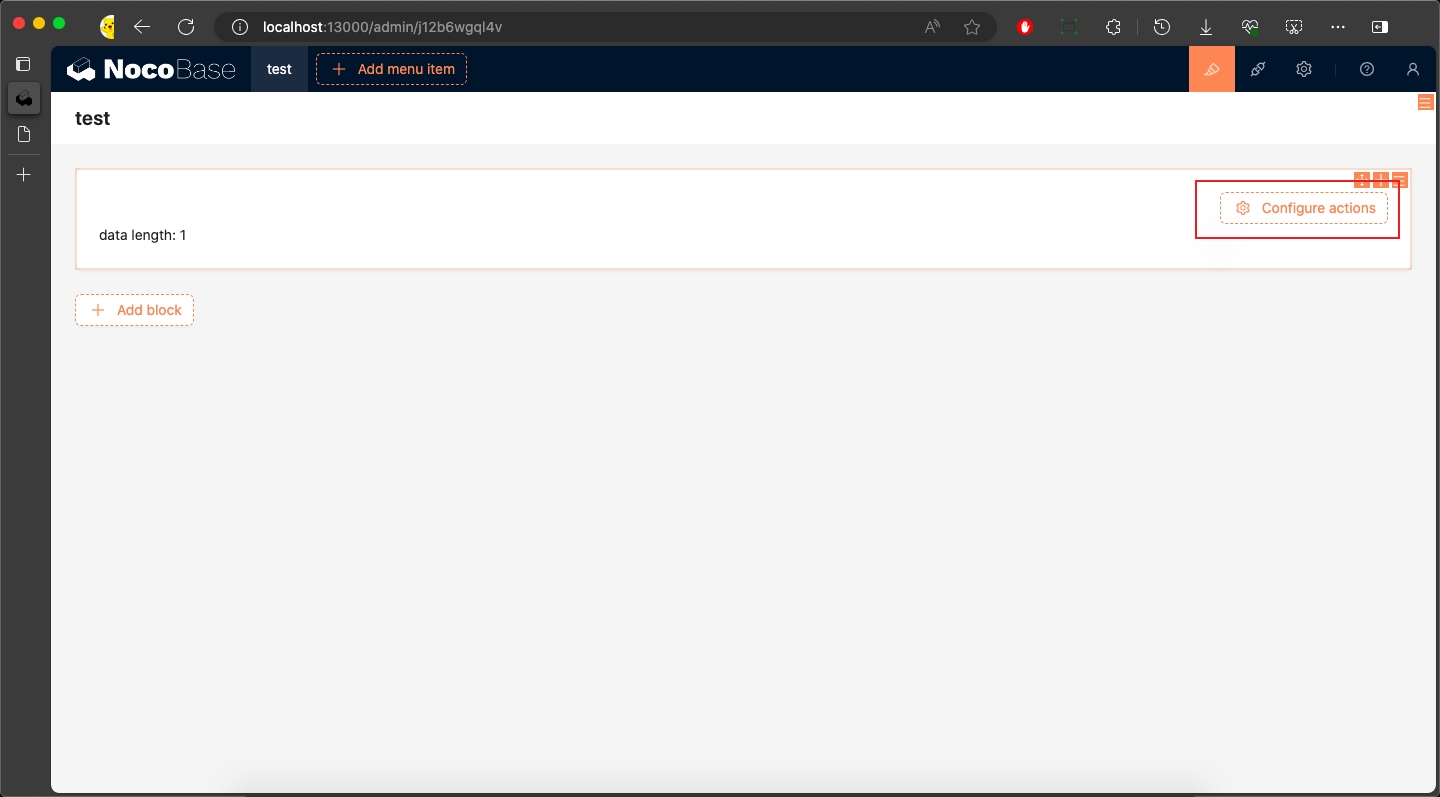
configure actions is generally used in combination with the ActionBar component.
We added an actions field to the child nodes of Info:
type: 'void': Type isvoid, indicating this is a containerx-component: 'ActionBar': Use ActionBar component to display buttonsx-initializer: configureActionsInitializer.name: Use the Schema Initializer we just createdx-component-props.layout: 'two-column': Left and right layout, specific examples can be found at ActionBar two-column
2.4 Block renders child nodes
We modify packages/plugins/@nocobase-sample/plugin-initializer-configure-actions/src/client/component/Info.tsx file to modify the Info component:
children: The content ofpropertieswill be passed to thechildrenof theInfoV2component, so we just need to renderchildrendirectly.
3. Implement initializer items
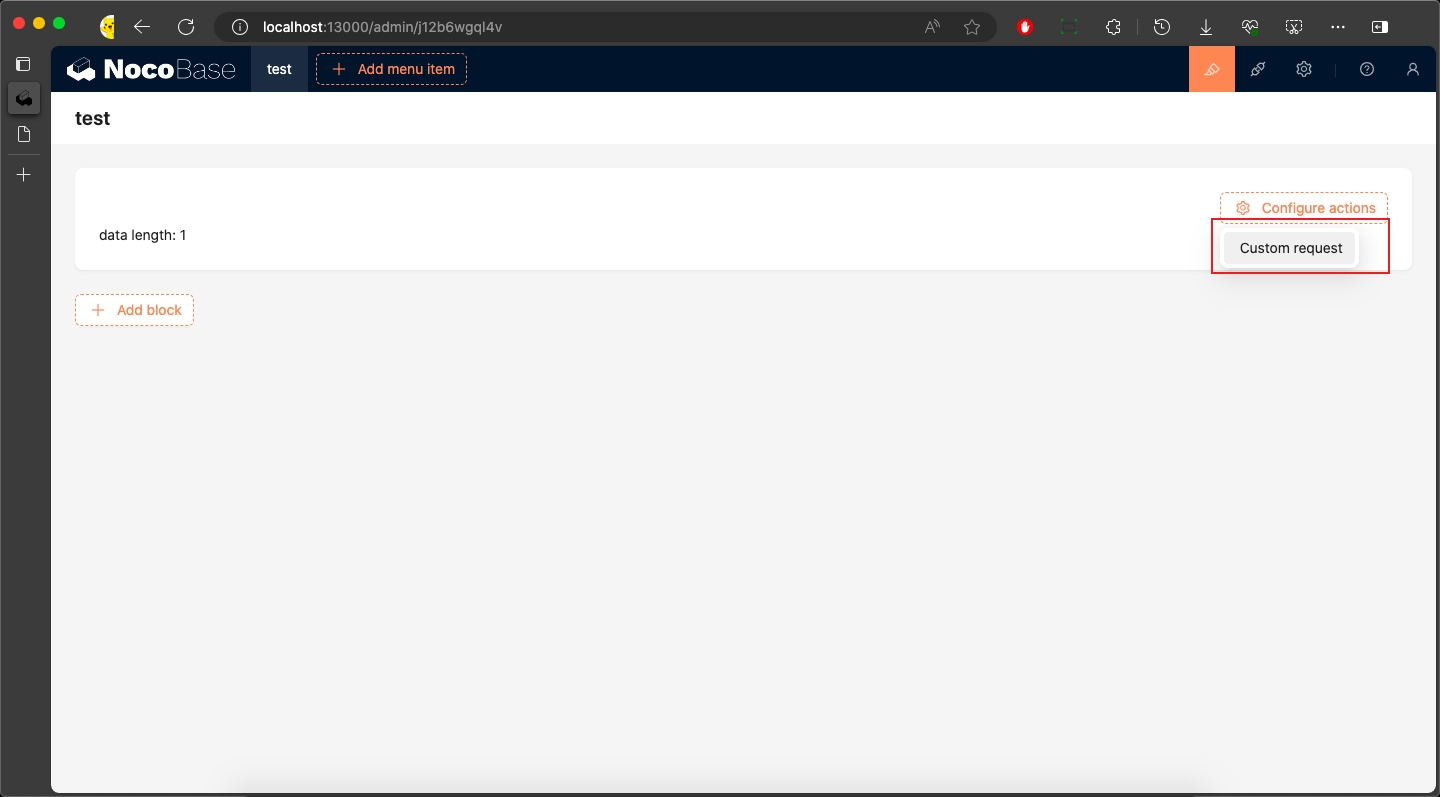
3.1 Reuse: Custom request Action
We continue to modify packages/plugins/@nocobase-sample/plugin-initializer-configure-actions/src/client/initializer/configureActions/configureActionsInitializer.ts file:
Because we directly reused the CustomRequestInitializer component for Custom request, more reusable Initializer Items can be found at TODO.
3.2 Custom: Custom Refresh Action
In addition to reusing existing Initializer Items, we can also customize Actions. For detailed steps on customizing Actions, refer to Adding Simple Action and Adding Action with Modal.
Here we implement a Custom Refresh Action.
3.2.1 Define Name
We create packages/plugins/@nocobase-sample/plugin-initializer-configure-actions/src/client/initializer/configureActions/items/customRefresh/constants.ts:
3.2.2 Define Schema
3.2.2.1 Define Schema
We create packages/plugins/@nocobase-sample/plugin-initializer-configure-actions/src/client/initializer/configureActions/items/customRefresh/schema.ts file:
We defined customRefreshActionSchema and dynamic property useCustomRefreshActionProps.
customRefreshActionSchema:
type: 'void': Type isvoid, indicating plain UI with no datax-component: 'Action': Use Action component to display buttontitle: 'Custom Refresh': Button titlex-use-component-props: 'useCustomRefreshActionProps': Use the properties returned by theuseCustomRefreshActionPropsHooks. Since Schema will be saved to the server, it needs to be used in string format here.'x-toolbar': 'ActionSchemaToolbar': Generally used with theActioncomponent. Unlike the default ToolBar, it hides theInitializerin the upper right corner of Action, keeping only Drag and Settings.
useCustomRefreshActionProps: This is a React Hooks that needs to return the properties of the Action component.
- useDataBlockRequest(): Request object of the data block, provided internally by
DataBlockProvider, used to automatically get the data block's datarunAsync: An asynchronous request method used to refresh the data block's data
type: 'primary': Button type isprimaryonClick: Click event.
Then export it in packages/plugins/@nocobase-sample/plugin-initializer-configure-actions/src/client/initializer/configureActions/items/customRefresh/index.ts:
And modify packages/plugins/@nocobase-sample/plugin-initializer-configure-actions/src/client/initializer/configureActions/index.ts to export customRefresh:
3.2.2.2 Register context
We also need to register useCustomRefreshActionProps to the context. We modify packages/plugins/@nocobase-sample/plugin-initializer-configure-actions/src/client/index.tsx file:
For the use of SchemaComponentOptions, refer to the SchemaComponentOptions documentation and Global Registration of Component and Scope.
3.3.2 Implement settings
3.3.2.1 Define settings
We create packages/plugins/@nocobase-sample/plugin-initializer-configure-actions/src/client/initializer/configureActions/items/customRefresh/settings.ts
customRefreshActionSettings: Here we only simply defined a remove operation. For more information about Schema Settings definitions, refer to the Schema Settings documentation.
Modify packages/plugins/@nocobase-sample/plugin-initializer-configure-actions/src/client/initializer/configureActions/items/customRefresh/index.ts to export it:
3.3.2.2 Register settings
Then register customRefreshActionSettings to the system. We modify packages/plugins/@nocobase-sample/plugin-initializer-configure-actions/src/client/index.tsx file:
3.3.2.2 Use settings
We modify the customRefreshActionSchema method in packages/plugins/@nocobase-sample/plugin-initializer-configure-actions/src/client/initializer/configureActions/items/customRefresh/schema.ts file to set x-settings to customRefreshActionSettings.name.
3.3.3 Define SchemaInitializer item
3.3.3.1 Define SchemaInitializer item
We continue to modify packages/plugins/@nocobase-sample/plugin-initializer-configure-actions/src/client/initializer/configureActions/items/customRefresh/initializer.ts file:
type: 'item': Type isitem, indicating text that triggersonClickevent when clickedname: 'custom refresh': Unique identifier used to distinguish different Schema Items and CRUD operationstitle: 'Custom Refresh': Button title
For more information about Schema Item definitions, refer to the Schema Initializer Item documentation.
Then modify packages/plugins/@nocobase-sample/plugin-initializer-configure-actions/src/client/initializer/configureActions/index.ts to export it:
3.3.3.2 Use SchemaInitializer item
We modify packages/plugins/@nocobase-sample/plugin-initializer-configure-actions/src/client/initializer/configureActions/configureActionsInitializer.ts file to add customRefreshActionInitializerItem to items:
You can implement more Actions as needed.
Packaging and Uploading to Production Environment
According to the Build and Package Plugin documentation, we can package the plugin and upload it to the production environment.
If you cloned the source code, you need to execute a full build first to build the plugin's dependencies as well.
If you used create-nocobase-app to create the project, you can directly execute:
This way you can see the storage/tar/@nocobase-sample/plugin-initializer-configure-actions.tar.gz file, and then install it by uploading.