

SQL Collection
This feature is provided by the plugin «Collection: SQL»Introduction
The SQL collection provides a powerful method for retrieving data using SQL queries. By extracting data fields through SQL queries and configuring the associated field metadata, users can utilize these fields as though they were working with a standard table. This feature is particularly beneficial for scenarios involving complex join queries, statistical analysis, and more.
User Manual
Creating a New SQL Collection
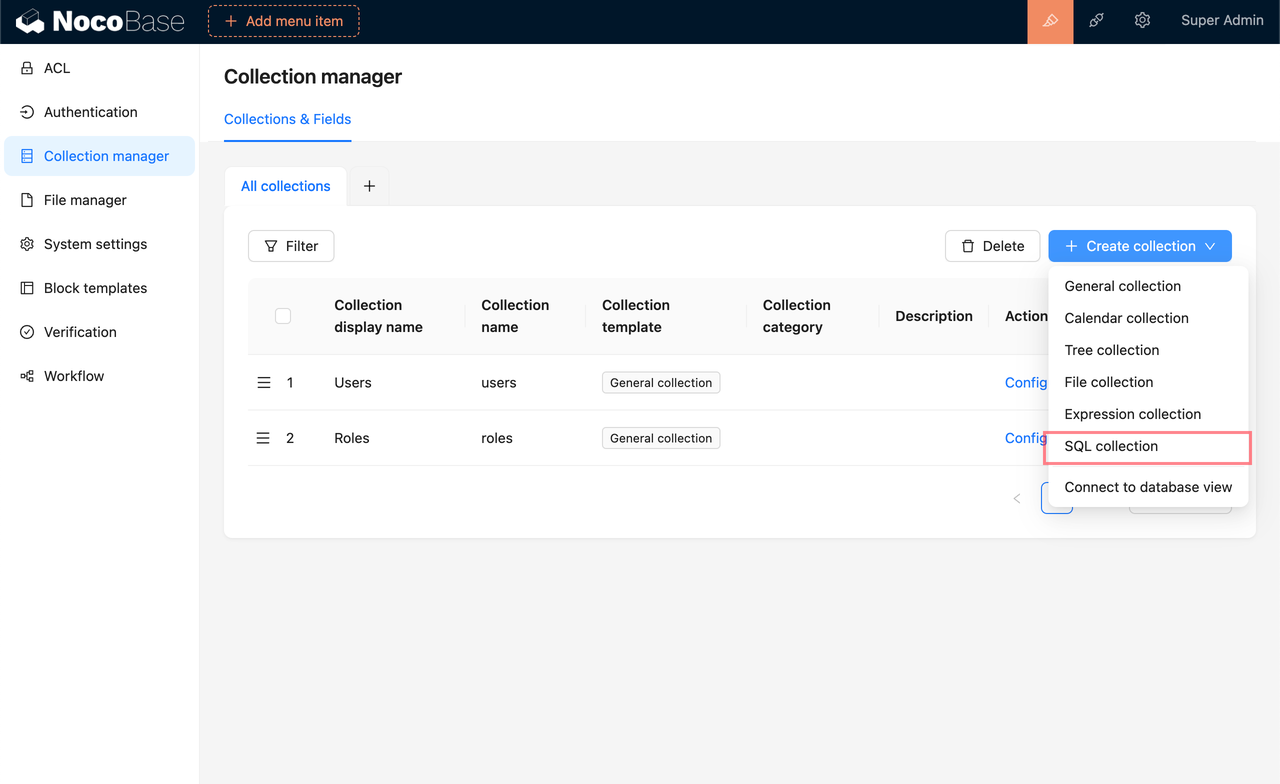
- Enter your SQL query in the provided input box and click Execute. The system will analyze the query to determine the tables and fields involved, automatically extracting the relevant field metadata from the source tables.
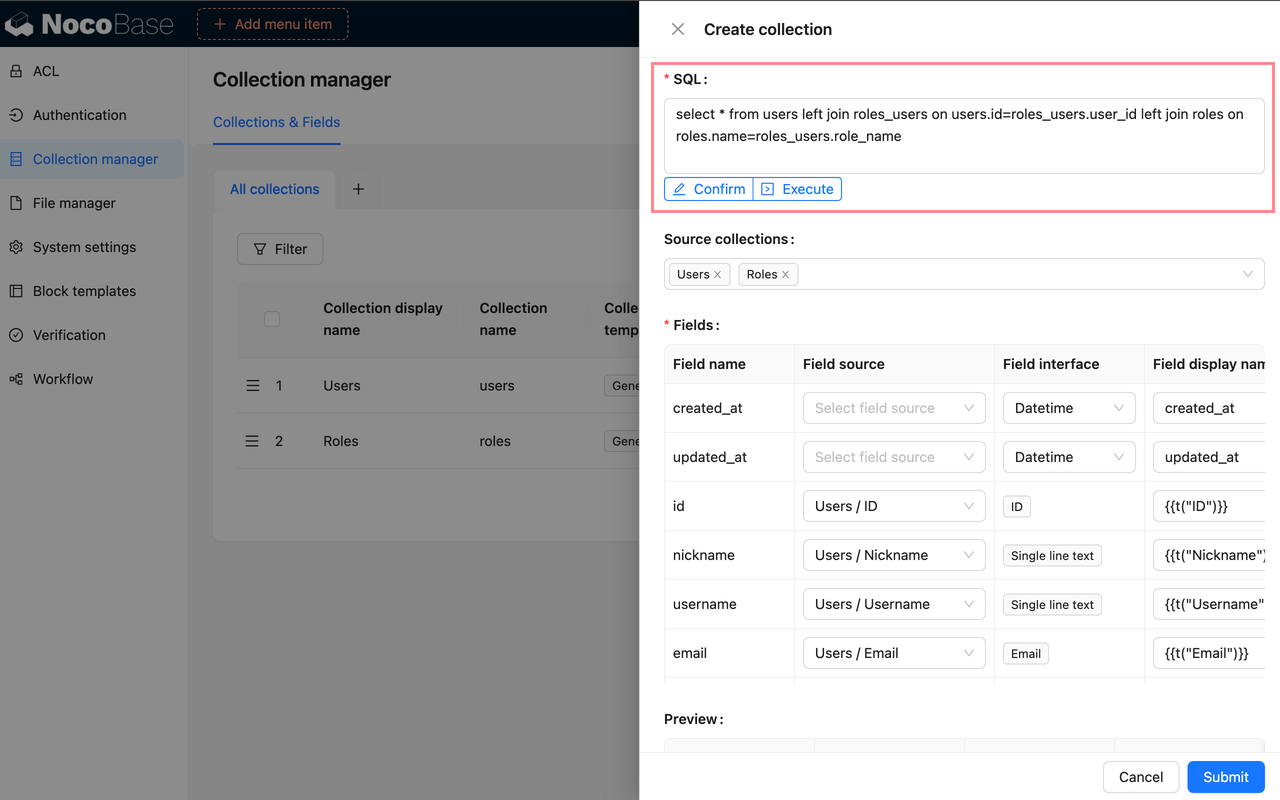
- If the system's analysis of the source tables and fields is incorrect, you can manually select the appropriate tables and fields to ensure the correct metadata is used. Start by selecting the source table, then choose the corresponding fields in the field source section below.
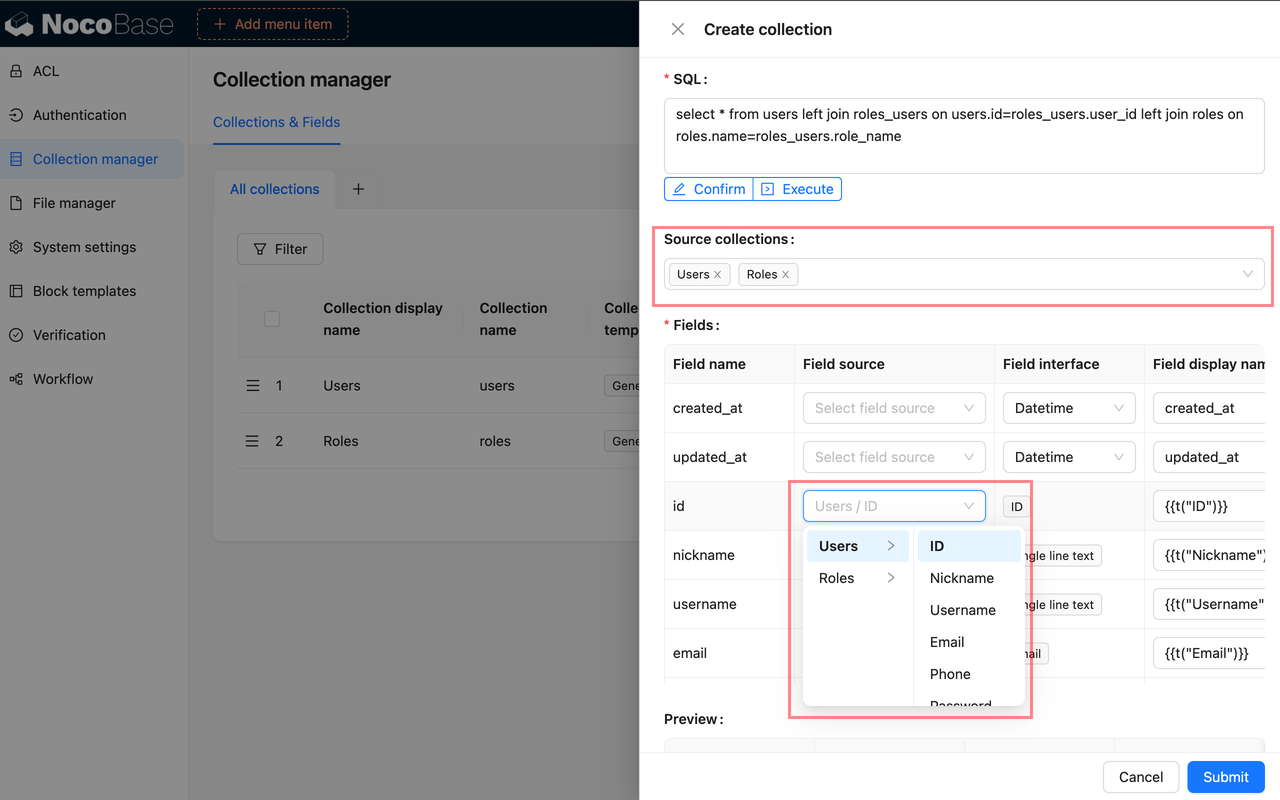
- For fields that do not have a direct source, the system will infer the field type based on the data type. If this inference is incorrect, you can manually select the proper field type.
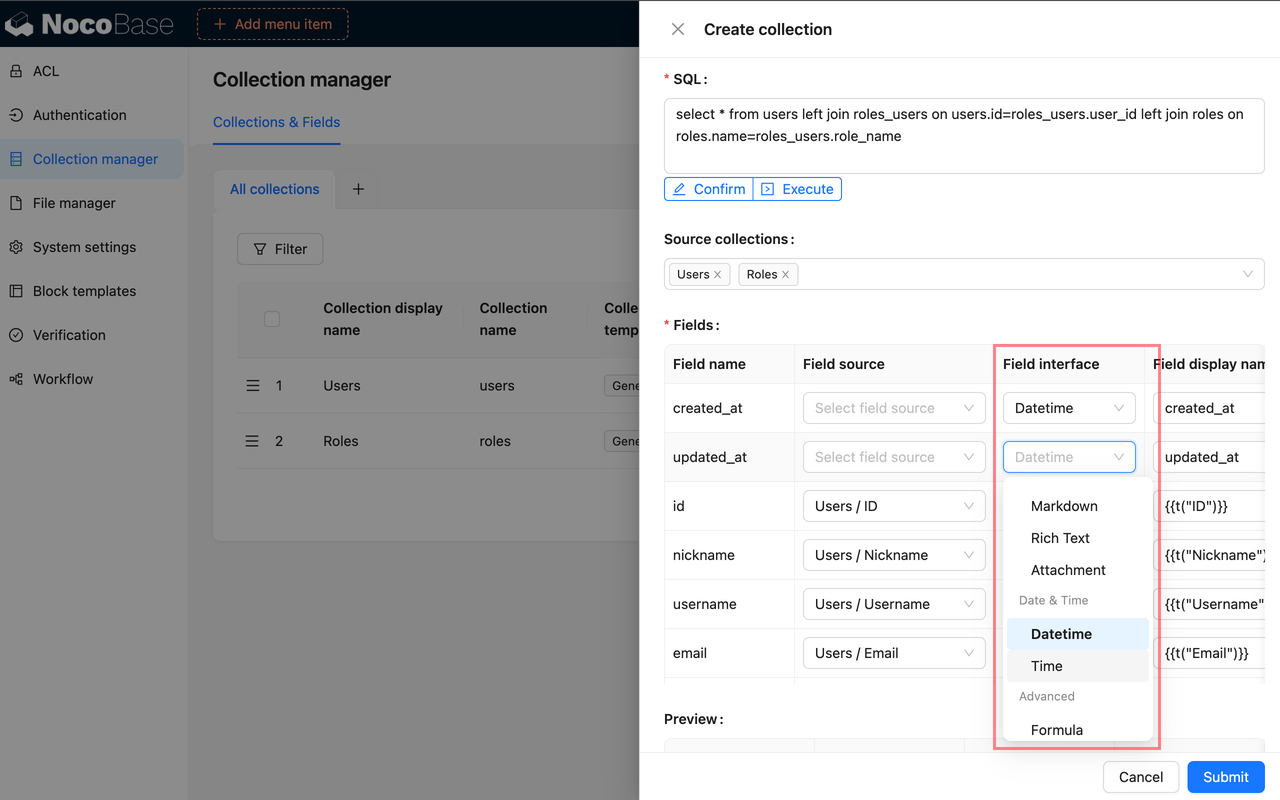
- As you configure each field, you can preview its display in the preview area, allowing you to see the immediate impact of your settings.
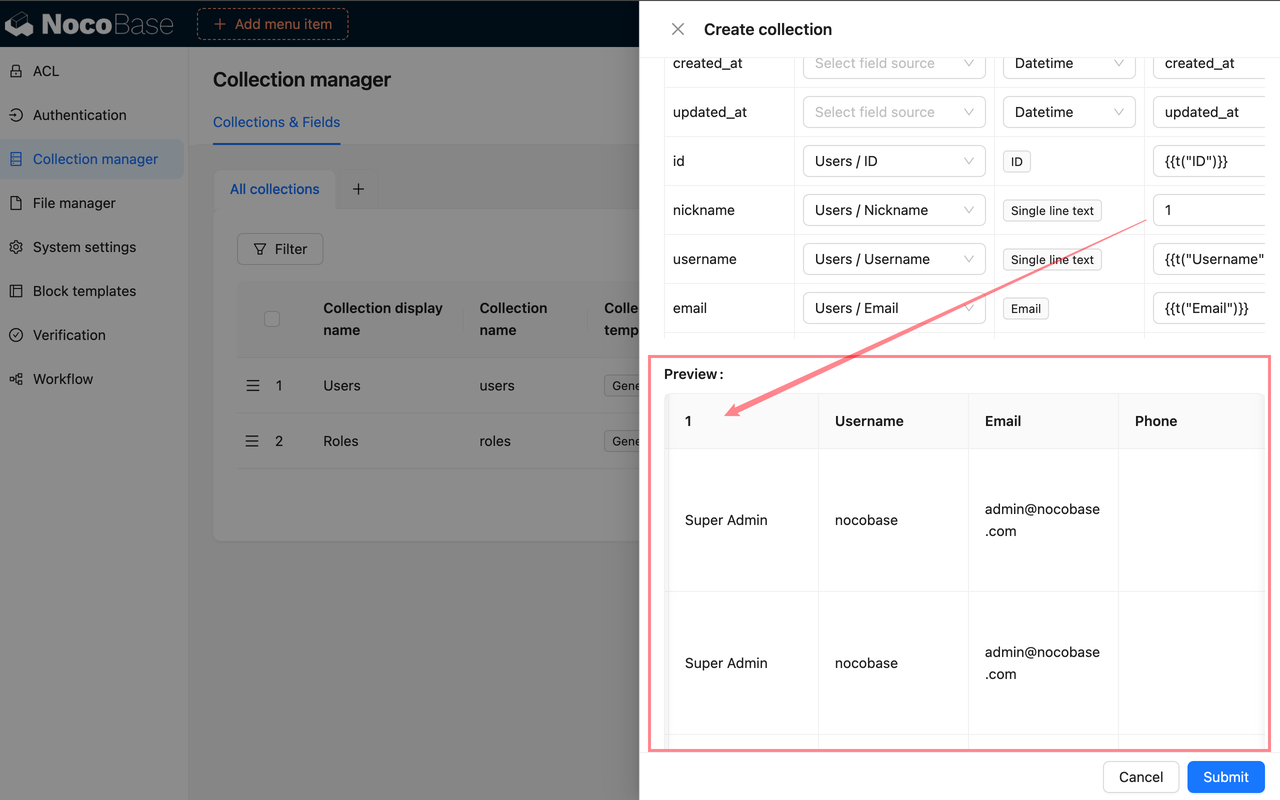
- After you have completed the configuration and confirmed that everything is correct, click the Confirm button below the SQL input box to finalize the submission.
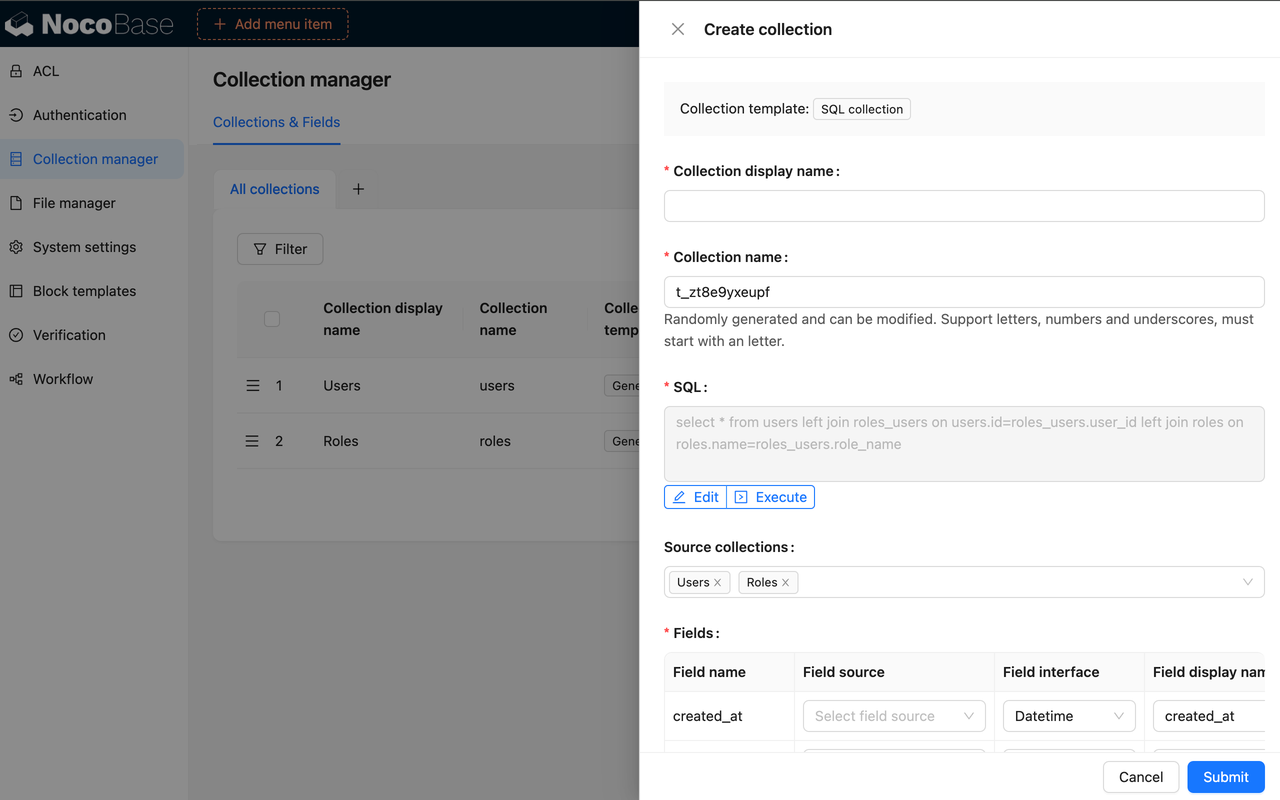
Editing
-
If you need to modify the SQL query, click the Edit button to directly alter the SQL statement and reconfigure the fields as needed.
-
To adjust the field metadata, use the Configure Fields option, which allows you to update the field settings just as you would for a regular table.
Synchronization
If the SQL query remains unchanged but the underlying database table structure has been modified, you can synchronize and reconfigure the fields by selecting Configure Fields - Sync from Database.
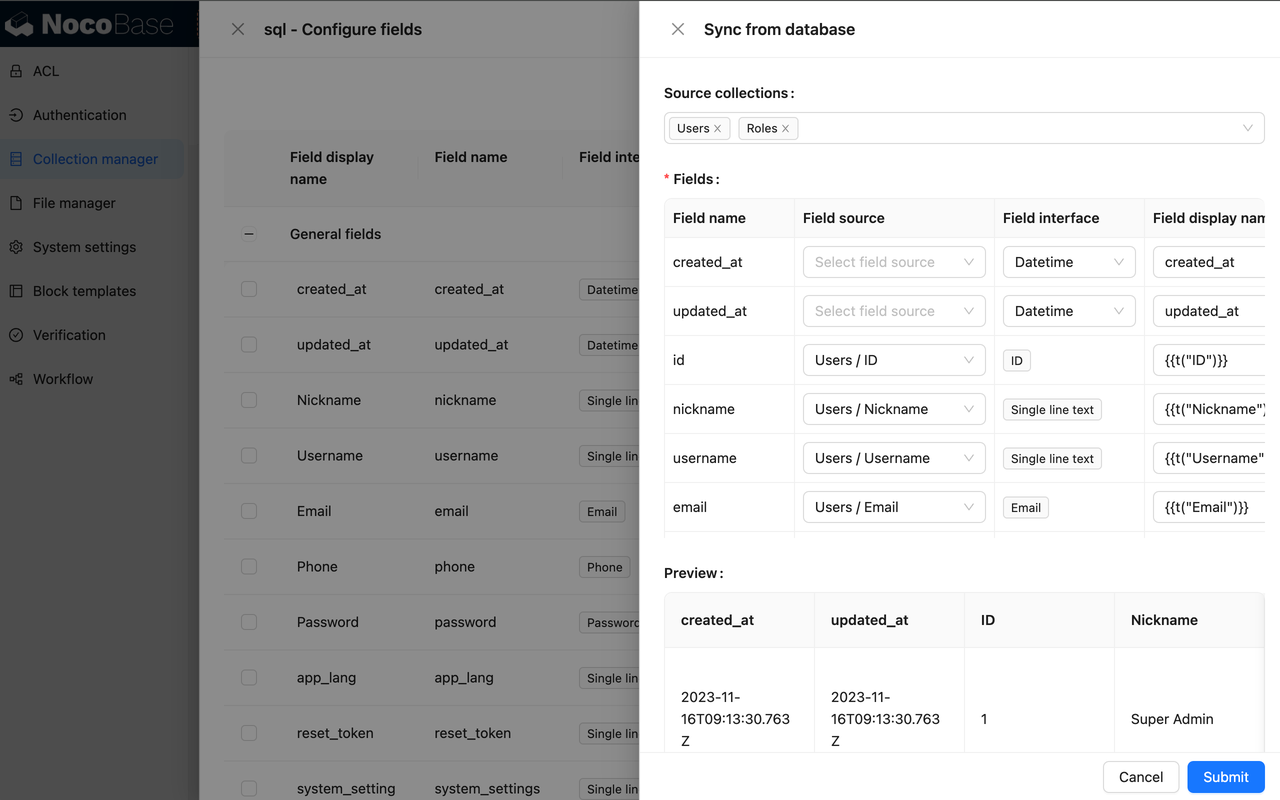
SQL Collection vs. Linked Database Views
| Template Type | Best Suited For | Implementation Method | Support for CRUD Operations |
|---|---|---|---|
| SQL | Simple models, lightweight use cases Limited interaction with the database Avoiding maintenance of views Prefer UI-driven operations | SQL subquery | Not Supported |
| Connect to database view | Complex models Requires database interaction Data modification needed Requires stronger and more stable database support | Database view | Partially Supported |
When using SQL collection, be sure to select tables that are manageable within NocoBase. Using tables from the same database that are not connected to NocoBase may lead to inaccurate SQL query parsing. If this is a concern, consider creating and linking to a view.