

Main DataBase
This feature is provided by the plugin «Data source: Main»Introduction
NocoBase's main database can be used to store both business data and the metadata of the application, including system table data and custom table data. The main database supports relational databases such as MySQL, PostgreSQL, etc. During the installation of the NocoBase application, the main database must be installed synchronously and cannot be deleted.
Installation
This is a built-in plugin, no separate installation is required.
Collection Management
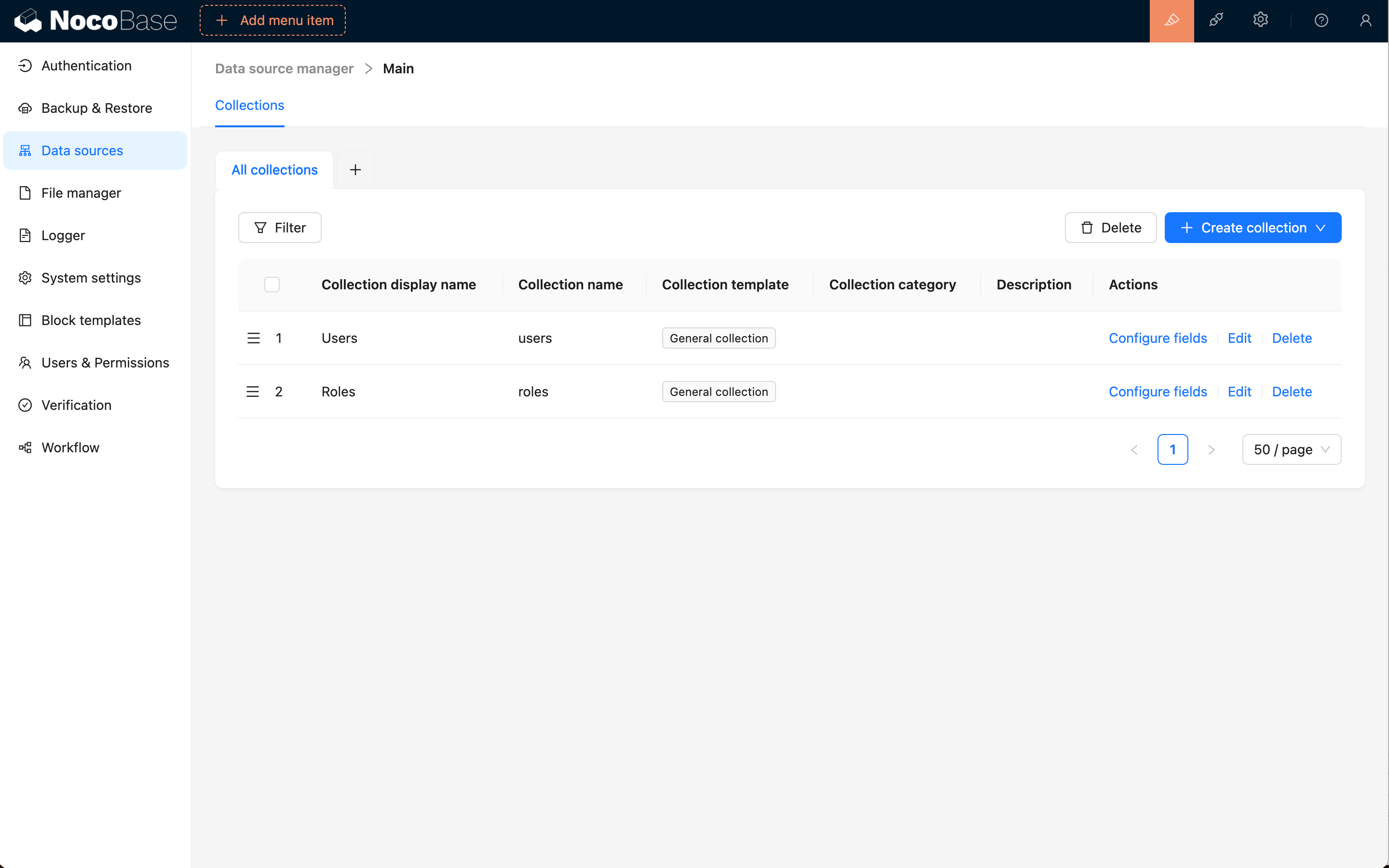
The main data source provides complete collection management functionality, allowing you to create new tables through NocoBase and sync existing table structures from the database.
Syncing Existing Tables from Database
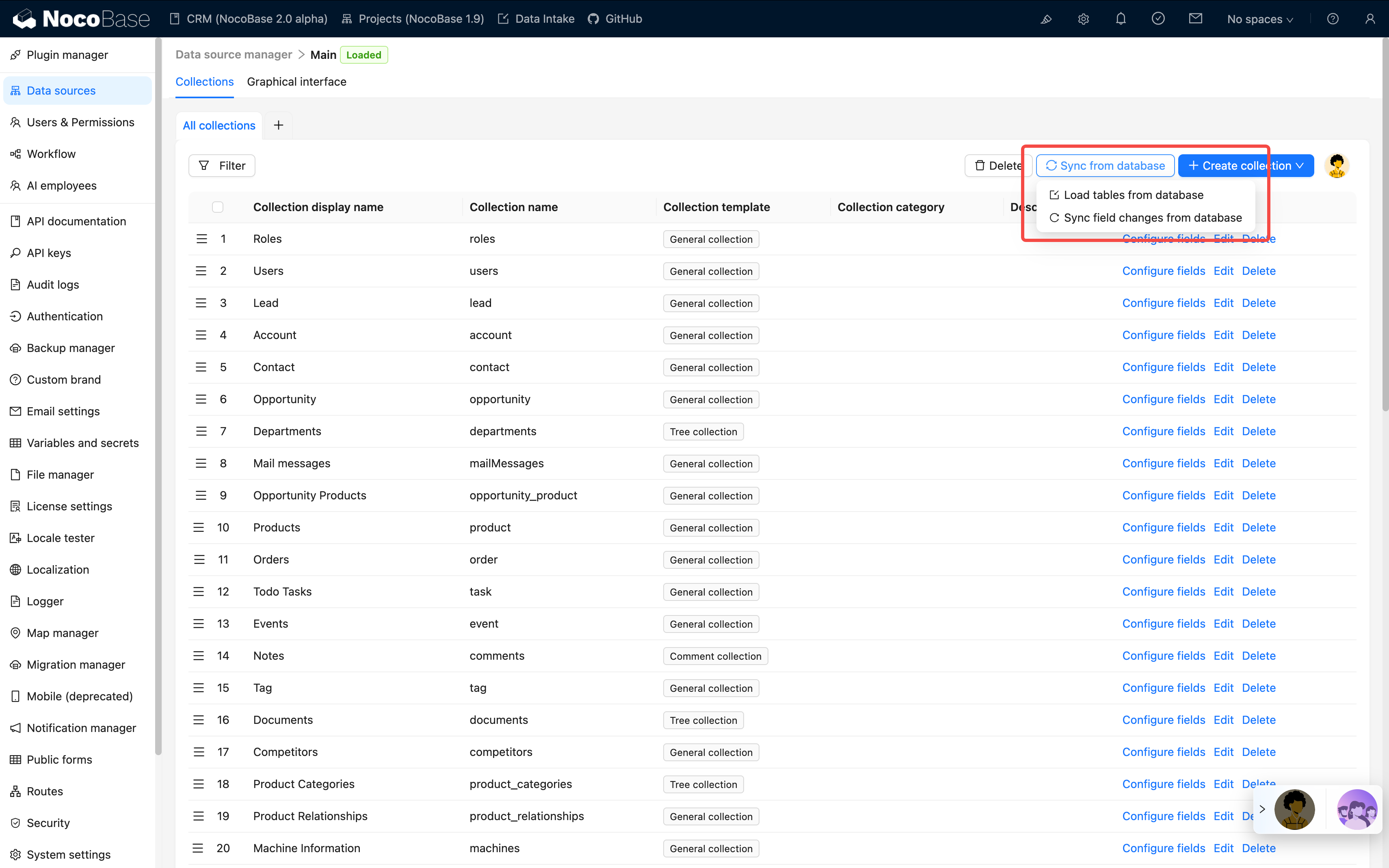
An important feature of the main data source is the ability to sync tables that already exist in the database into NocoBase for management. This means:
- Protect Existing Investment: If you already have numerous business tables in your database, there's no need to recreate them - you can sync and use them directly
- Flexible Integration: Tables created through other tools (such as SQL scripts, database management tools, etc.) can be brought under NocoBase management
- Progressive Migration: Support for gradually migrating existing systems to NocoBase, rather than all-at-once refactoring
Through the "Load from Database" feature, you can:
- Browse all tables in the database
- Select the tables you need to sync
- Automatically identify table structures and field types
- Import them into NocoBase for management with one click
Support for Multiple Collection Types
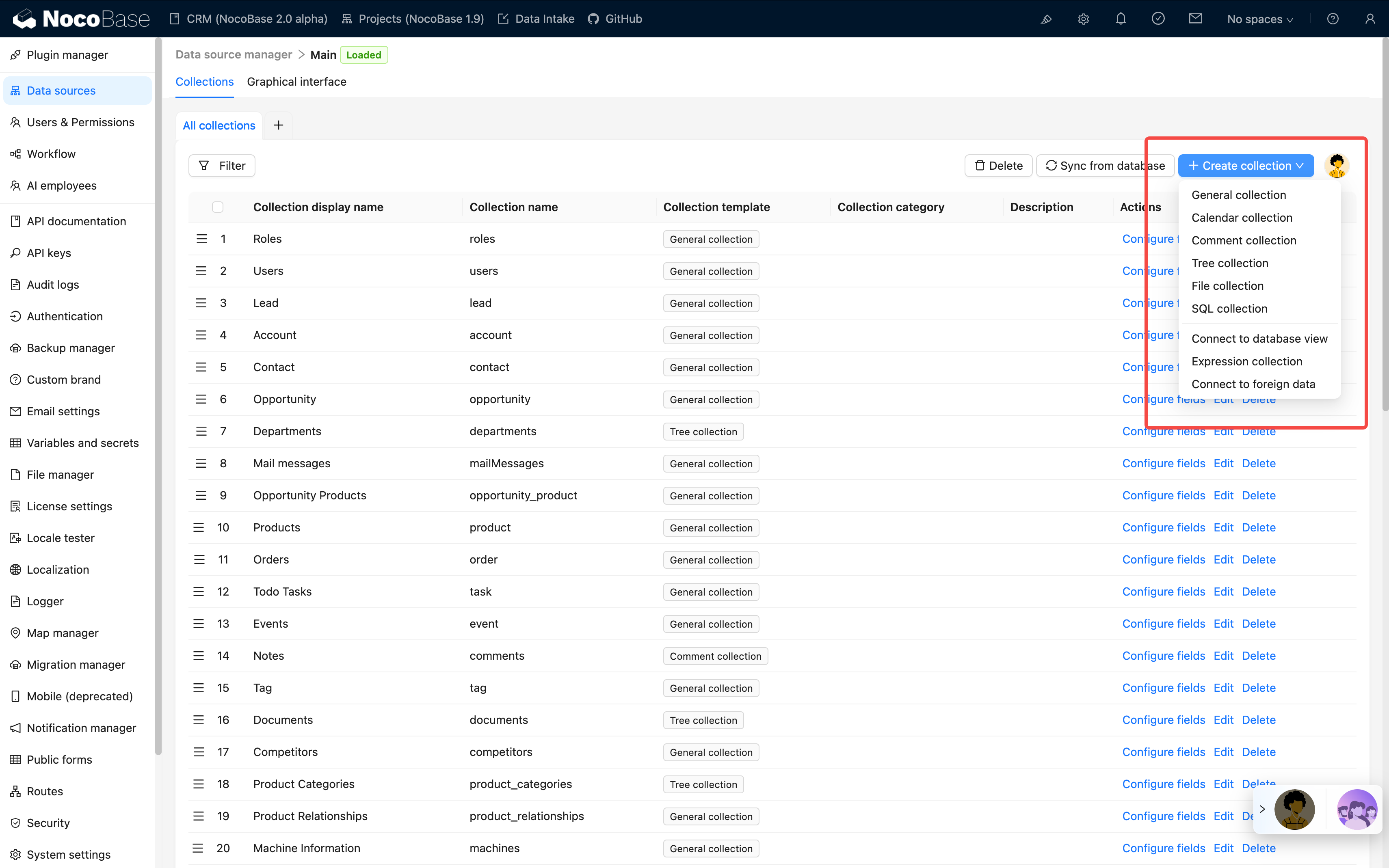
NocoBase supports creating and managing various types of collections:
- General collection: built-in commonly used system fields
- Inheritance collection: allows creation of a parent table from which child tables can be derived. Child tables inherit the parent table's structure and can define their own columns
- Tree collection: tree-structured table, currently only supports adjacency list design
- Calendar collection: for creating calendar-related event tables
- File collection: for managing file storage
- Expression collection: for dynamic expression scenarios in workflows
- SQL Collection: not an actual database table, but quickly presents SQL queries in a structured manner
- Database View collection: connects to existing database views
- FDW collection: allows the database system to directly access and query data in external data sources, based on FDW technology
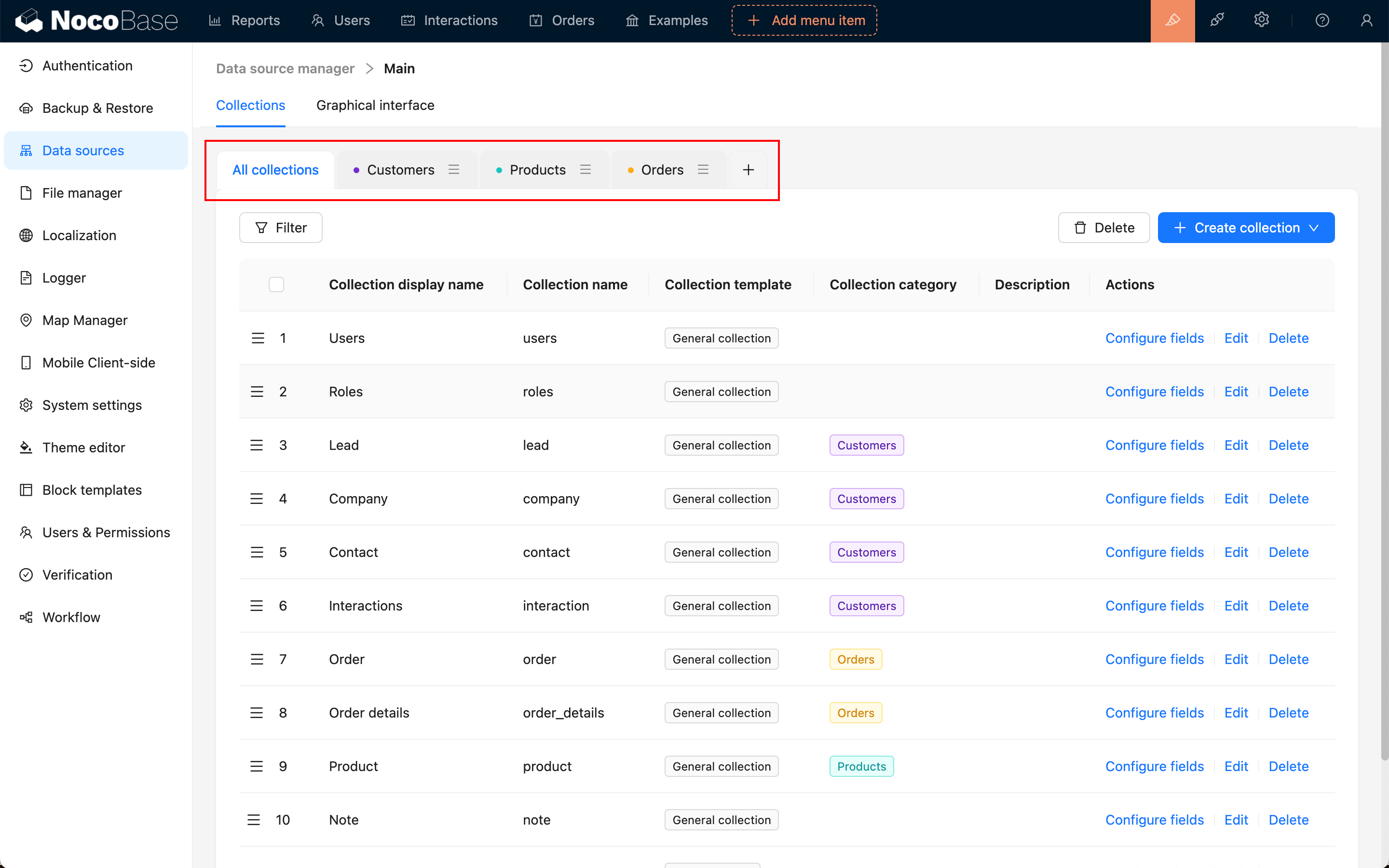
Supporting Classification Management of Collections
Rich Field Types
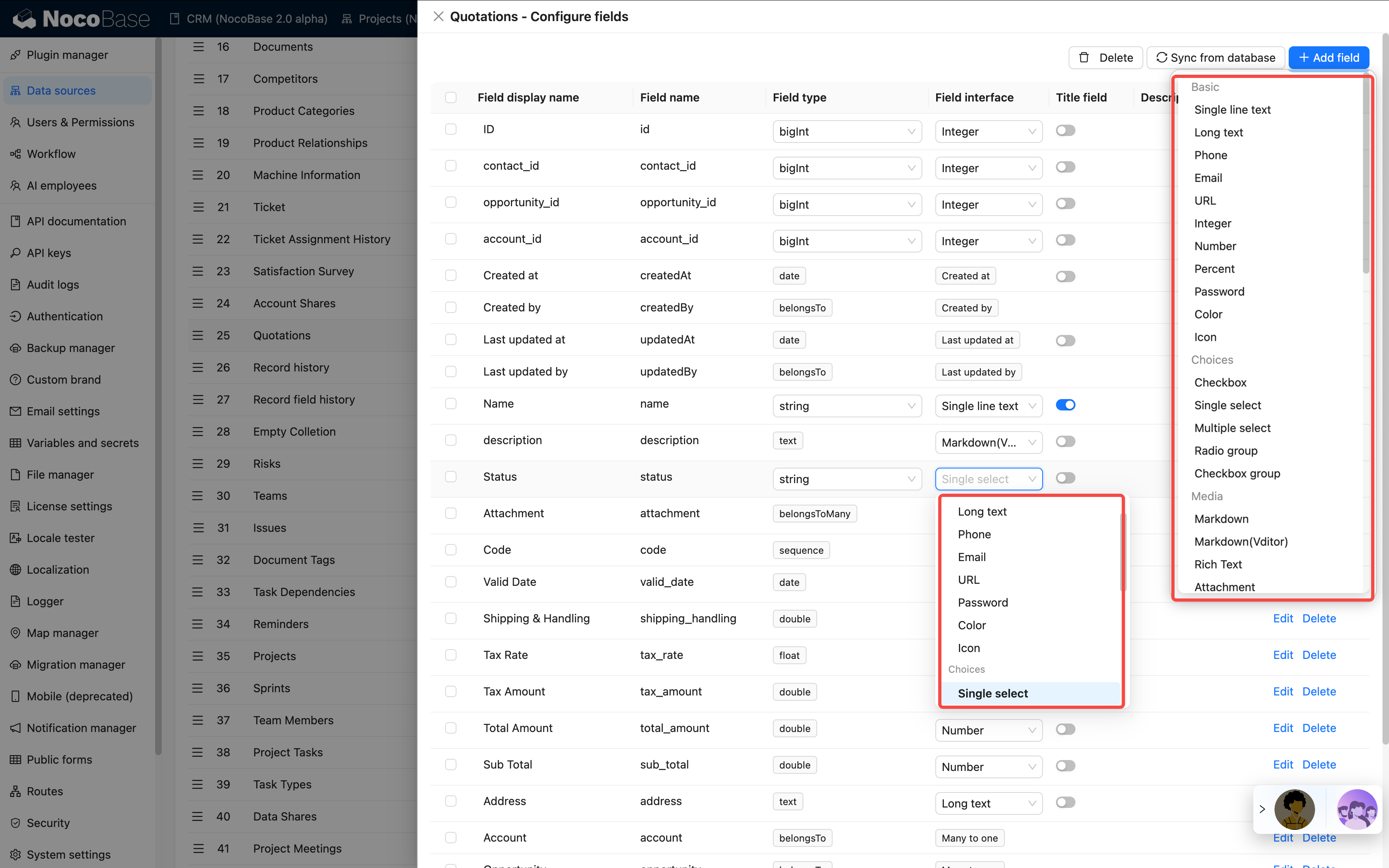
Flexible Field Type Conversion
NocoBase supports flexible field type conversion based on the same database type.
Example: String Type Field Conversion Options
When a database field is of String type, it can be converted to any of the following forms in NocoBase:
- Basic: Single line text, Long text, Phone, Email, URL, Password, Color, Icon
- Choices: Single select, Radio group
- Media: Markdown, Markdown(Vditor), Rich Text, Attachment (URL)
- Date & Time: Datetime (with time zone), Datetime (without time zone)
- Advanced: Sequence, Collection selector, Encryption
This flexible conversion mechanism means:
- No Database Structure Modification Required: The field's underlying storage type remains unchanged; only its representation in NocoBase changes
- Adapt to Business Changes: As business needs evolve, you can quickly adjust field display and interaction methods
- Data Safety: The conversion process does not affect the integrity of existing data
Flexible Field-Level Synchronization
NocoBase not only syncs entire tables but also supports granular field-level sync management:
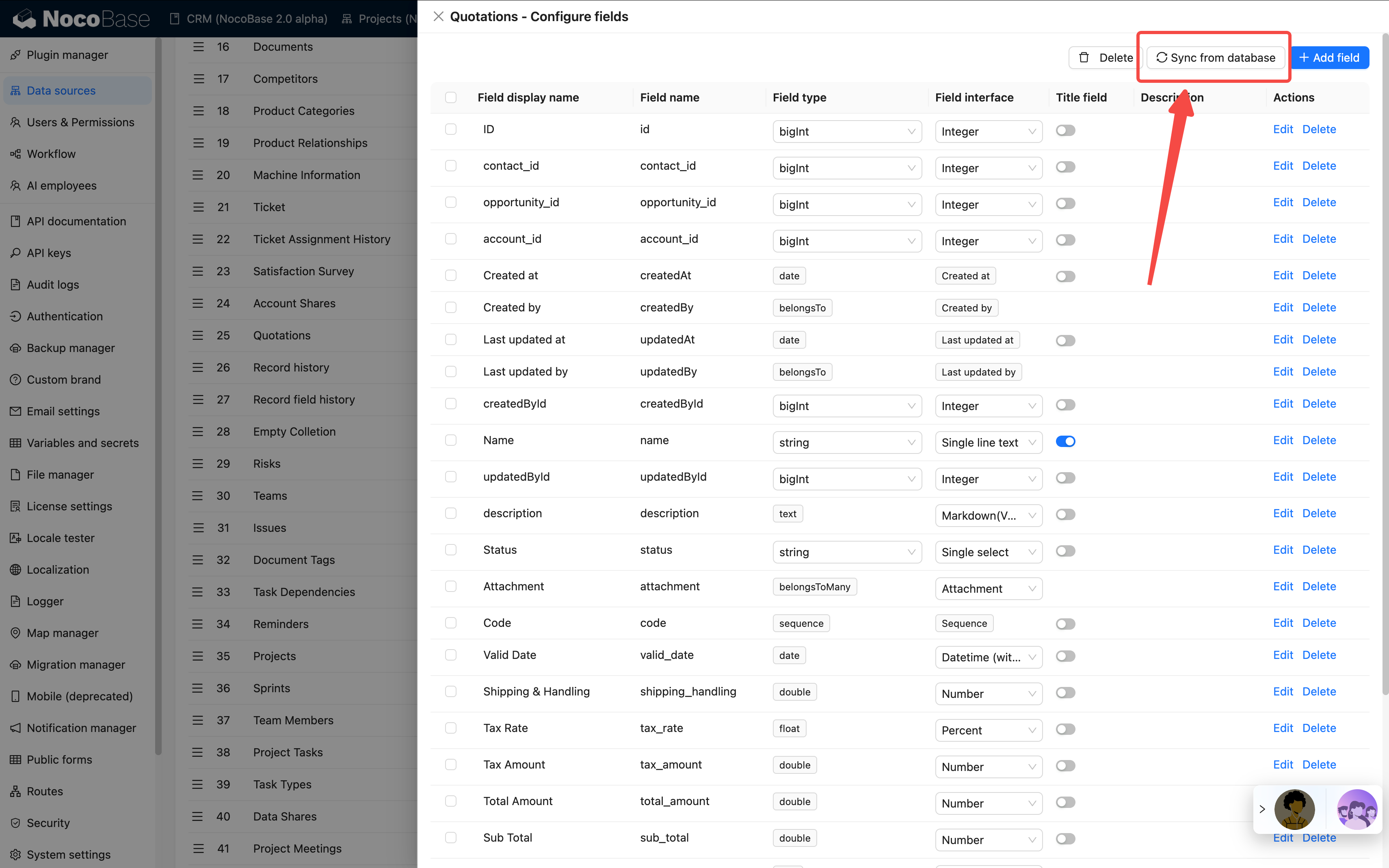
Field Synchronization Features:
- Real-time Sync: When the database table structure changes, newly added fields can be synced at any time
- Selective Sync: You can selectively sync the fields you need, rather than all fields
- Automatic Type Recognition: Automatically identifies database field types and maps them to NocoBase field types
- Maintain Data Integrity: The sync process does not affect existing data
Use Cases:
- Database Schema Evolution: When business needs change and new fields need to be added to the database, they can be quickly synced to NocoBase
- Team Collaboration: When other team members or DBAs add fields to the database, they can be synced promptly
- Hybrid Management Mode: Some fields managed through NocoBase, others through traditional methods - flexible combinations
This flexible synchronization mechanism allows NocoBase to integrate well into existing technical architectures, without requiring changes to existing database management practices, while still enjoying the convenience of low-code development that NocoBase provides.
See more in the Collection Fields / Overview section.