

Encryption
Introduction
You can encrypt sensitive business data—such as customer phone numbers, email addresses, or card numbers—so that it is stored in the database as ciphertext.

Encryption Method
The plugin automatically generates an application key, which is stored under the directory /storage/apps/main/encryption-field-keys.
Each application key is saved as a file whose name is the key ID, with the .key extension. Do not rename these files.
Keep your application key files safe. If an application key file is lost, encrypted data cannot be decrypted.
/storage/apps/${sub-app-name}/encryption-field-keysHow It Works
This plugin uses an envelope encryption scheme.
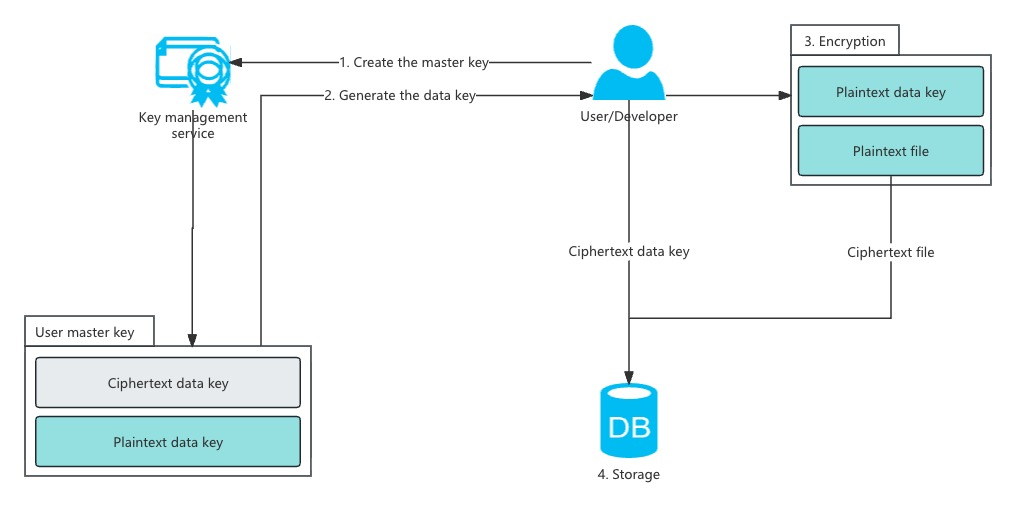
Application and Field Key Creation
- When you create your first encrypted field, NocoBase automatically generates a 32-byte
application key, stores it in the default directory, and encodes it in base64. - Each time you create a new encrypted field, the system generates a random 32-byte
field key, encrypts it using theapplication keyand a randomly generated 16-bytefield IV(AES), and stores the encrypted result in theoptionscolumn of thefieldstable.
Field Encryption Process
- When writing data to an encrypted field, NocoBase retrieves the encrypted
field keyandfield IVfrom theoptionscolumn of thefieldstable. - The system decrypts the
field keyusing theapplication keyandfield IV. It then encrypts the actual data using thefield keyand a randomly generated 16-bytedata IV(AES). - The decrypted
field keyis also used to sign the plaintext usingHMAC-SHA256, producing a base64-encodeddata signature(used later for querying). - The 16-byte
data IVandciphertextare concatenated and encoded in base64. - The base64
data signatureand base64ciphertextare joined with a.separator. - The final string is stored in the database.
Environment Variables
If you want to specify your own application key, you can set the environment variable ENCRYPTION_FIELD_KEY_PATH. The plugin will load all .key files in this directory as application keys.
Application key file requirements:
- The file extension must be
.key. - The filename is treated as the key ID; using a UUID is recommended.
- The file content must be base64-encoded 32-byte binary data.
Field Configuration
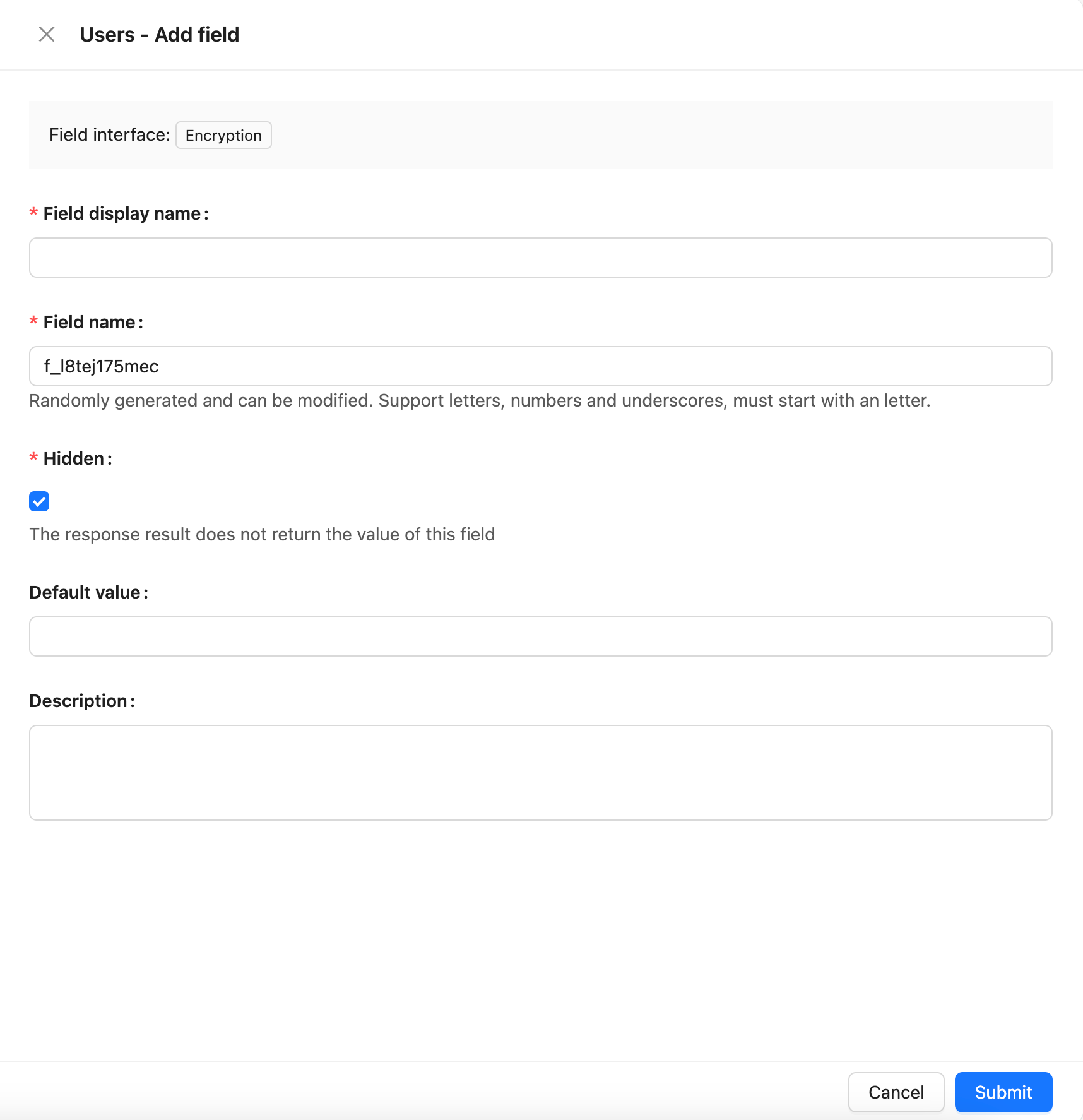
How Encryption Affects Filtering
Encrypted fields only support the following filter operators:
- Equal to
- Not equal to
- Exists
- Does not exist
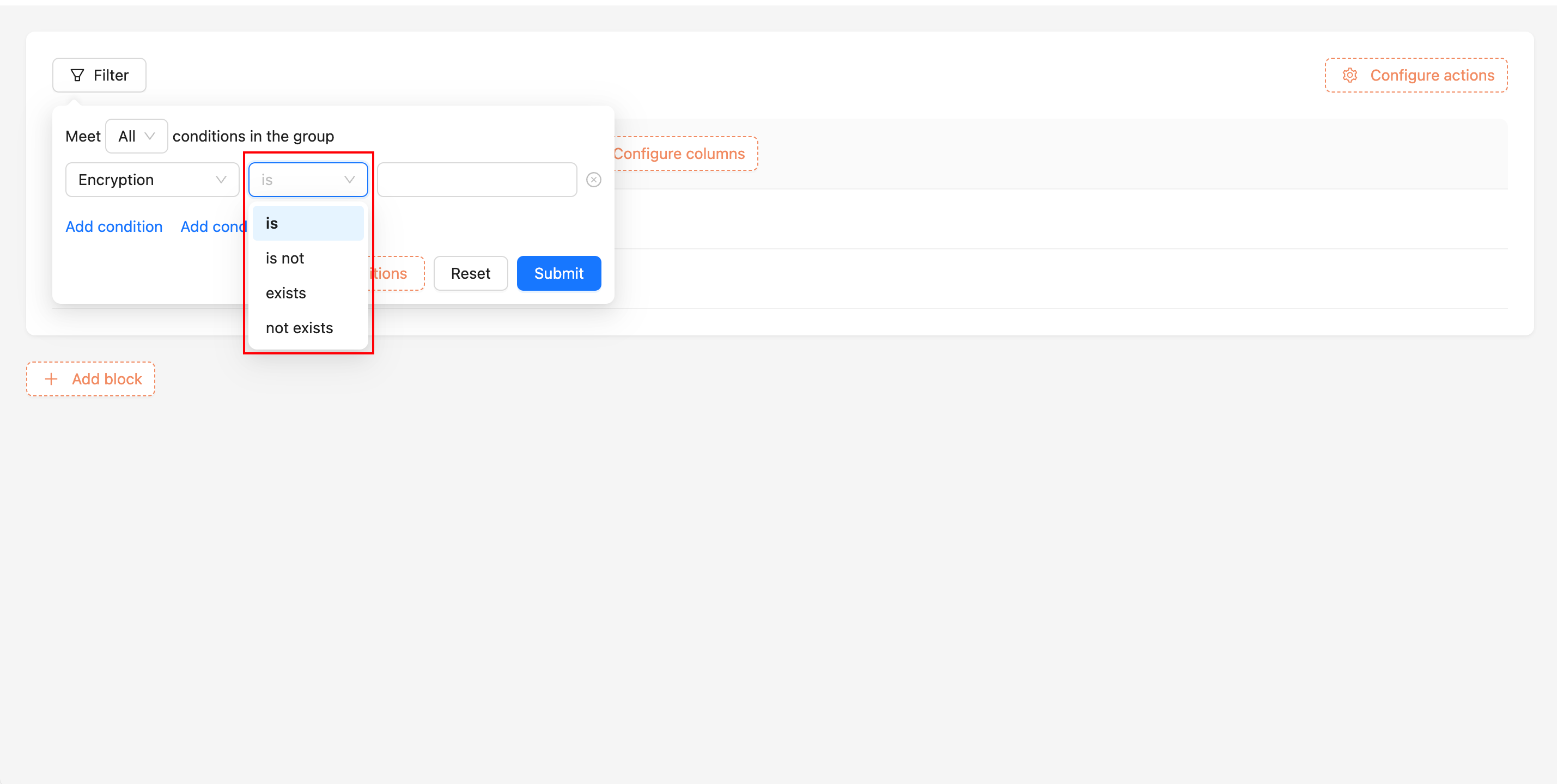
How Filtering Works Internally
- Retrieve the encrypted
field keyand decrypt it using theapplication key. - Use the
field keyto generate anHMAC-SHA256 signaturefor the user’s input. - Concatenate the signature with
.and perform a prefix search on the encrypted field value in the database.
Key Rotation
Before running the key rotation command nocobase key-rotation, ensure that this plugin is already enabled in the application.
When migrating an application to a new environment, you may want to replace the old application key. You can use the nocobase key-rotation command to generate a new application key.
The command requires the application key from the old environment. After running it, NocoBase generates a new application key and replaces the old one. The new key is stored in the default directory and base64-encoded.
For rotating a sub-application’s key, add the --app-name parameter: