

Use context variables
With context variables, you can reuse information from the current page, user, time, and filter inputs to render charts and enable linkage based on context.
Applicable scope
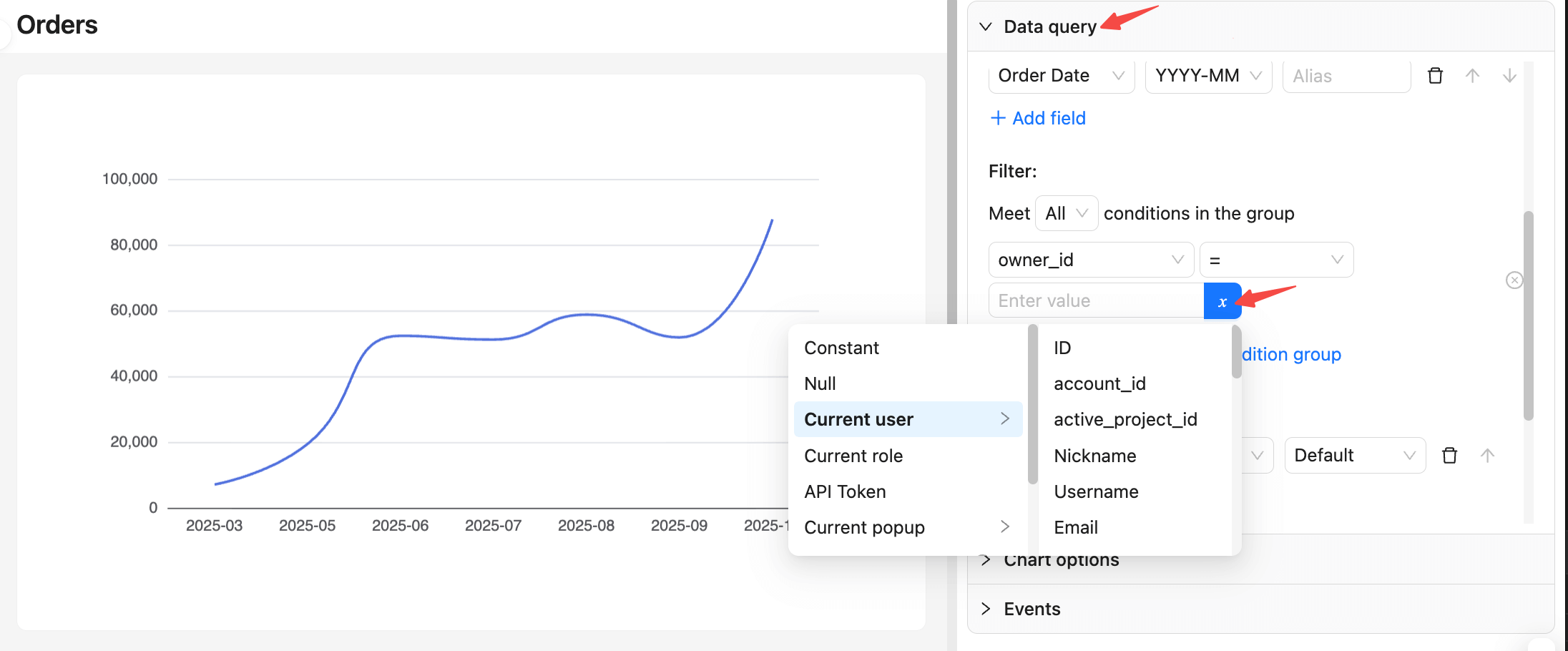
- Data query in Builder mode: select variables for filter conditions.
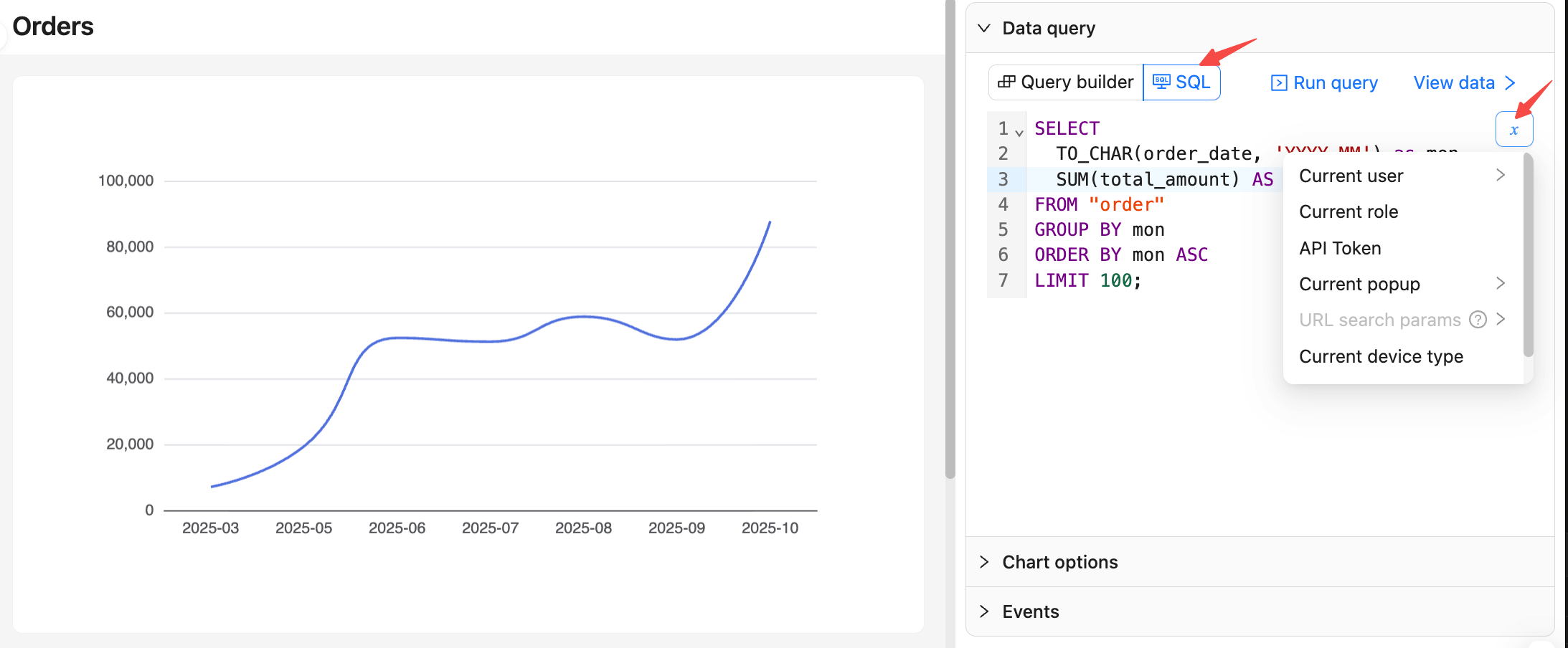
- Data query in SQL mode: choose variables and insert expressions (for example,
{{ ctx.user.id }}).
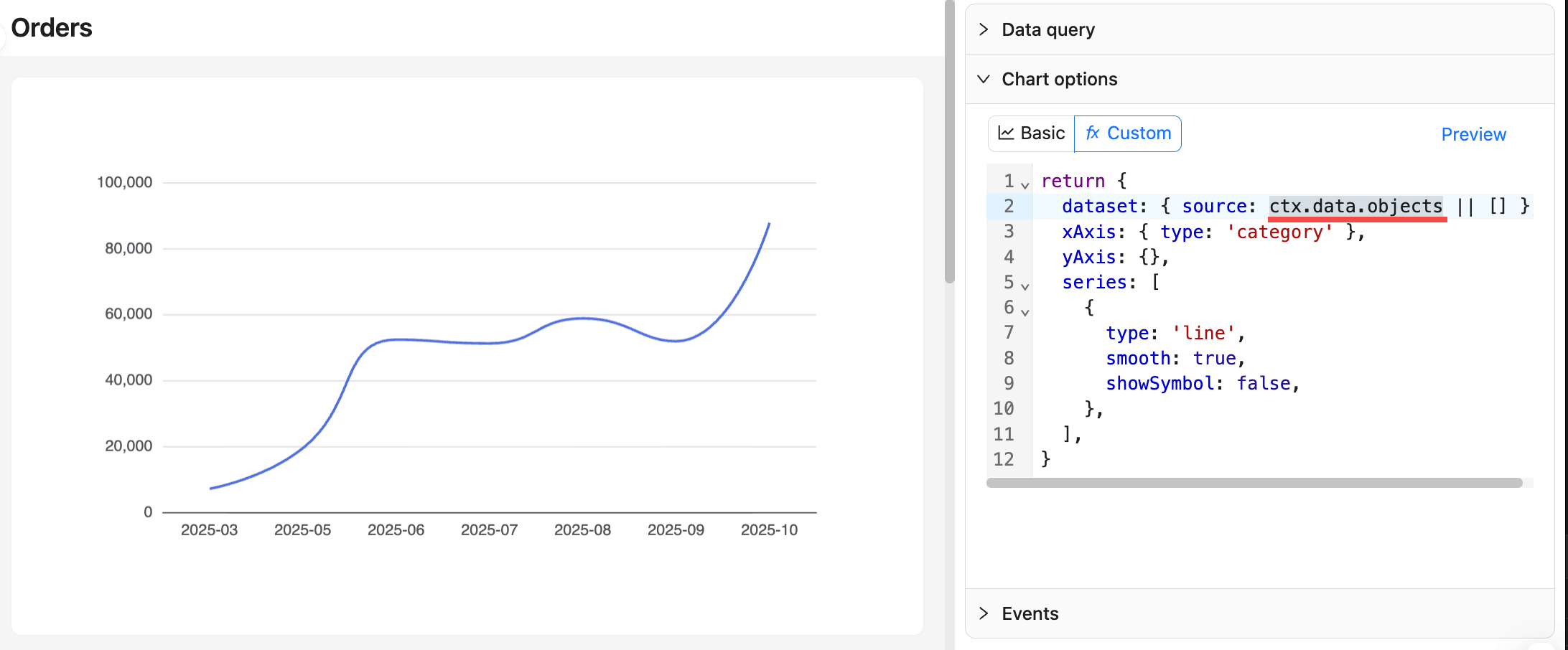
- Chart options in Custom mode: write JS expressions directly.
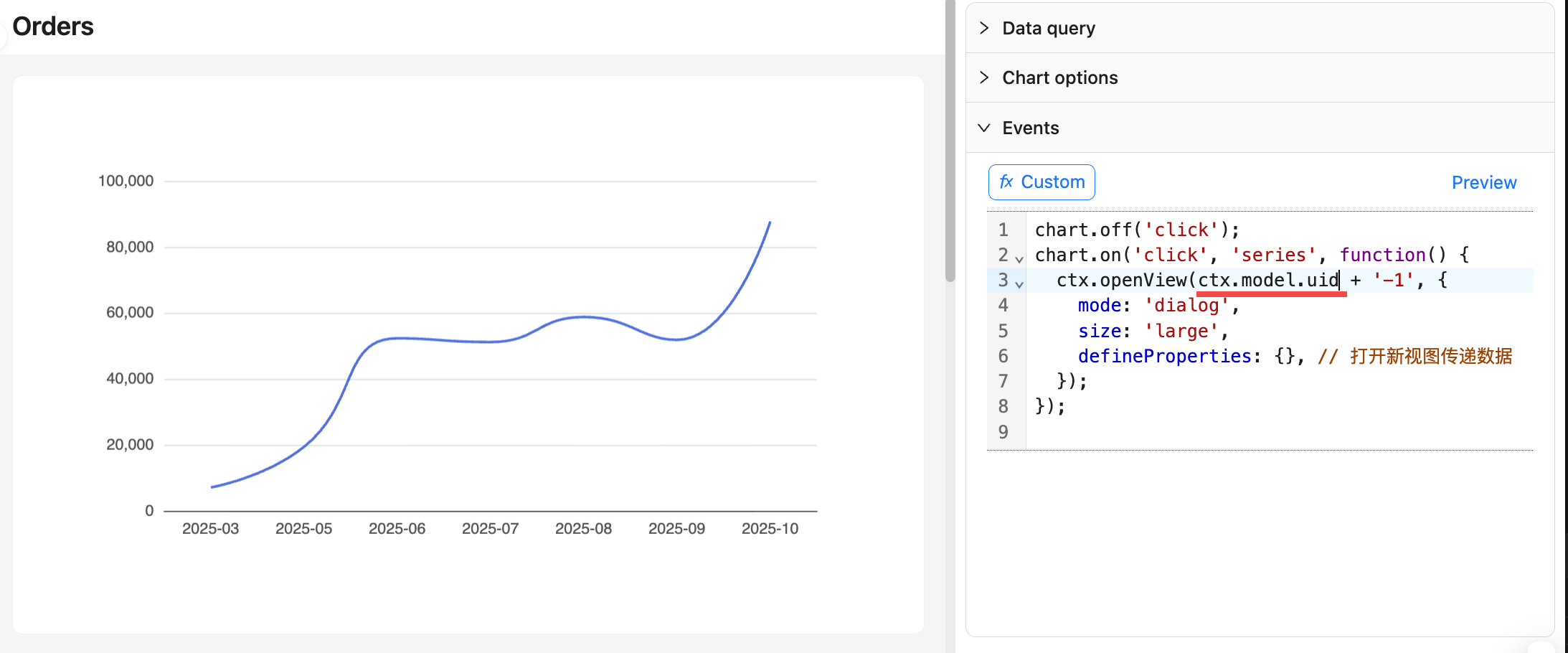
- Interaction events (for example, click to open a drill‑down dialog and pass data): write JS expressions directly.
Note:
- Do not wrap
{{ ... }}with single or double quotes; binding is handled safely based on variable type (string, number, time, NULL). - When a variable is
NULLor undefined, handle nulls explicitly in SQL usingCOALESCE(...)orIS NULL.