

Custom interaction events
Write JS in the events editor and register interactions via the ECharts instance chart to enable linkage, such as navigating to a new page or opening a drill-down dialog.
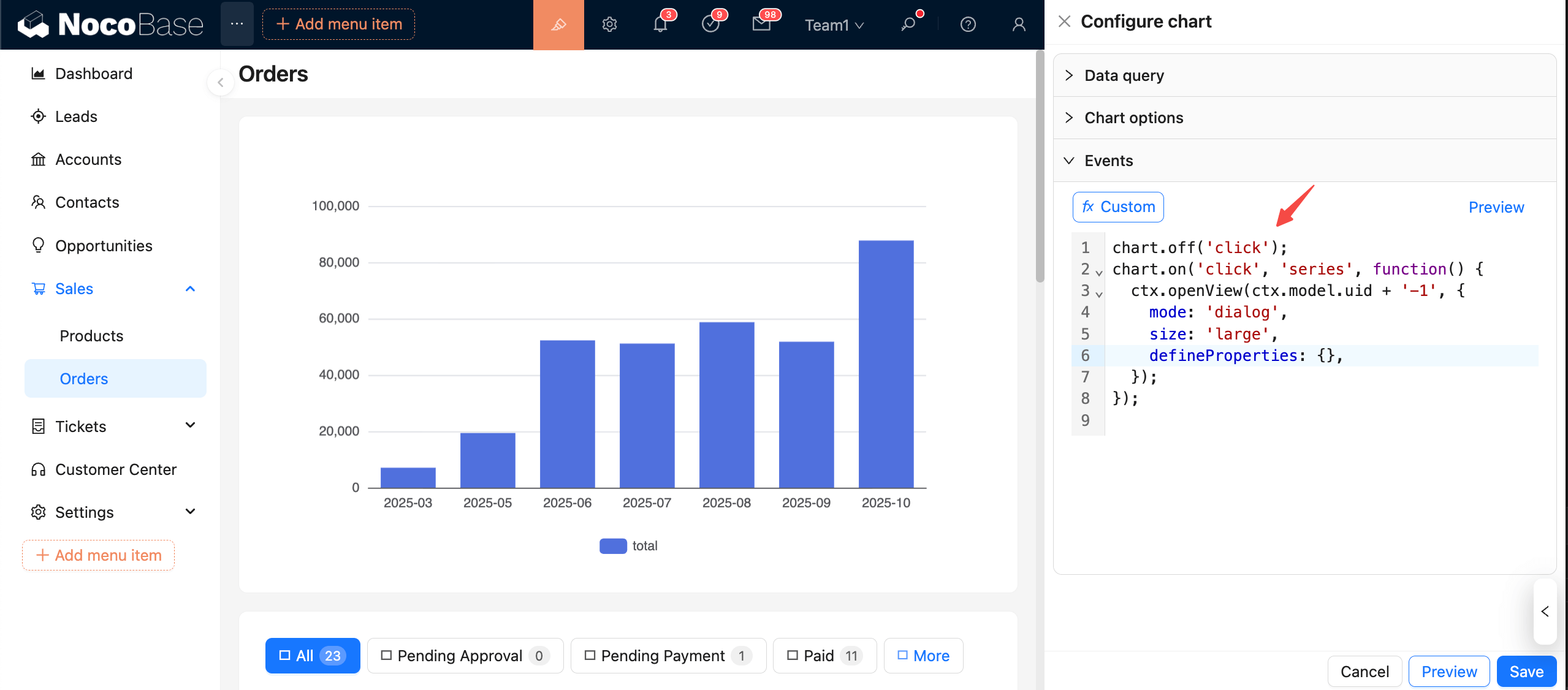
Register and Unregister
- Register:
chart.on(eventName, handler) - Unregister:
chart.off(eventName, handler)orchart.off(eventName)to clear events by name
Note: For safety, it's strongly recommended to unregister an event before registering it again!
Handler params structure
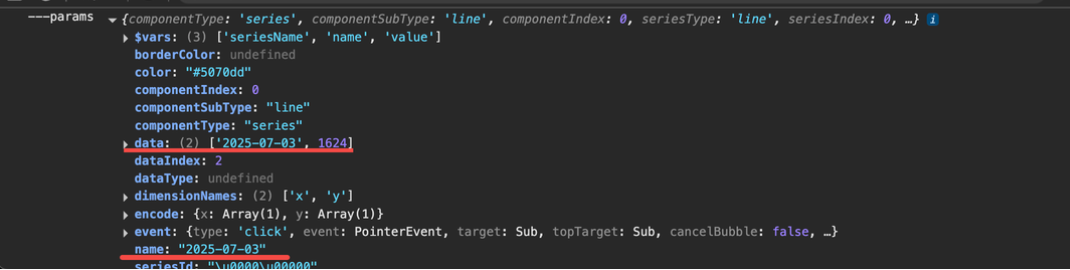
Common fields include params.data and params.name.
Example: click to highlight selection
Example: click to navigate
Example: click to open details dialog (drill-down)
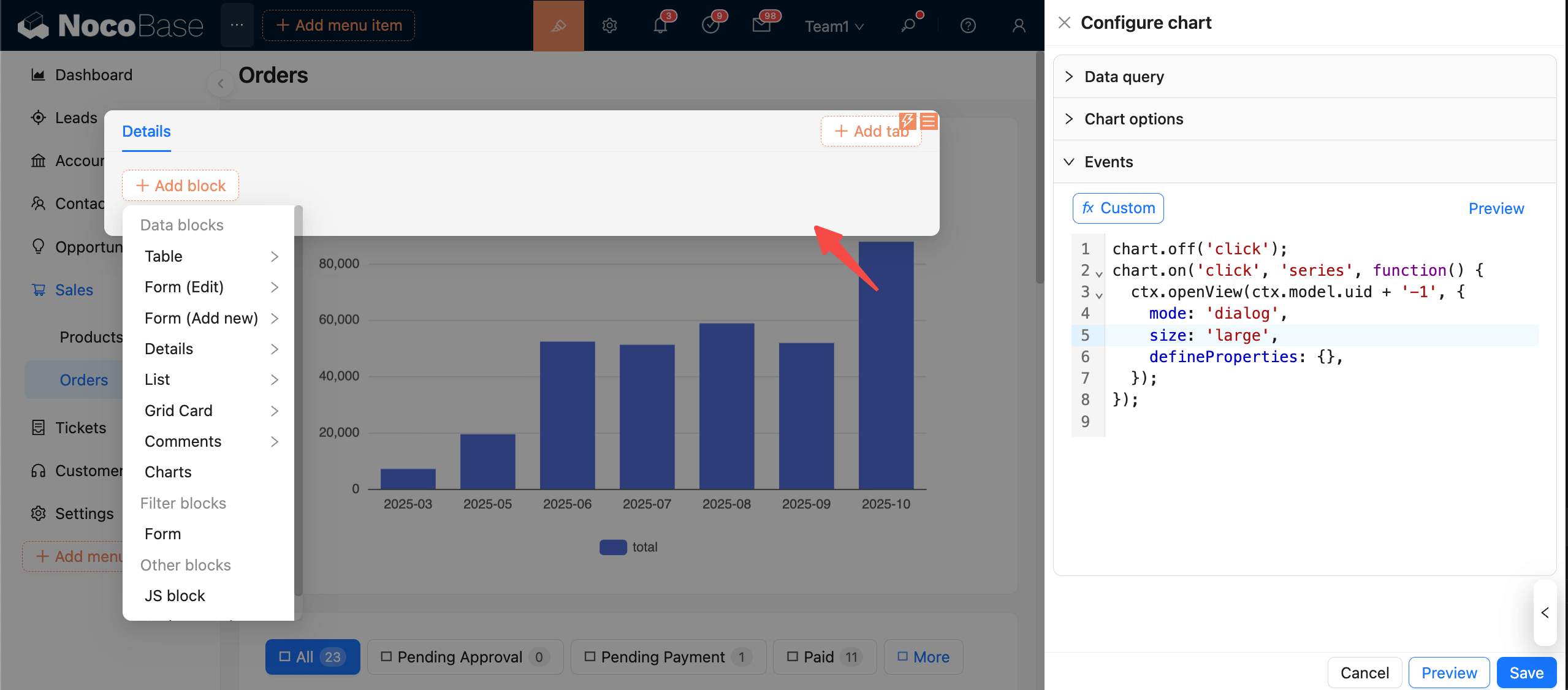
In the newly opened dialog, use chart context variables via ctx.view.inputArgs.XXX.
Preview and Save
- Click "Preview" to load and execute the event code.
- Click "Save" to persist the current event configuration.
- Click "Cancel" to revert to the last saved state.
Recommendations:
- Always use
chart.off('event')before binding to avoid duplicate executions or increased memory usage. - Use lightweight operations (e.g.,
dispatchAction,setOption) inside event handlers to avoid blocking the rendering process. - Validate against chart options and data queries to ensure that the fields handled in the event are consistent with the current data.