logologo
시작
가이드
개발
플러그인
API
English
简体中文
日本語
한국어
Deutsch
Français
Español
Português
Русский
Italiano
Türkçe
Українська
Tiếng Việt
Bahasa Indonesia
ไทย
Polski
Nederlands
Čeština
العربية
עברית
हिन्दी
Svenska
시작
가이드
개발
플러그인
API
logologo

사용자 인증

개요
인증 관리자

인증 유형

비밀번호
SMS

OIDC

구성

예시

Google 로그인
Microsoft 로그인

SAML

구성

예시

Google 로그인
LDAP
CAS
WeCom
DingTalk
API 키

개발 가이드

인증 유형 확장
API 참조

검증

개요

검증 유형

SMS
TOTP 인증기

개발 가이드

검증 유형 확장
검증 시나리오 확장
SMS 제공업체 확장
API 참조
2단계 인증 (2FA)
Previous Page검증 시나리오 확장
Next PageAPI 참조
TIP

이 문서는 AI로 번역되었습니다. 부정확한 내용이 있을 경우 영어 버전을 참조하세요

#SMS 서비스 제공자 확장

이 문서에서는 플러그인을 통해 인증: SMS 기능의 SMS 서비스 제공자를 확장하는 방법을 설명합니다.

#클라이언트

#설정 폼 등록

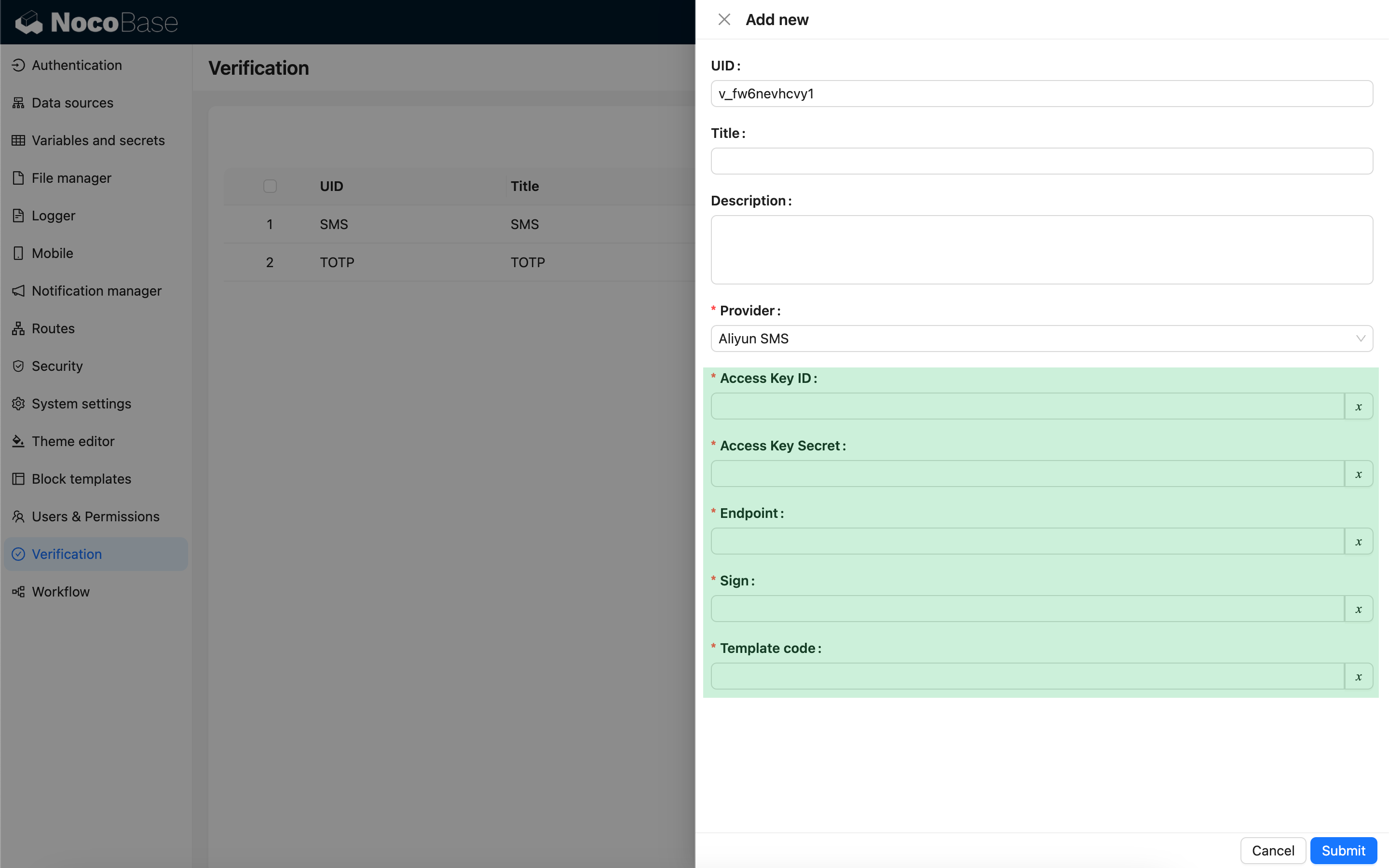
사용자가 SMS 인증기를 설정할 때, SMS 서비스 제공자 유형을 선택하면 해당 유형과 관련된 설정 폼이 나타납니다. 이 설정 폼은 개발자가 클라이언트에서 직접 등록해야 합니다.

import { Plugin, SchemaComponent } from '@nocobase/client';
import PluginVerificationClient from '@nocobase/plugin-verification/client';
import React from 'react';

const CustomSMSProviderSettingsForm: React.FC = () => {
  return <SchemaComponent schema={{
    type: 'void',
    properties: {
      accessKeyId: {
        title: `{{t("Access Key ID", { ns: "${NAMESPACE}" })}}`,
        type: 'string',
        'x-decorator': 'FormItem',
        'x-component': 'TextAreaWithGlobalScope',
        required: true,
      },
      accessKeySecret: {
        title: `{{t("Access Key Secret", { ns: "${NAMESPACE}" })}}`,
        type: 'string',
        'x-decorator': 'FormItem',
        'x-component': 'TextAreaWithGlobalScope',
        'x-component-props': { password: true },
        required: true,
      },
    }
  }} />
}

class PluginCustomSMSProviderClient extends Plugin {
  async load() {
    const plugin = this.app.pm.get('verification') as PluginVerificationClient;
    plugin.smsOTPProviderManager.registerProvider('custom-sms-provider-name', {
      components: {
        AdminSettingsForm: CustomSMSProviderSettingsForm,
      },
    });
  }
}


#서버

#전송 인터페이스 구현

인증 플러그인은 일회성 비밀번호(OTP) 생성 프로세스를 이미 캡슐화했습니다. 따라서 개발자는 SMS 서비스 제공자와 상호 작용하는 전송 로직만 구현하면 됩니다.

class CustomSMSProvider extends SMSProvider {
  constructor(options) {
    super(options);
    // options는 클라이언트의 설정 객체입니다.
    const options = this.options;
    // ...
  }

  async send(phoneNumber: string, data: { code: string }) {
    // ...
  }
}

#인증 유형 등록

전송 인터페이스를 구현한 후에는 등록해야 합니다.

import { Plugin } from '@nocobase/server';
import PluginVerificationServer from '@nocobase/plugin-verification';
import { tval } from '@nocobase/utils';

class PluginCustomSMSProviderServer extends Plugin {
  async load() {
    const plugin = this.app.pm.get('verification') as PluginVerificationServer;
    // 이름은 클라이언트와 일치해야 합니다.
    plugin.smsOTPProviderManager.registerProvider('custom-sms-provider-name', {
      title: tval('Custom SMS provider', { ns: namespace }),
      provider: CustomSMSProvider,
    });
  }
}