

logologo
Start
Handbuch
Entwickler
Plugins
API
English
简体中文
日本語
한국어
Deutsch
Français
Español
Português
Русский
Italiano
Türkçe
Українська
Tiếng Việt
Bahasa Indonesia
ไทย
Polski
Nederlands
Čeština
العربية
עברית
हिन्दी
Svenska
Start
Handbuch
Entwickler
Plugins
API
logologo

Benutzerauthentifizierung

Überblick
Authenticator-Verwaltung

Authentifizierungstypen

Passwort
SMS

OIDC

Konfiguration

Beispiele

Google-Login
Microsoft-Login

SAML

Konfiguration

Beispiele

Google-Login
LDAP
CAS
WeChat Work
DingTalk
API-Schlüssel

Entwicklerhandbuch

Authentifizierungstypen erweitern
API-Referenz

Verifizierung

Überblick

Verifizierungstypen

SMS
TOTP-Authenticator

Entwicklerhandbuch

Verifizierungstypen erweitern
Verifizierungsszenarien erweitern
SMS-Anbieter erweitern
API-Referenz
Zwei-Faktor-Authentifizierung (2FA)
Previous PageVerifizierungsszenarien erweitern
Next PageAPI-Referenz
KI-Übersetzungshinweis

Diese Dokumentation wurde automatisch von KI übersetzt.

#SMS-Anbieter erweitern

In diesem Artikel erfahren Sie, wie Sie die Funktionalität von SMS-Anbietern in der Verifizierung: SMS-Funktion mithilfe eines Plugins erweitern können.

#Client

#Konfigurationsformular registrieren

Wenn Sie den SMS-Verifizierer konfigurieren und einen SMS-Anbieter-Typ auswählen, erscheint ein Konfigurationsformular, das mit diesem Anbieter-Typ verknüpft ist. Dieses Konfigurationsformular müssen Entwickler clientseitig selbst registrieren.
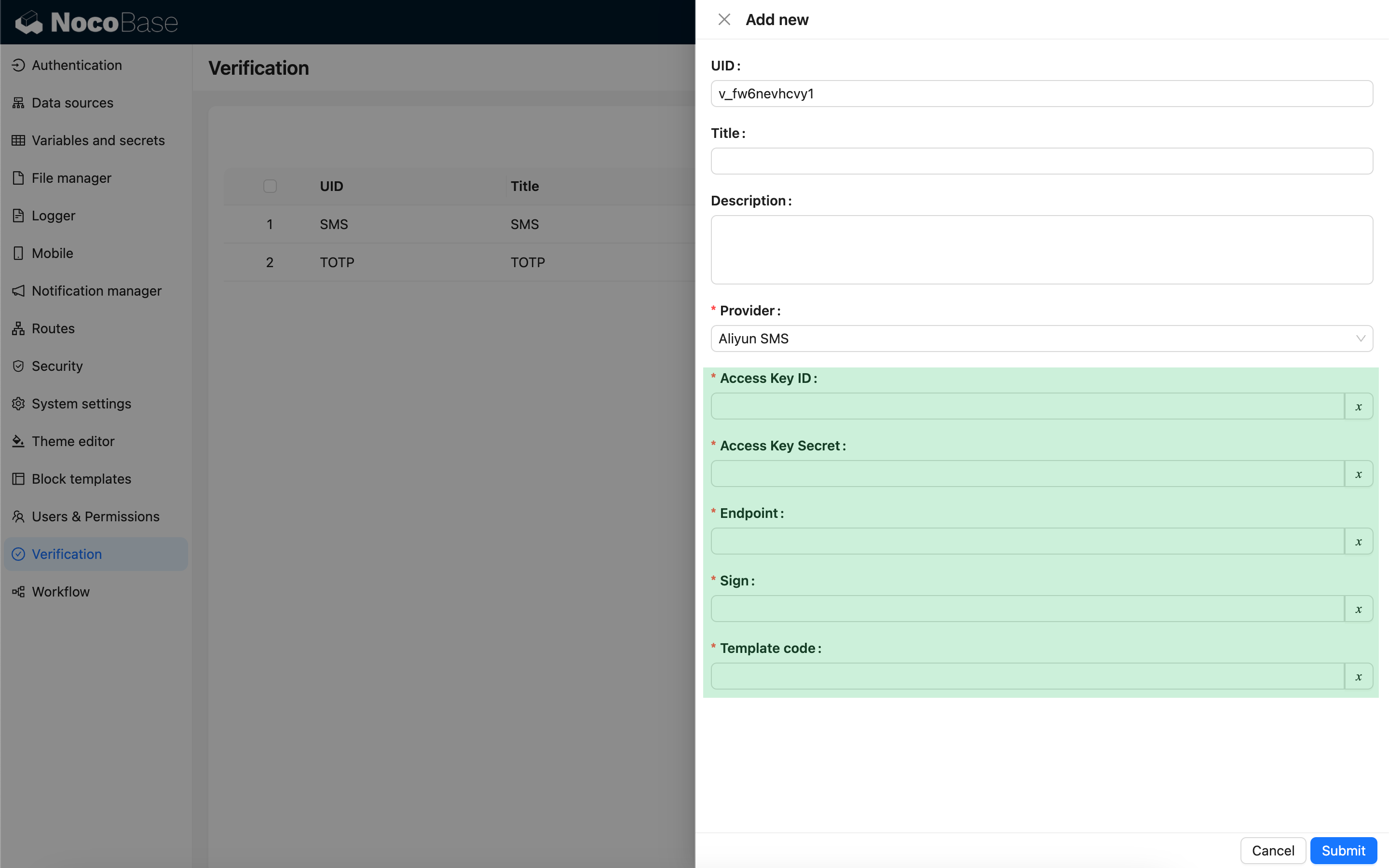
import { Plugin, SchemaComponent } from '@nocobase/client';
import PluginVerificationClient from '@nocobase/plugin-verification/client';
import React from 'react';

const CustomSMSProviderSettingsForm: React.FC = () => {
  return <SchemaComponent schema={{
    type: 'void',
    properties: {
      accessKeyId: {
        title: `{{t("Zugriffsschlüssel-ID", { ns: "${NAMESPACE}" })}}`,
        type: 'string',
        'x-decorator': 'FormItem',
        'x-component': 'TextAreaWithGlobalScope',
        required: true,
      },
      accessKeySecret: {
        title: `{{t("Zugriffsschlüssel-Geheimnis", { ns: "${NAMESPACE}" })}}`,
        type: 'string',
        'x-decorator': 'FormItem',
        'x-component': 'TextAreaWithGlobalScope',
        'x-component-props': { password: true },
        required: true,
      },
    }
  }} />
}

class PluginCustomSMSProviderClient extends Plugin {
  async load() {
    const plugin = this.app.pm.get('verification') as PluginVerificationClient;
    plugin.smsOTPProviderManager.registerProvider('custom-sms-provider-name', {
      components: {
        AdminSettingsForm: CustomSMSProviderSettingsForm,
      },
    });
  }
}

#Server

#Sende-Schnittstelle implementieren

Das Verifizierungs-Plugin kapselt bereits den Prozess zur Erstellung von Einmalpasswörtern (OTPs). Entwickler müssen lediglich die Sendelogik implementieren, um mit dem SMS-Anbieter zu interagieren.

class CustomSMSProvider extends SMSProvider {
  constructor(options) {
    super(options);
    // options ist das Konfigurationsobjekt vom Client
    const options = this.options;
    // ...
  }

  async send(phoneNumber: string, data: { code: string }) {
    // ...
  }
}

#Verifizierungstyp registrieren

Nachdem die Sende-Schnittstelle implementiert wurde, muss sie registriert werden.

import { Plugin } from '@nocobase/server';
import PluginVerificationServer from '@nocobase/plugin-verification';
import { tval } from '@nocobase/utils';

class PluginCustomSMSProviderServer extends Plugin {
  async load() {
    const plugin = this.app.pm.get('verification') as PluginVerificationServer;
    // Der Name muss dem auf dem Client verwendeten Namen entsprechen
    plugin.smsOTPProviderManager.registerProvider('custom-sms-provider-name', {
      title: tval('Benutzerdefinierter SMS-Anbieter', { ns: namespace }),
      provider: CustomSMSProvider,
    });
  }
}