logologo
スタート
マニュアル
開発
プラグイン
API
English
简体中文
日本語
한국어
Deutsch
Français
Español
Português
Русский
Italiano
Türkçe
Українська
Tiếng Việt
Bahasa Indonesia
ไทย
Polski
Nederlands
Čeština
العربية
עברית
हिन्दी
Svenska
スタート
マニュアル
開発
プラグイン
API
logologo

ユーザー認証

概要
認証器管理

認証タイプ

パスワード
SMS

OIDC

設定

サンプル

Google ログイン
Microsoft ログイン

SAML

設定

サンプル

Google ログイン
LDAP
CAS
企業微信
DingTalk
API キー

開発ガイド

拡張認証タイプ
API リファレンス

検証

概要

検証タイプ

SMS
TOTP 認証器

開発ガイド

拡張検証タイプ
拡張検証シナリオ
拡張SMSプロバイダー
API リファレンス
2要素認証 (2FA)
Previous Page拡張検証シナリオ
Next PageAPI リファレンス
TIP

このドキュメントはAIによって翻訳されました。不正確な情報については、英語版をご参照ください

#SMSプロバイダーの拡張

この記事では、認証:SMS 機能で利用するSMSプロバイダーを、プラグインとしてどのように拡張するかを主に説明します。

#クライアント

#設定フォームの登録

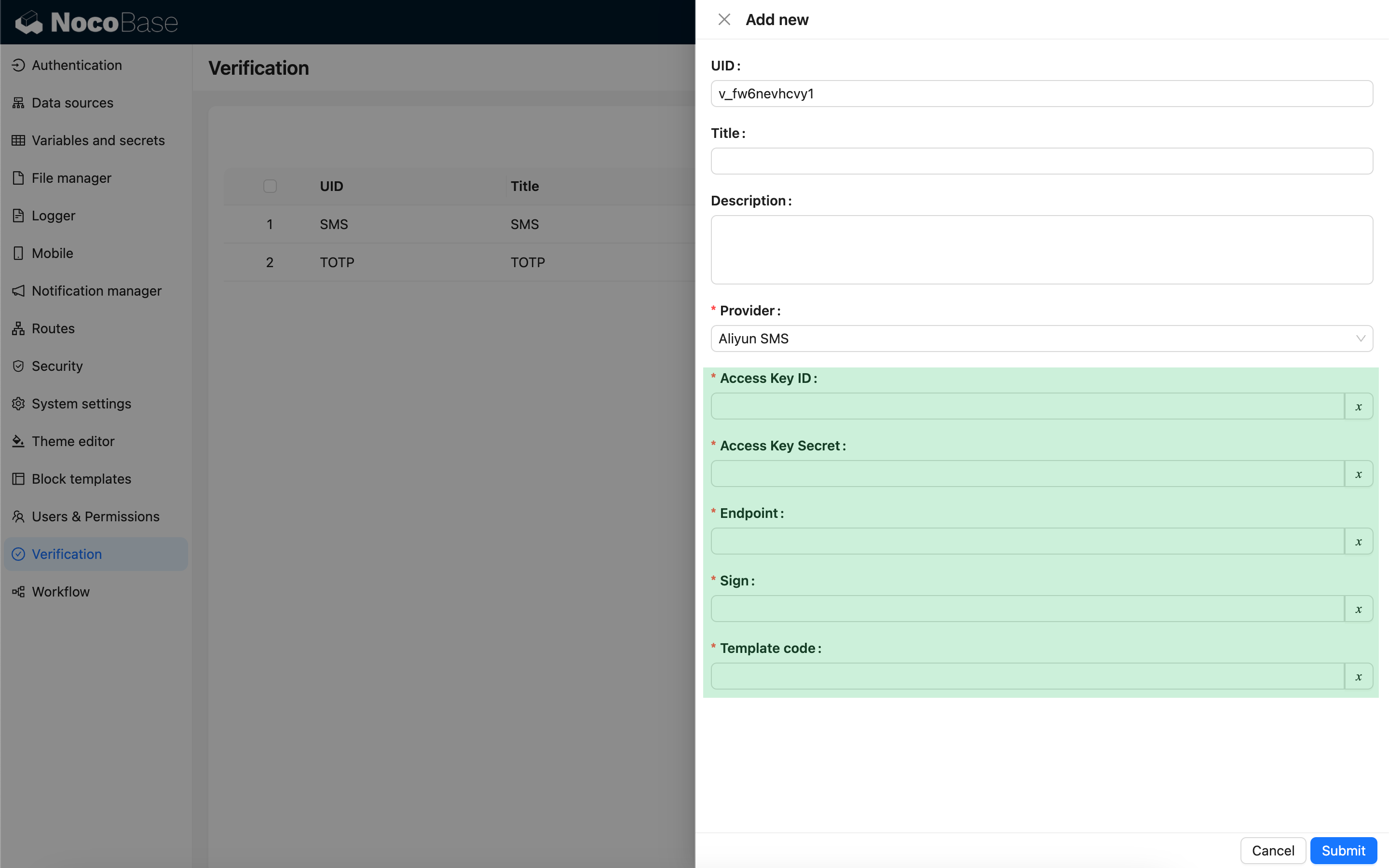
ユーザーがSMS認証機能を設定する際にSMSプロバイダーの種類を選択すると、そのプロバイダーに関連する設定フォームが表示されます。この設定フォームは、開発者がクライアント側で登録する必要があります。

import { Plugin, SchemaComponent } from '@nocobase/client';
import PluginVerificationClient from '@nocobase/plugin-verification/client';
import React from 'react';

const CustomSMSProviderSettingsForm: React.FC = () => {
  return <SchemaComponent schema={{
    type: 'void',
    properties: {
      accessKeyId: {
        title: `{{t("Access Key ID", { ns: "${NAMESPACE}" })}}`,
        type: 'string',
        'x-decorator': 'FormItem',
        'x-component': 'TextAreaWithGlobalScope',
        required: true,
      },
      accessKeySecret: {
        title: `{{t("Access Key Secret", { ns: "${NAMESPACE}" })}}`,
        type: 'string',
        'x-decorator': 'FormItem',
        'x-component': 'TextAreaWithGlobalScope',
        'x-component-props': { password: true },
        required: true,
      },
    }
  }} />
}

class PluginCustomSMSProviderClient extends Plugin {
  async load() {
    const plugin = this.app.pm.get('verification') as PluginVerificationClient;
    plugin.smsOTPProviderManager.registerProvider('custom-sms-provider-name', {
      components: {
        AdminSettingsForm: CustomSMSProviderSettingsForm,
      },
    });
  }
}


#サーバー

#送信インターフェースの実装

認証プラグインは、ワンタイムパスワード (OTP) を作成するプロセスをすでにカプセル化しています。開発者は、SMSプロバイダーと連携するための送信ロジックを実装するだけで済みます。

class CustomSMSProvider extends SMSProvider {
  constructor(options) {
    super(options);
    // options はクライアントからの設定オブジェクトです
    const options = this.options;
    // ...
  }

  async send(phoneNumber: string, data: { code: string }) {
    // ...
  }
}

#認証タイプの登録

送信インターフェースを実装したら、登録が必要です。

import { Plugin } from '@nocobase/server';
import PluginVerificationServer from '@nocobase/plugin-verification';
import { tval } from '@nocobase/utils';

class PluginCustomSMSProviderServer extends Plugin {
  async load() {
    const plugin = this.app.pm.get('verification') as PluginVerificationServer;
    // name はクライアント側のものと一致させる必要があります
    plugin.smsOTPProviderManager.registerProvider('custom-sms-provider-name', {
      title: tval('Custom SMS provider', { ns: namespace }),
      provider: CustomSMSProvider,
    });
  }
}