

logologo
Start
Handleiding
Ontwikkeling
Plugins
API
English
简体中文
日本語
한국어
Deutsch
Français
Español
Português
Русский
Italiano
Türkçe
Українська
Tiếng Việt
Bahasa Indonesia
ไทย
Polski
Nederlands
Čeština
العربية
עברית
हिन्दी
Svenska
Start
Handleiding
Ontwikkeling
Plugins
API
logologo

Gebruikersauthenticatie

Overzicht
Authenticatiebeheer

Authenticatietypes

Wachtwoord
SMS

OIDC

Configuratie

Voorbeelden

Inloggen met Google
Inloggen met Microsoft

SAML

Configuratie

Voorbeelden

Inloggen met Google
LDAP
CAS
WeChat Work
DingTalk
API-sleutels

Ontwikkelaarsgids

Authenticatietypes uitbreiden
API-referentie

Verificatie

Overzicht

Verificatietypes

SMS
TOTP-authenticator

Ontwikkelaarsgids

Verificatietypes uitbreiden
Verificatiescenario's uitbreiden
SMS-providers uitbreiden
API-referentie
Twee-factor-authenticatie (2FA)
Previous PageVerificatiescenario's uitbreiden
Next PageAPI-referentie
TIP

Dit document is vertaald door AI. Voor onnauwkeurigheden, raadpleeg de Engelse versie

#SMS-provider uitbreiden

In dit artikel leggen we uit hoe u de functionaliteit van SMS-providers in de Verificatie: SMS functie kunt uitbreiden met behulp van een plugin.

#Client

#Configuratieformulier registreren

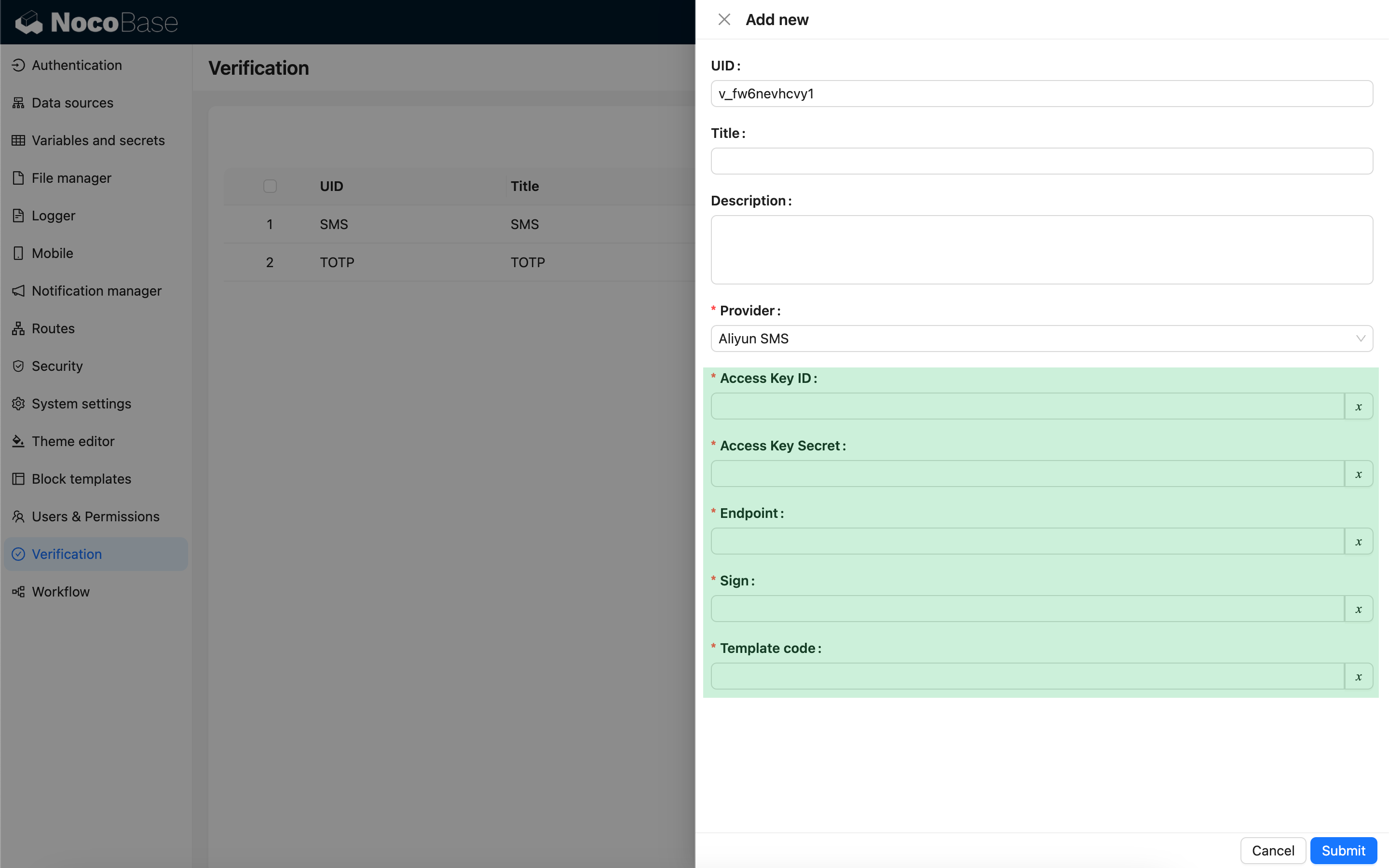
Wanneer u de SMS-verificator configureert en een SMS-providertype selecteert, verschijnt er een configuratieformulier dat aan dat providertype is gekoppeld. Dit configuratieformulier moet door de ontwikkelaar aan de clientzijde worden geregistreerd.
import { Plugin, SchemaComponent } from '@nocobase/client';
import PluginVerificationClient from '@nocobase/plugin-verification/client';
import React from 'react';

const CustomSMSProviderSettingsForm: React.FC = () => {
  return <SchemaComponent schema={{
    type: 'void',
    properties: {
      accessKeyId: {
        title: `{{t("Access Key ID", { ns: "${NAMESPACE}" })}}`,
        type: 'string',
        'x-decorator': 'FormItem',
        'x-component': 'TextAreaWithGlobalScope',
        required: true,
      },
      accessKeySecret: {
        title: `{{t("Access Key Secret", { ns: "${NAMESPACE}" })}}`,
        type: 'string',
        'x-decorator': 'FormItem',
        'x-component': 'TextAreaWithGlobalScope',
        'x-component-props': { password: true },
        required: true,
      },
    }
  }} />
}

class PluginCustomSMSProviderClient extends Plugin {
  async load() {
    const plugin = this.app.pm.get('verification') as PluginVerificationClient;
    plugin.smsOTPProviderManager.registerProvider('custom-sms-provider-name', {
      components: {
        AdminSettingsForm: CustomSMSProviderSettingsForm,
      },
    });
  }
}

#Server

#Verzendinterface implementeren

De verificatie-plugin heeft het proces voor het aanmaken van eenmalige dynamische wachtwoorden (OTP's) al ingekapseld. Ontwikkelaars hoeven alleen de logica te implementeren voor het verzenden van berichten om te communiceren met de SMS-provider.

class CustomSMSProvider extends SMSProvider {
  constructor(options) {
    super(options);
    // options is het configuratieobject van de client
    const options = this.options;
    // ...
  }

  async send(phoneNumber: string, data: { code: string }) {
    // ...
  }
}

#Verificatietype registreren

Zodra de verzendinterface is geïmplementeerd, moet deze worden geregistreerd.

import { Plugin } from '@nocobase/server';
import PluginVerificationServer from '@nocobase/plugin-verification';
import { tval } from '@nocobase/utils';

class PluginCustomSMSProviderServer extends Plugin {
  async load() {
    const plugin = this.app.pm.get('verification') as PluginVerificationServer;
    // De naam moet overeenkomen met die op de client
    plugin.smsOTPProviderManager.registerProvider('custom-sms-provider-name', {
      title: tval('Custom SMS provider', { ns: namespace }),
      provider: CustomSMSProvider,
    });
  }
}