logologo
Get Started
Guide
Development
Plugins
API
Home
English
简体中文
日本語
한국어
Español
Português
Deutsch
Français
Русский
Italiano
Türkçe
Українська
Tiếng Việt
Bahasa Indonesia
ไทย
Polski
Nederlands
Čeština
العربية
עברית
हिन्दी
Svenska
Get Started
Guide
Development
Plugins
API
Home
logologo
Overview
Quick Start

Features

Configure LLM Service
Enable AI Employees
Collaborate with AI Employees
Add Context - Blocks
Use Skills
Shortcuts
Web Search
Create AI Employee
Built-in AI Employees
Permissions
File Management

AI Knowledge Base

Overview
Vector Database
Vector Store
Knowledge Base
RAG

Workflow

LLM Node

Text Chat
Multimodal Chat
Structured Output

Application Practices

Scenarios

Viz: CRM Scenario Configuration

Configuration

Admin Configuration
Prompt Engineering Guide
Previous PageQuick Start
Next PageEnable AI Employees

#Configure LLM Service

Before using AI Employees, you need to connect to an online LLM Service.

NocoBase currently supports mainstream online LLM Services such as OpenAI, Gemini, Claude, DeepSeek, Qwen (Aliyun), etc.

In addition to online LLM Services, NocoBase also supports connecting to Ollama local models.

#Select LLM Service

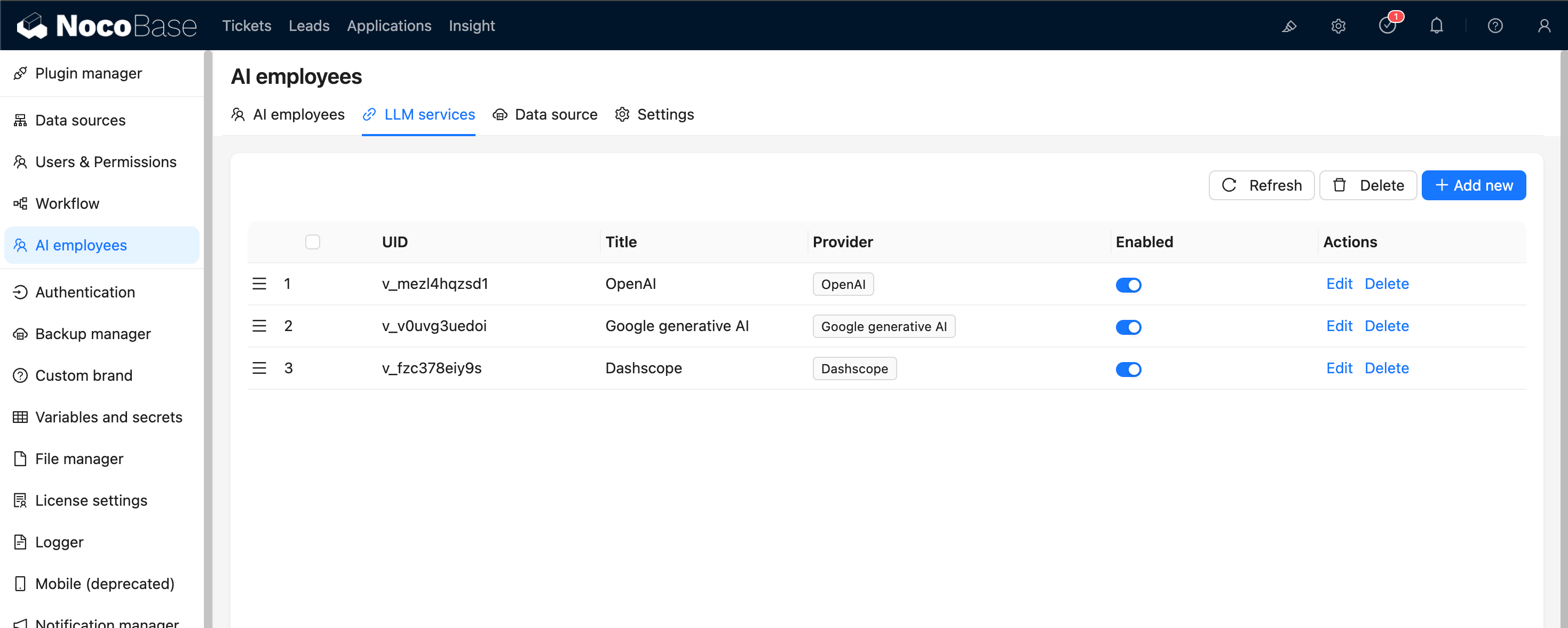
Enter the AI Employee plugin configuration page, click the LLM service tab to enter the LLM Service management page.

20251021213122

Hover over the Add New button in the upper right corner of the LLM Service list and select the LLM Service you want to use.

20251021213358

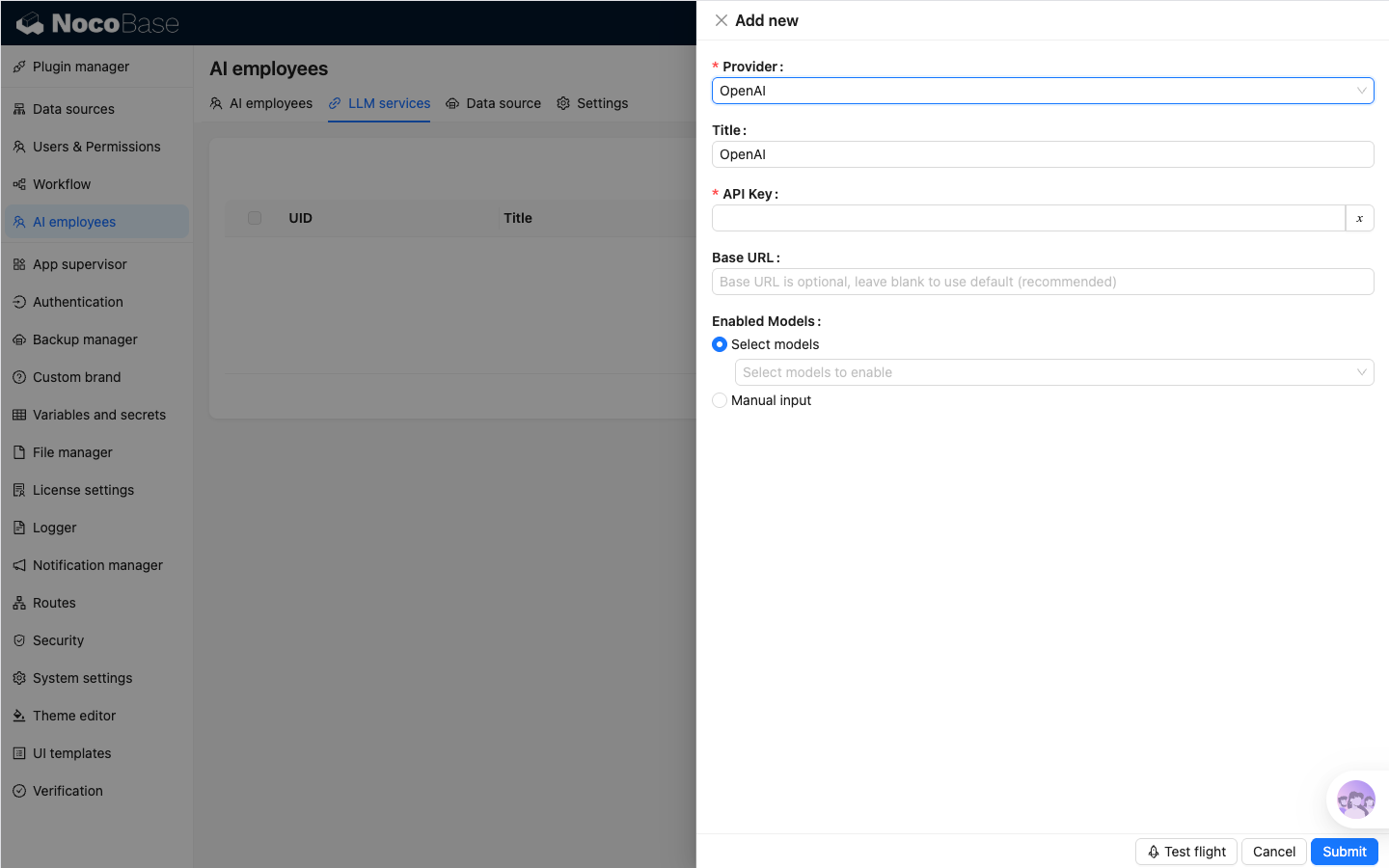
Taking OpenAI as an example, enter an easy-to-remember title in the pop-up window, then enter the API key obtained from OpenAI, and click Submit to save. This completes the LLM Service configuration.

The Base URL can usually be left blank. If you are using a third-party LLM Service that is compatible with the OpenAI API, please fill in the corresponding Base URL.

20251021214549

#Availability Test (Test flight)

On the LLM Service configuration page, click the Test flight button, enter the name of the model you want to use, and click the Run button to test whether the LLM Service and model are available.

20251021214903