

Chapter 11: Subtasks & Work Hours
Hello, team! We've finally reached a new chapter! As our business expands, tasks have become increasingly numerous and complex. We’ve realized that simple task management is no longer sufficient. It's time to manage tasks more intricately by breaking them into multiple levels, which will help everyone complete them more efficiently.
11.1 Task Planning: From Global to Local
We’ll divide complex tasks into multiple manageable subtasks, enabling progress tracking for a clear understanding of task completion status. Using multi-level management, we’ll organize these subtasks effectively. Let’s dive into planning!
11.2 Creating a Subtask Table
11.2.1 Designing the Subtask Structure
First, we’ll create a "Subtask Table" (Tree collection). Subtasks will have attributes similar to main tasks, such as "Task Name," "Status," "Assignee," and "Progress." Additional fields like comments or documents can be added as needed.
To link subtasks to main tasks, we’ll establish a many-to-one relationship, assigning each subtask to a main task. A reverse relationship allows viewing or managing subtasks directly within the main task.
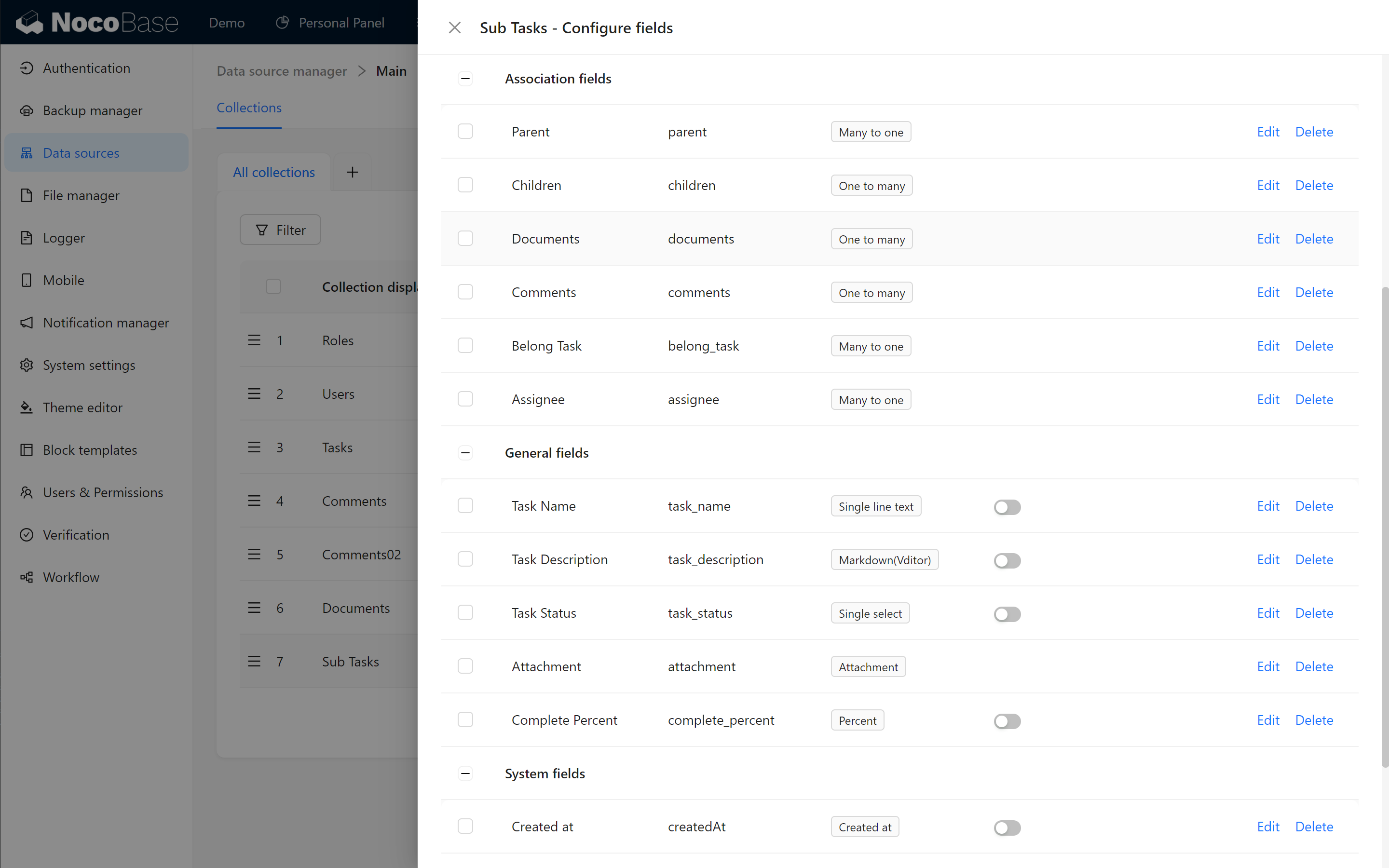
💡 Tip: It’s recommended to create subtasks through a linked block on the main task page for a more streamlined process!
11.2.2 Displaying Subtasks in the Task Management Interface
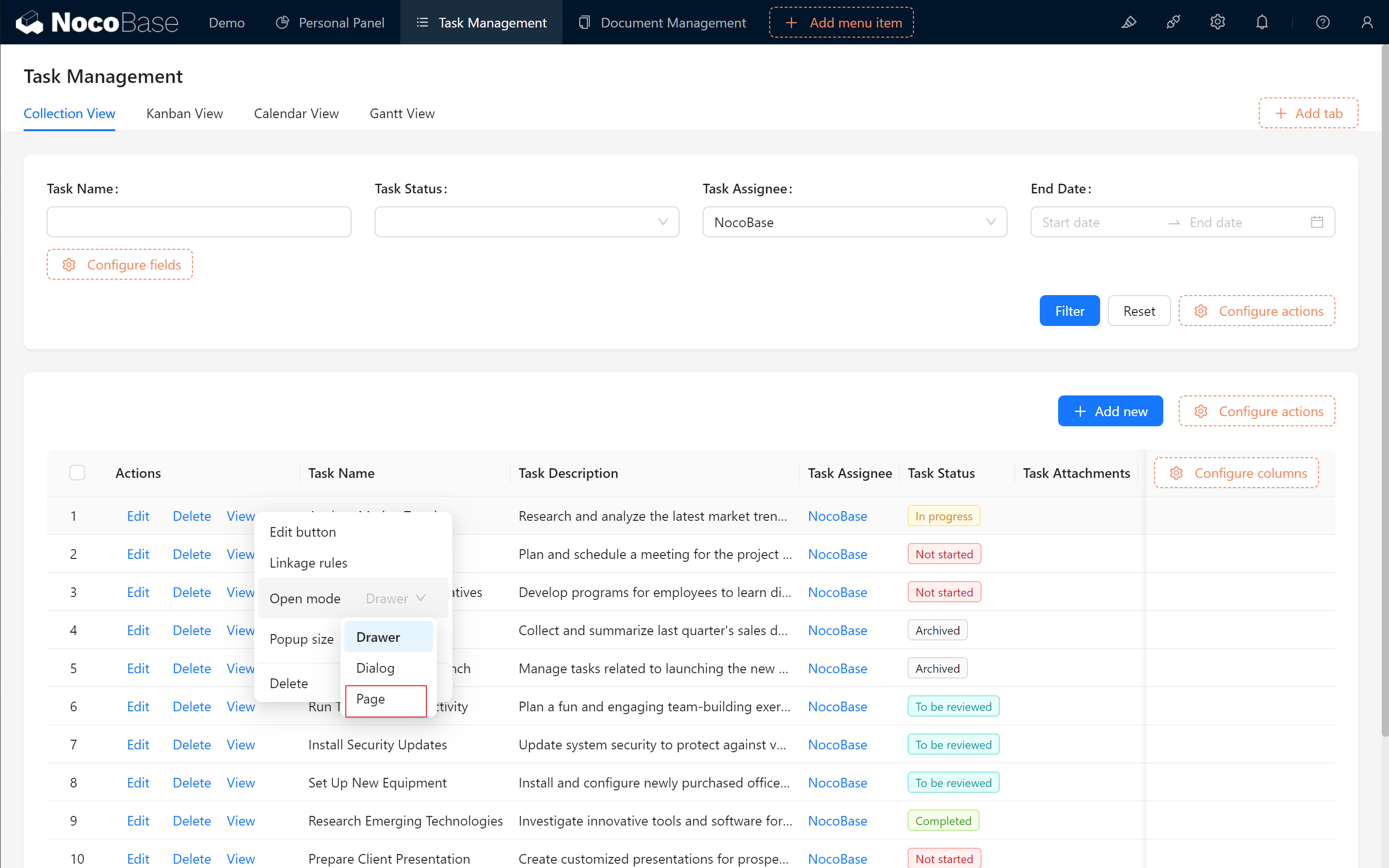
In the task management interface, set the "Task Table" view mode to Page View.
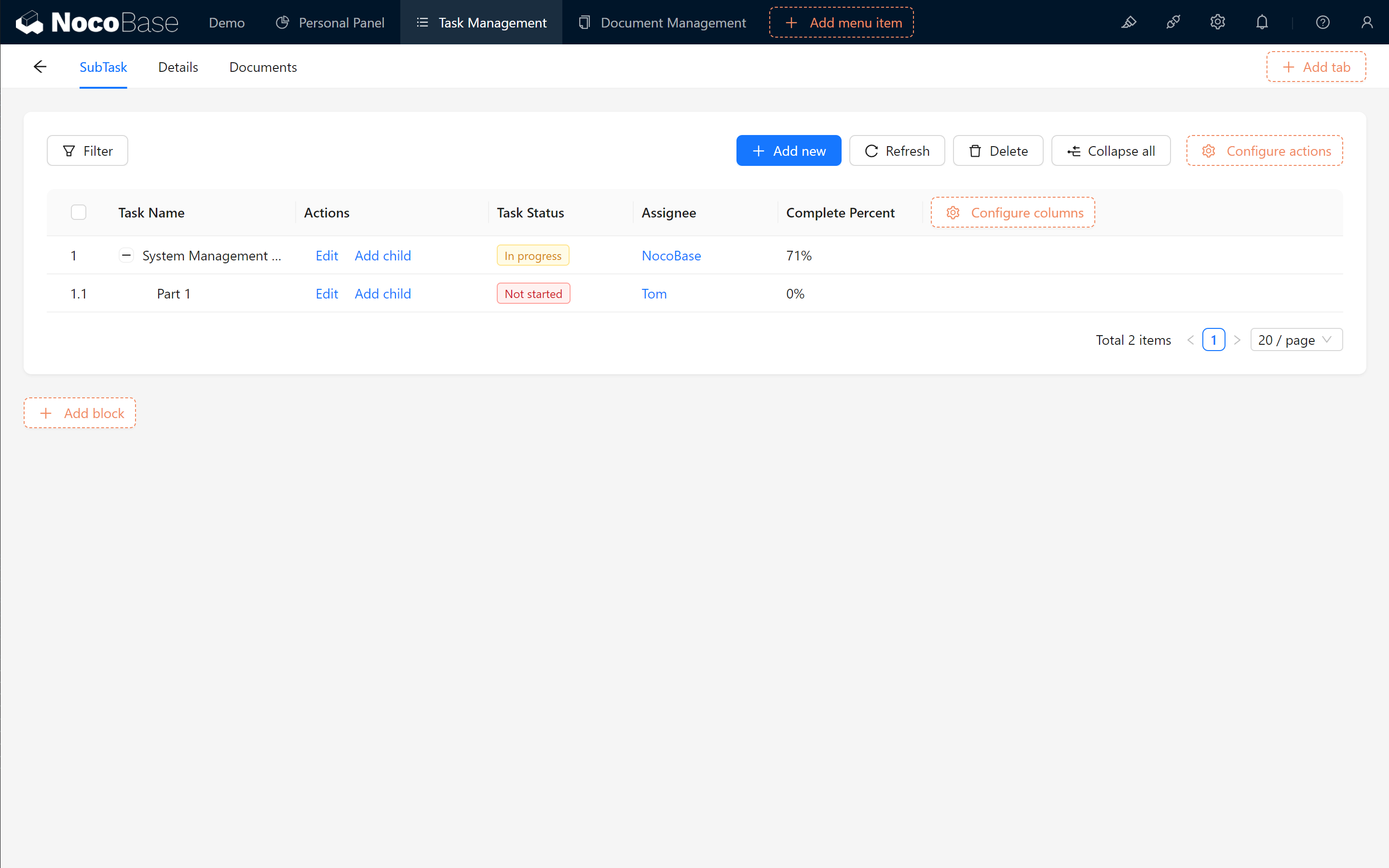
Create a new "SubTasks" tab within the page and add the subtask table, using the tree structure for display. This way, subtasks can be managed and viewed on the same page.
11.3 Work Hour Comparison Chart: Estimating Overall Work Hours and Progress (Optional)
Next, we strike while the iron is hot, to make the work details of the task and the work comparison chart, in order to estimate the overall work time and task progress.
11.3.1 Adding Time and Work Hour Fields
In the subtask table, add these fields:
- Start Date
- End Date
- Estimate Hours
- Remain Hours
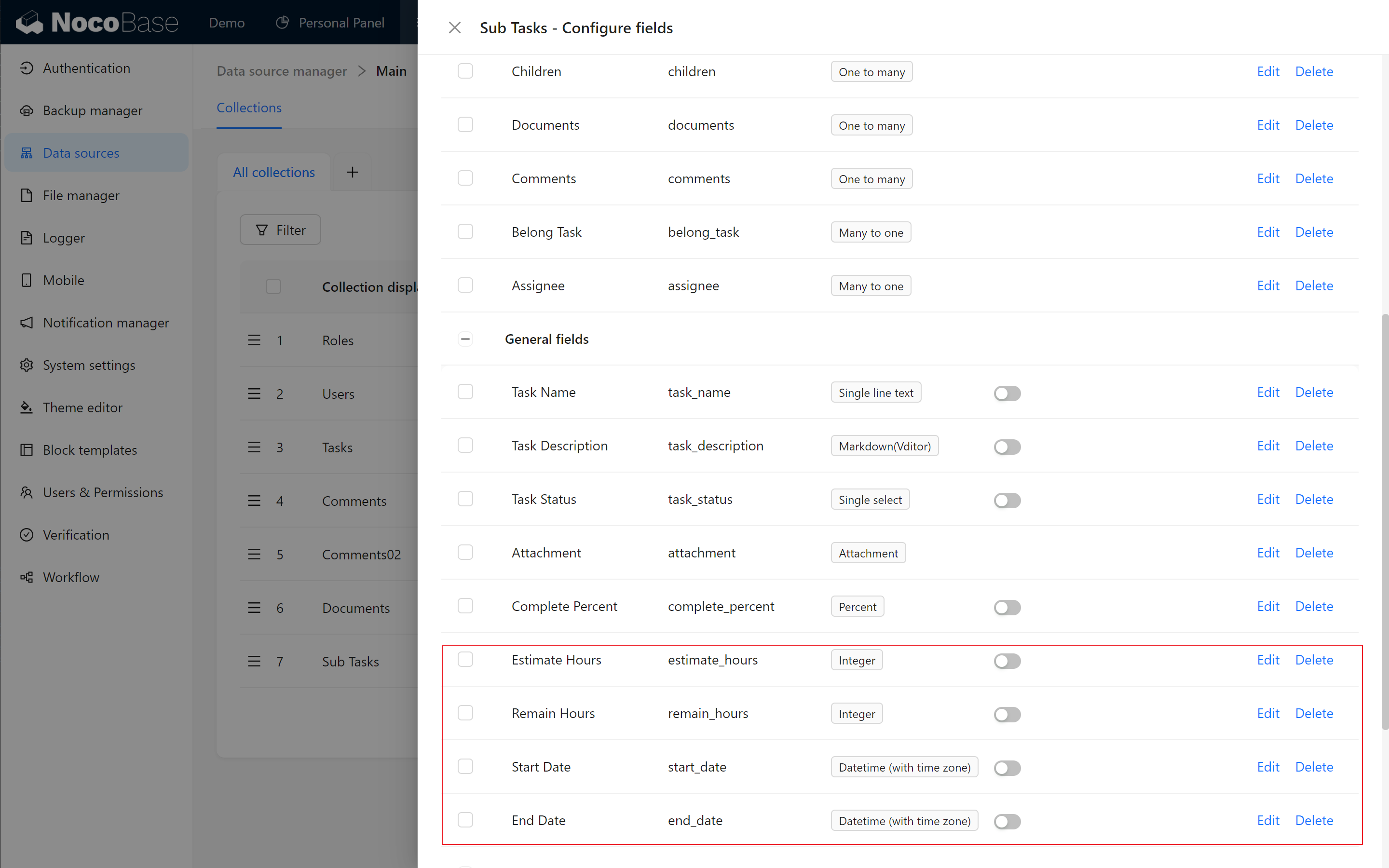
These fields allow dynamic calculation of task duration and work hours.
11.3.2 Calculating Task Duration
Create a new formula field, "Days," in the subtask table to calculate task duration.
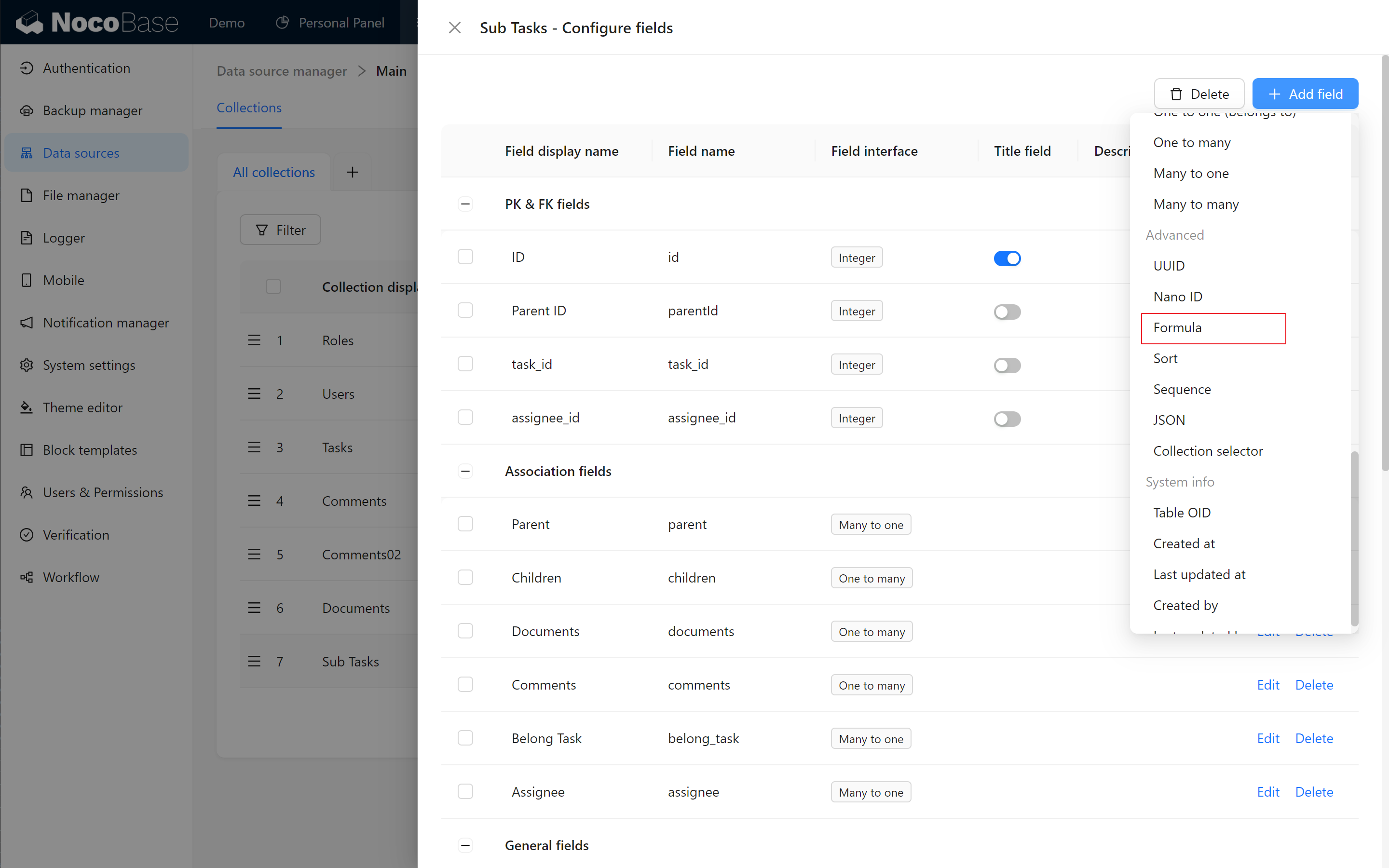
Formula Calculation Options:
-
Math.js
Using the math.js library, you can compute complex numeric formulas.
-
Formula.js
Uses Formula.js library to calculate common formulas, if you are familiar with Excel formulas, this will be easy for you!
-
String Templates
As the name suggests, it is a means of splicing characters, we usually need dynamic descriptions, numbering and so on, you can use this form of splicing!
For this task, use the Formula.js library to calculate common formulas. The formula for task duration:
Ensure all formula elements are in lowercase English to avoid errors.
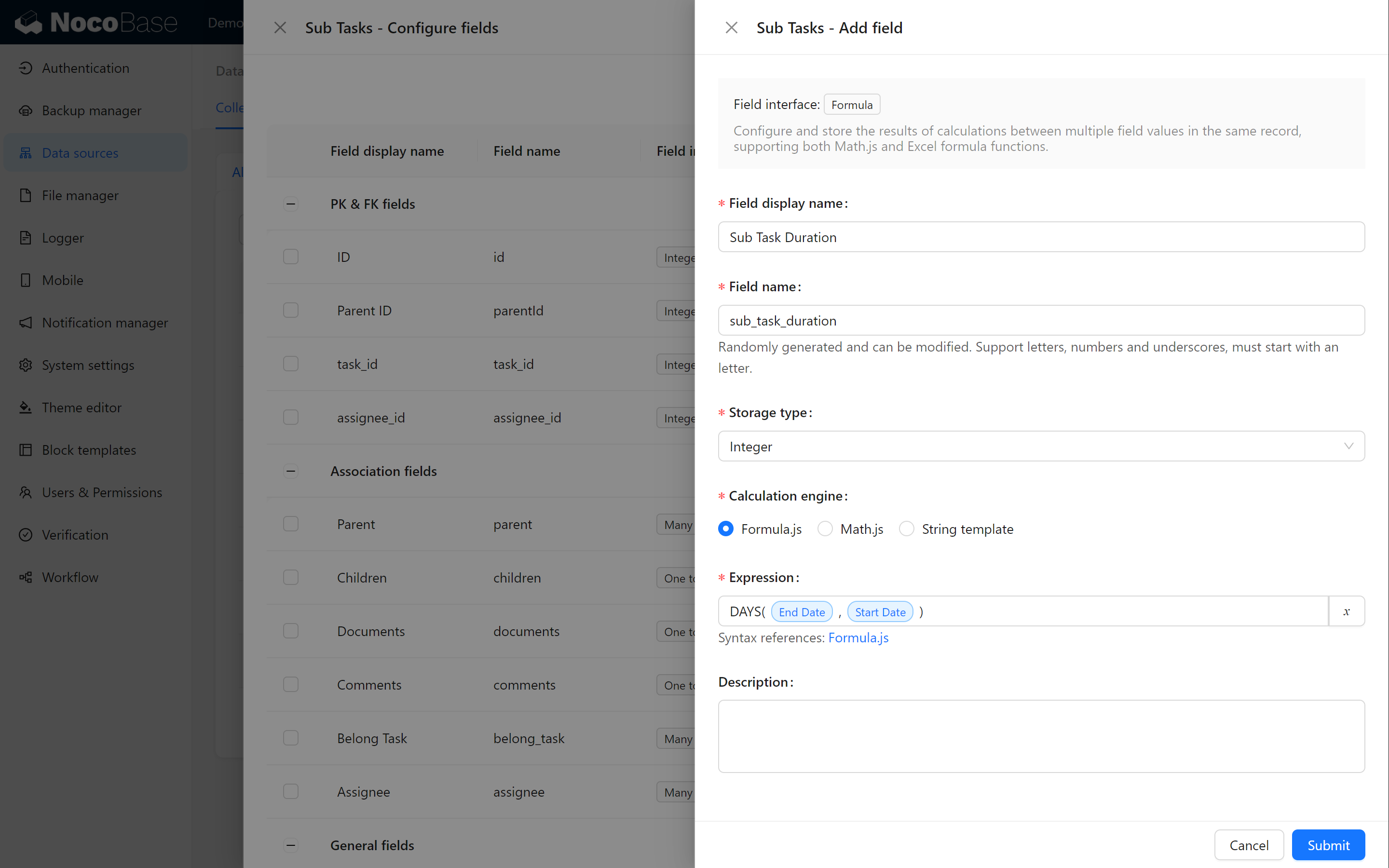
Check the page, and you’ll see that the duration adjusts dynamically based on the start and end dates!
.png)
11.4 Daily Work Hour Reporting: Tracking Actual Progress (Optional)
11.4.1 Creating a Daily Work Hour Reporting Collection
Create a new table for daily work hour reporting. Add fields such as:
- Day Hours (integer recommend)
- Date
- Ideal Hours (integer)
- Associated Sub-task (Many-to-One relationship with subtasks).
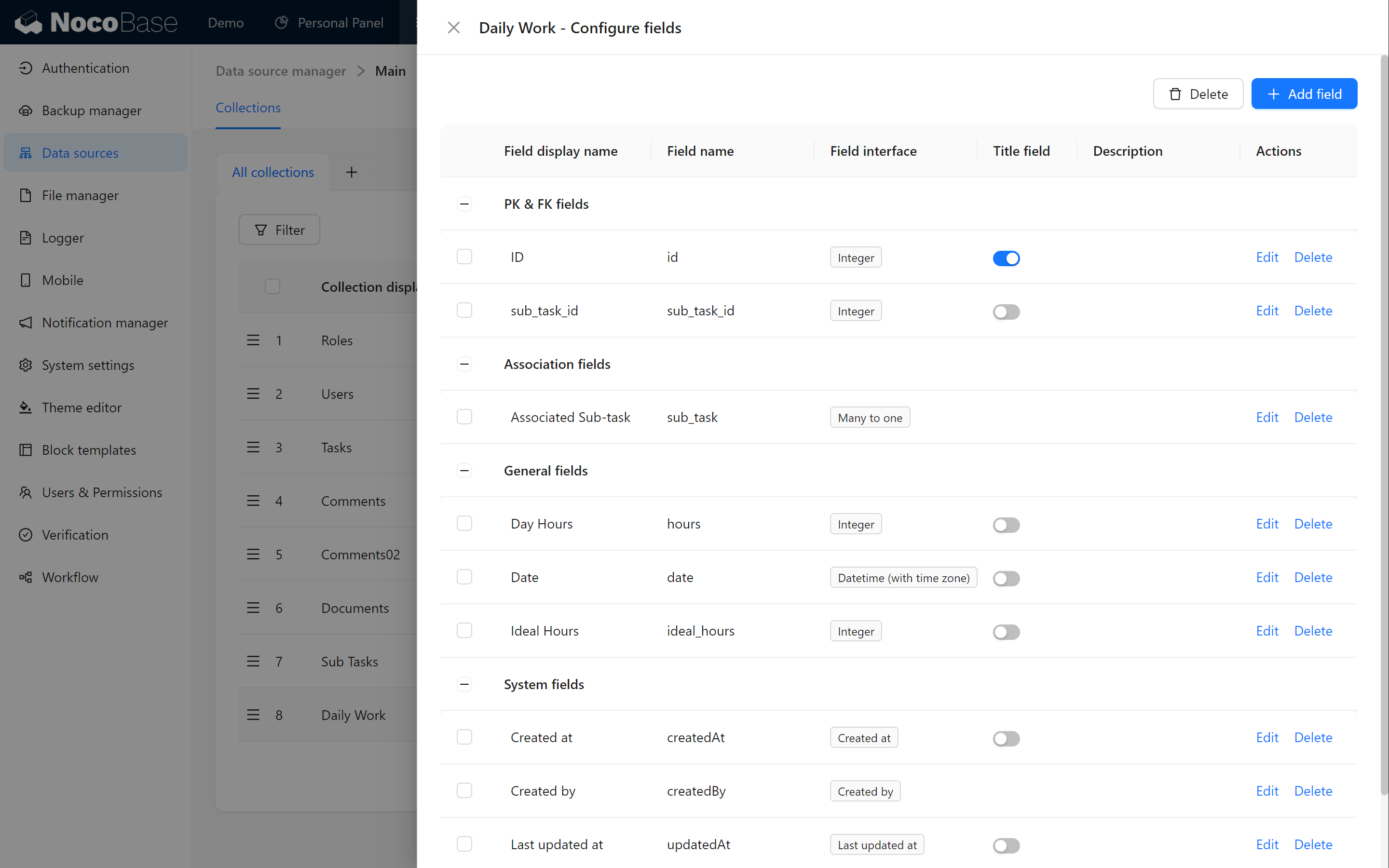
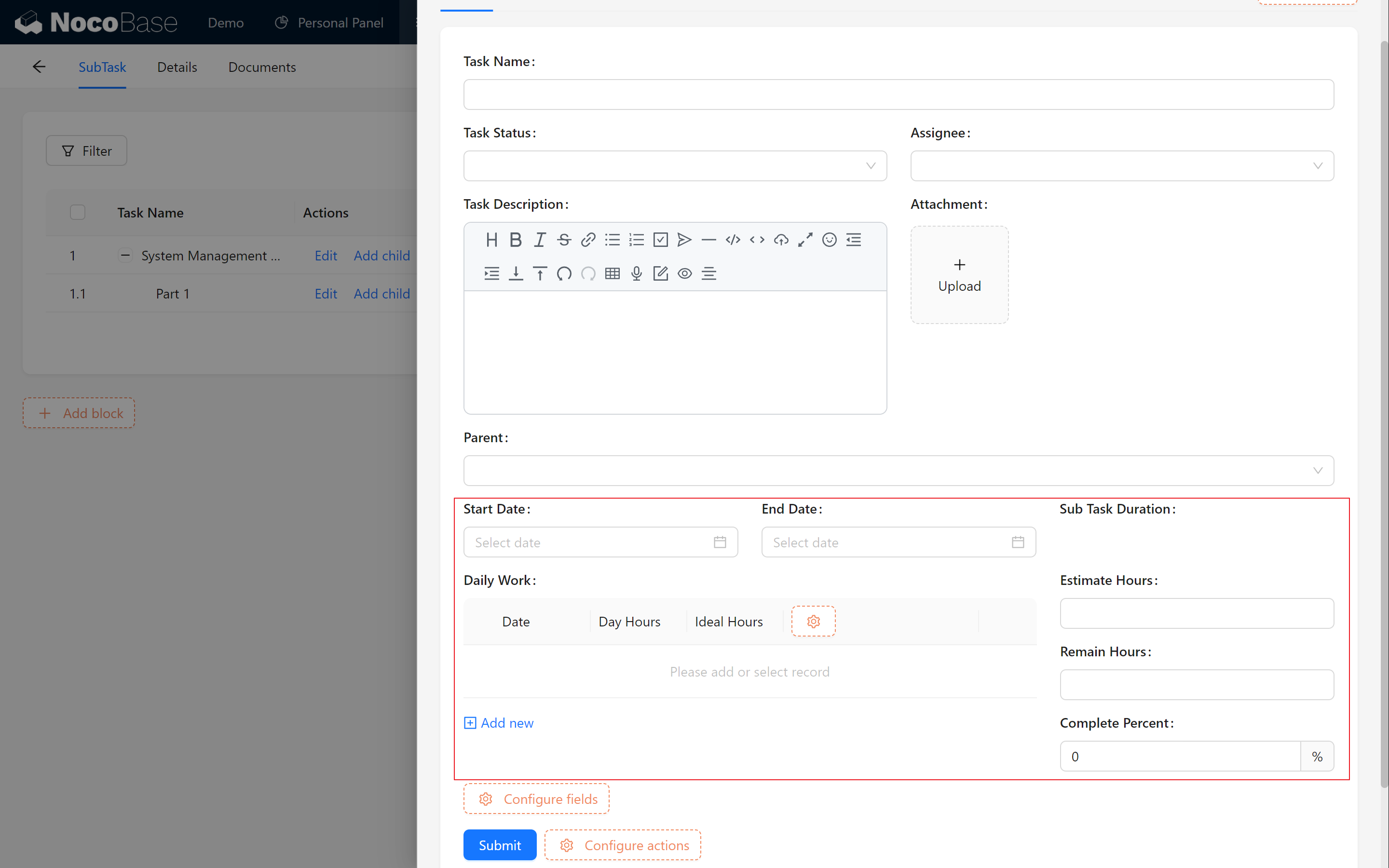
11.4.2 Displaying Daily Work Hours in the Subtask Page
Return to the subtask editing page, and set the daily work hour table as a Sub table for display. Drag other relevant fields into the layout. This allows easy data entry and review directly on the subtask page.
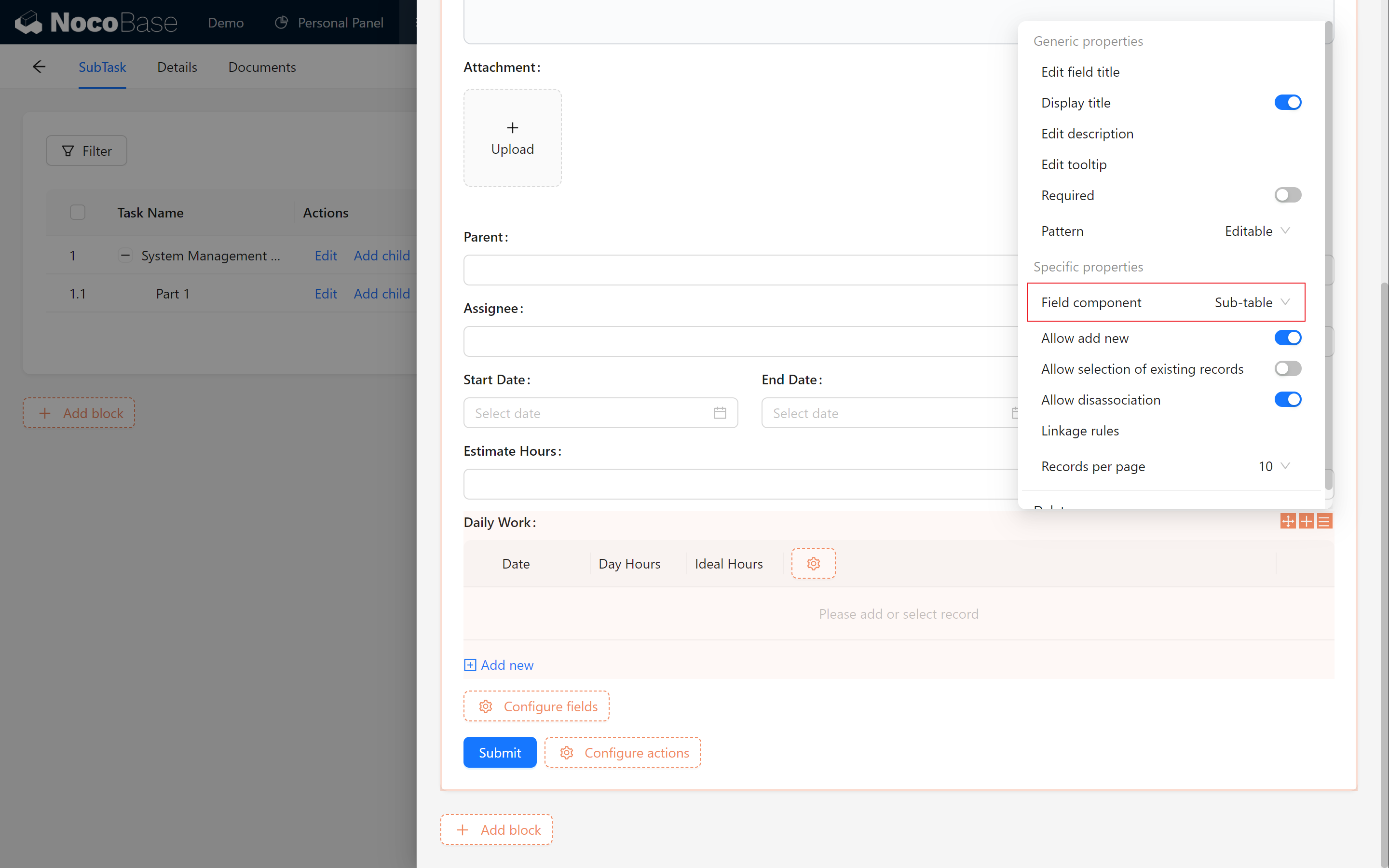
11.5 Key Calculations & Linking Rules (Optional)
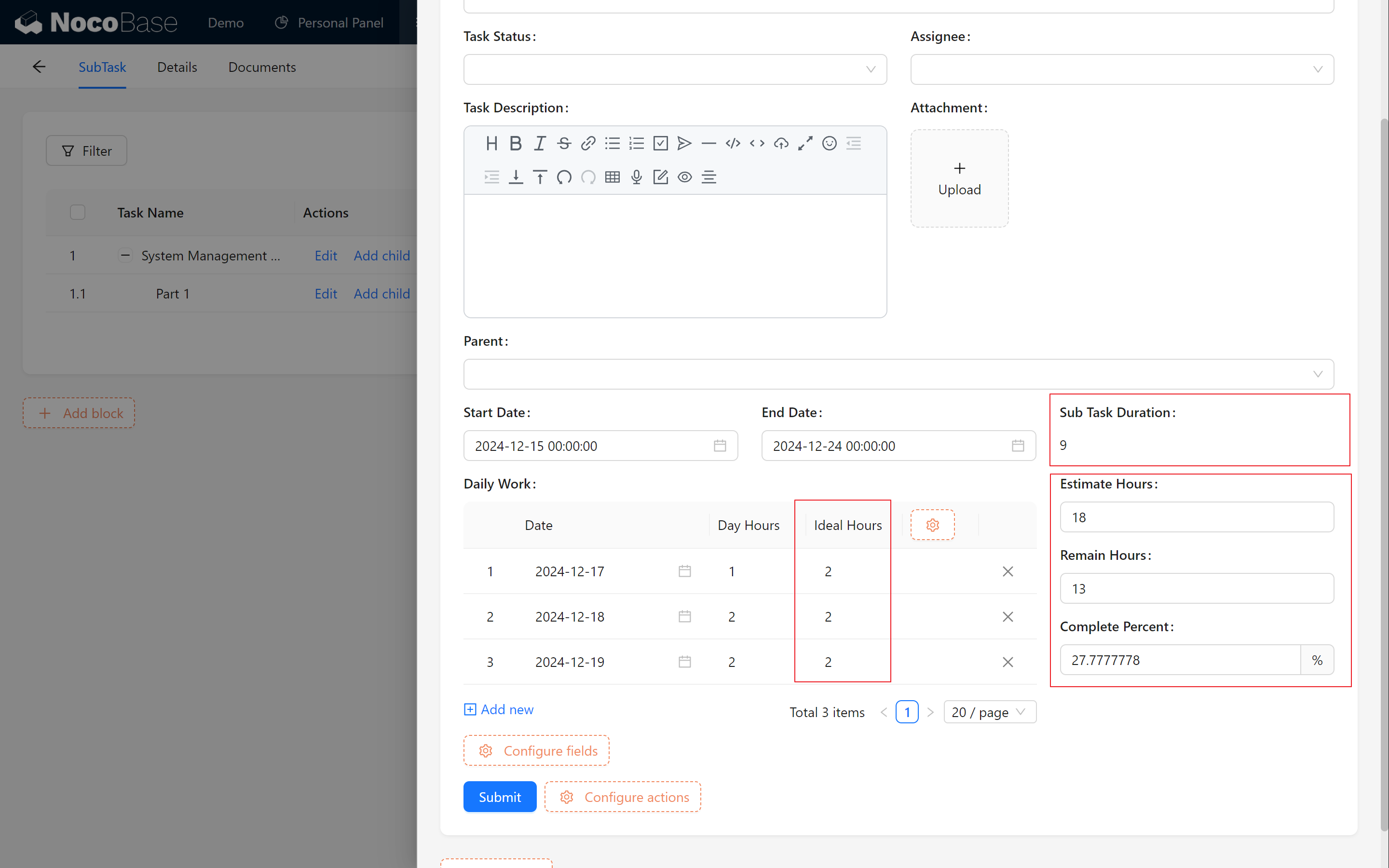
In order to more accurately estimate the task progress and remaining work hours, we next perform some key configurations.
11.5.1 Setting Required Fields for Subtasks
Mark Start Date, End Date, and Estimated Work Hours as required item to ensure data completeness for accurate calculations.
11.5.2 Setting Complete Percent and Remaining Time Linkage Rules
Add these calculated fields in the subtask table:
-
Completion Ratio: Daily work hours sum / Estimated work hours.
-
Remaining Work Hours: Estimated work hours - Daily work hours sum.
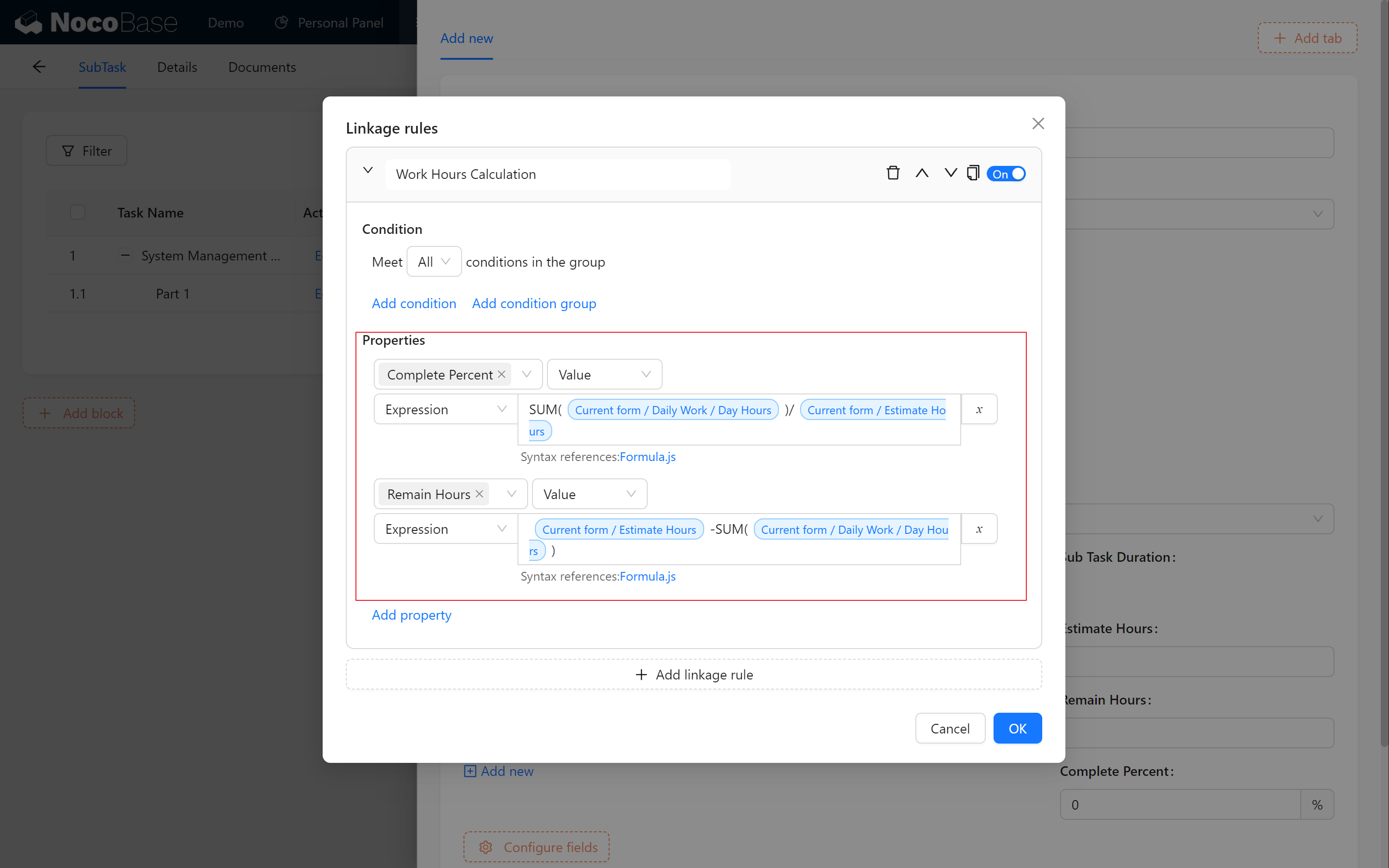
For Ideal Work Hours in daily work hour linking rules:
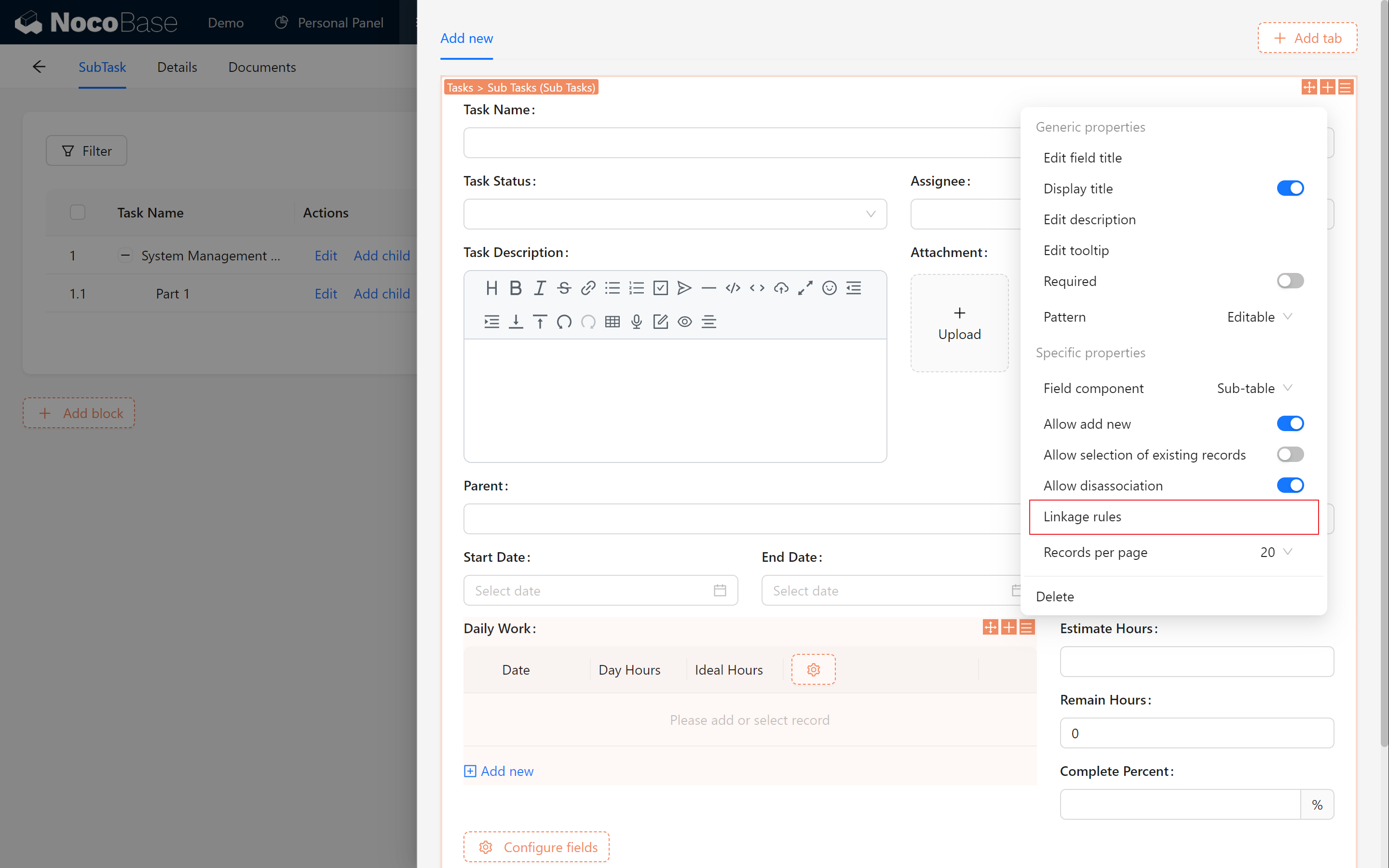
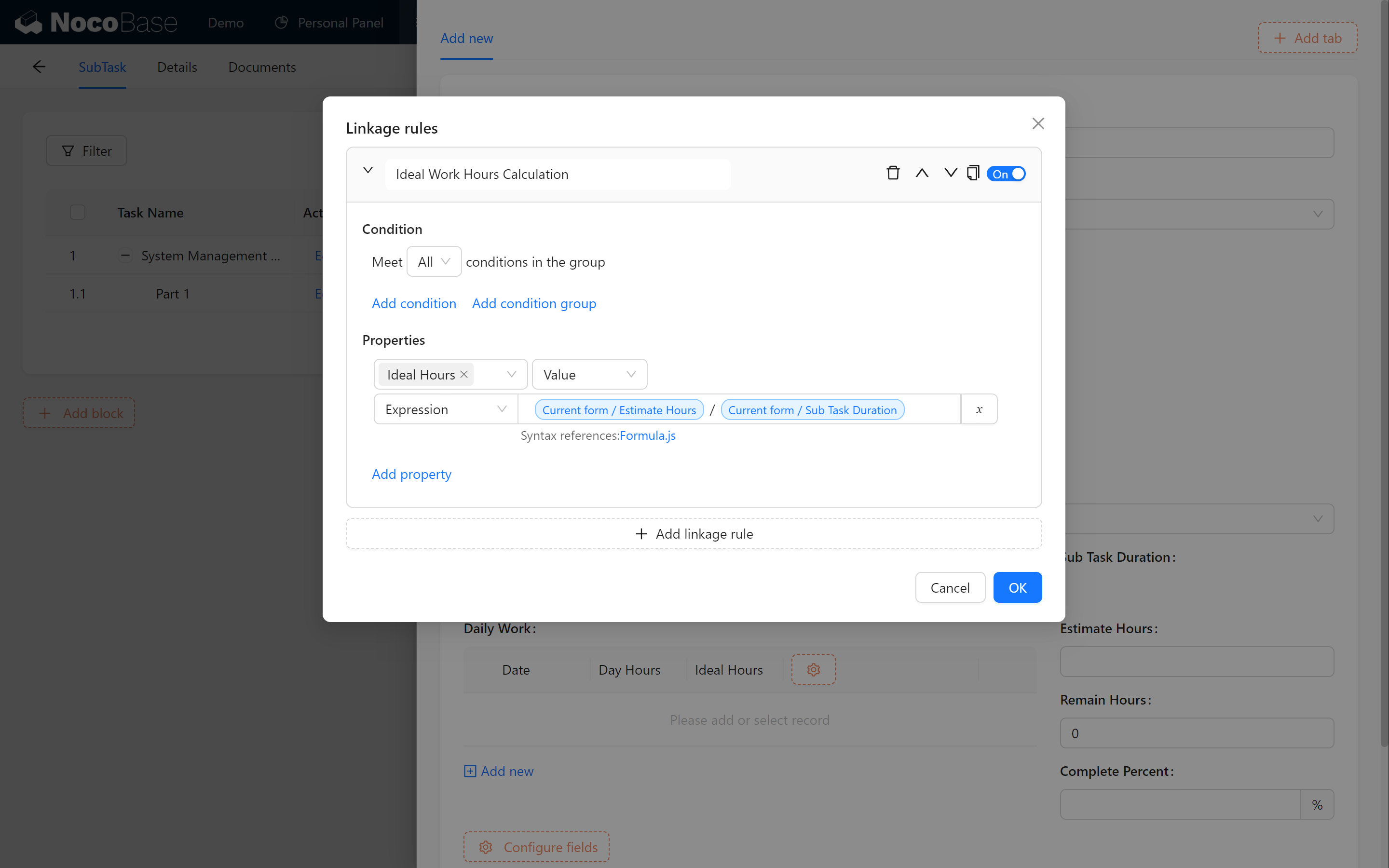
With this, you can calculate task progress and remaining hours in real time.
11.6 Creating a Task Progress Chart (Optional)
11.6.1 Setting Up a Task Progress Chart
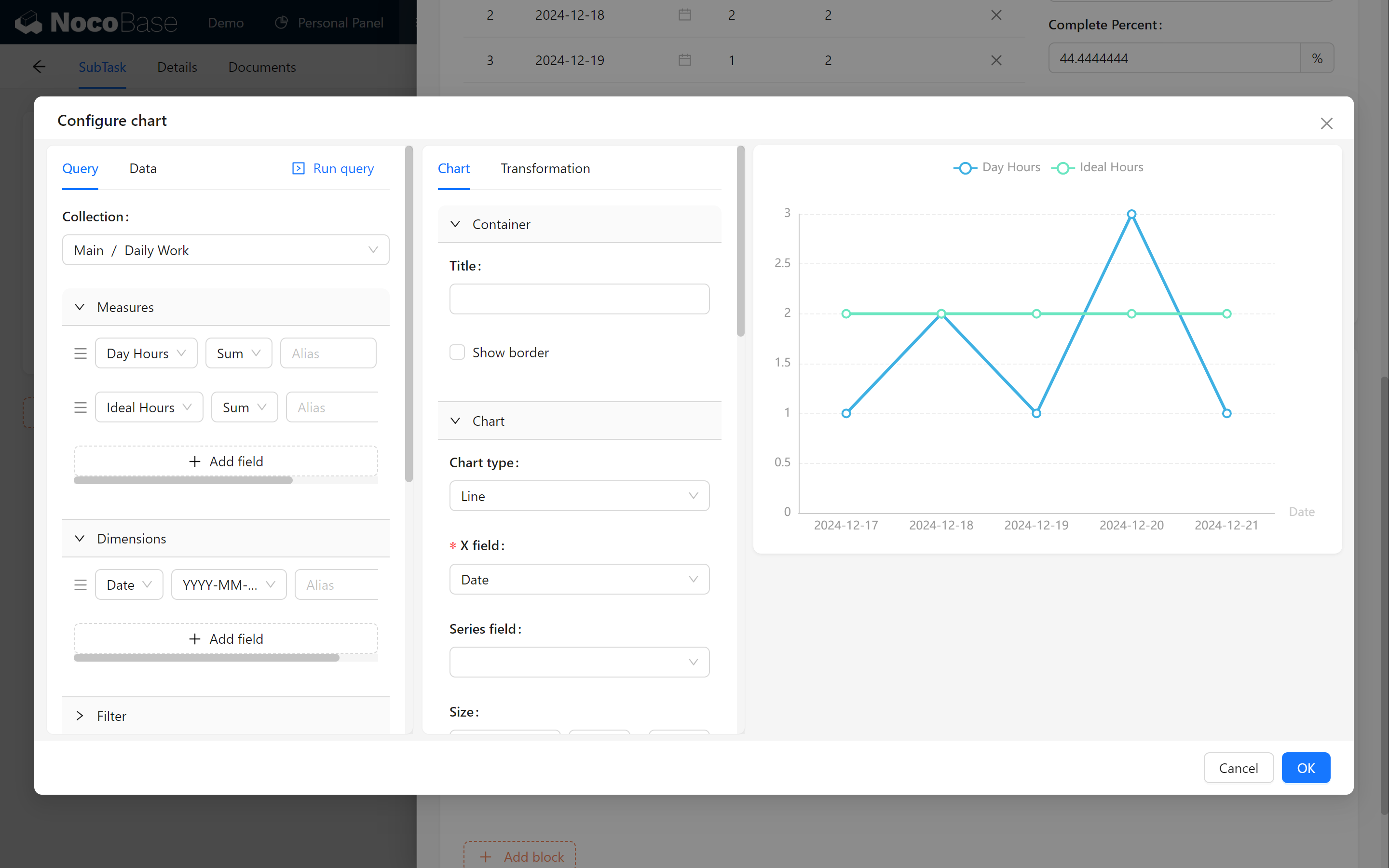
Create a new chart block for counting the changes in sum of Day Hours and sum of Ideal Hours and displaying the task progress based on the date dimension.
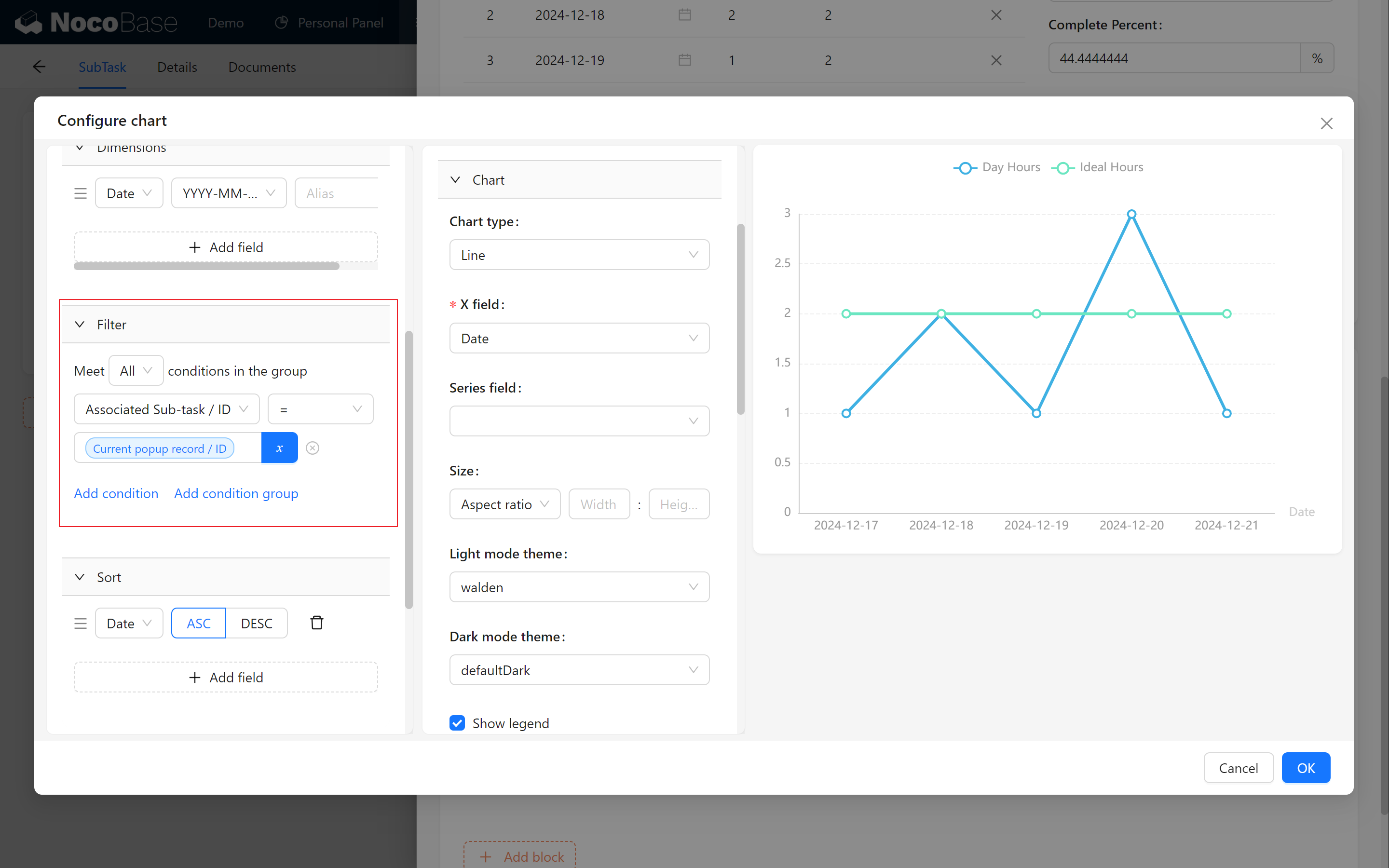
Limit [Associated Tasks/Id] to be equal to when [Previous Popup Records/ID] to ensure that the progress chart reflects the true state of the current task.
11.6.2 Displaying Key Info & Progress
Finally, remember our Markdown block, where we show the basic information and progress changes of the task through the markdown block.
The progress percentage is rendered using the Handlebars.js template:

This uses Handlebars.js for syntax, rendering progress percentages dynamically.
11.7 Summary
Congratulations! You’ve successfully divided tasks into subtasks. With multi-level management, daily work hour reporting, and chart visualization, tracking progress becomes clearer and helps your team work more efficiently. Keep up the great work, Let's look forward to the next chapter!
Keep exploring and creating endless possibilities! If you encounter any issues along the way, don’t forget to check the NocoBase Documentation or join the NocoBase Community for discussions and support.