logologo
Get Started
Guide
Development
Plugins
API
Home
English
简体中文
日本語
한국어
Español
Português
Deutsch
Français
Русский
Italiano
Türkçe
Українська
Tiếng Việt
Bahasa Indonesia
ไทย
Polski
Nederlands
Čeština
العربية
עברית
हिन्दी
Svenska
Get Started
Guide
Development
Plugins
API
Home
logologo
Overview

Blocks

Overview

Data Blocks

Table
Form
Details
List
Grid Card
Chart

Filter Blocks

Form

Other Blocks

Action Panel
Iframe
Markdown
JS Block

Block Settings

Data Scope
Layout
Block Linkage Rules
Field Linkage Rules
Sorting Rules
Drag-and-drop Sorting
Block Deletion
Block Title
Form Drafts

Fields

Overview

Generic Settings

Table Column
Detail Form Item
Filter Form Item
Form Item

Specific Settings

Date
File Manager
Sub-form
Select
Picker
Cascade Select
Sub-table
Sub-detail
Title
JS Field
JS Item
JS Column

Field Settings

Default Value
Field Label
Show Label
Field Tooltip
Data Scope
Field Component
Number Format
Pattern
Required
Title Field
Validation Rules
Association Field

Actions

Overview

Action Settings

Edit Button
Double Check
Assign Values
Bind Workflow
Edit Popup
Action Linkage Rules

Action Types

Add New
View
Delete
Edit
Import
Import Pro
Export
Export Pro
Export Attachments
Filter
Link
Pop-up
Refresh
Submit
Trigger Workflow
Update Record
Bulk Update
Bulk Edit
Add Child
JS Action
Action Permissions

Advanced

Linkage Rules
Event Flow
Variables
RunJS
UI Templates
Next PageOverview

#Block Height

#Introduction

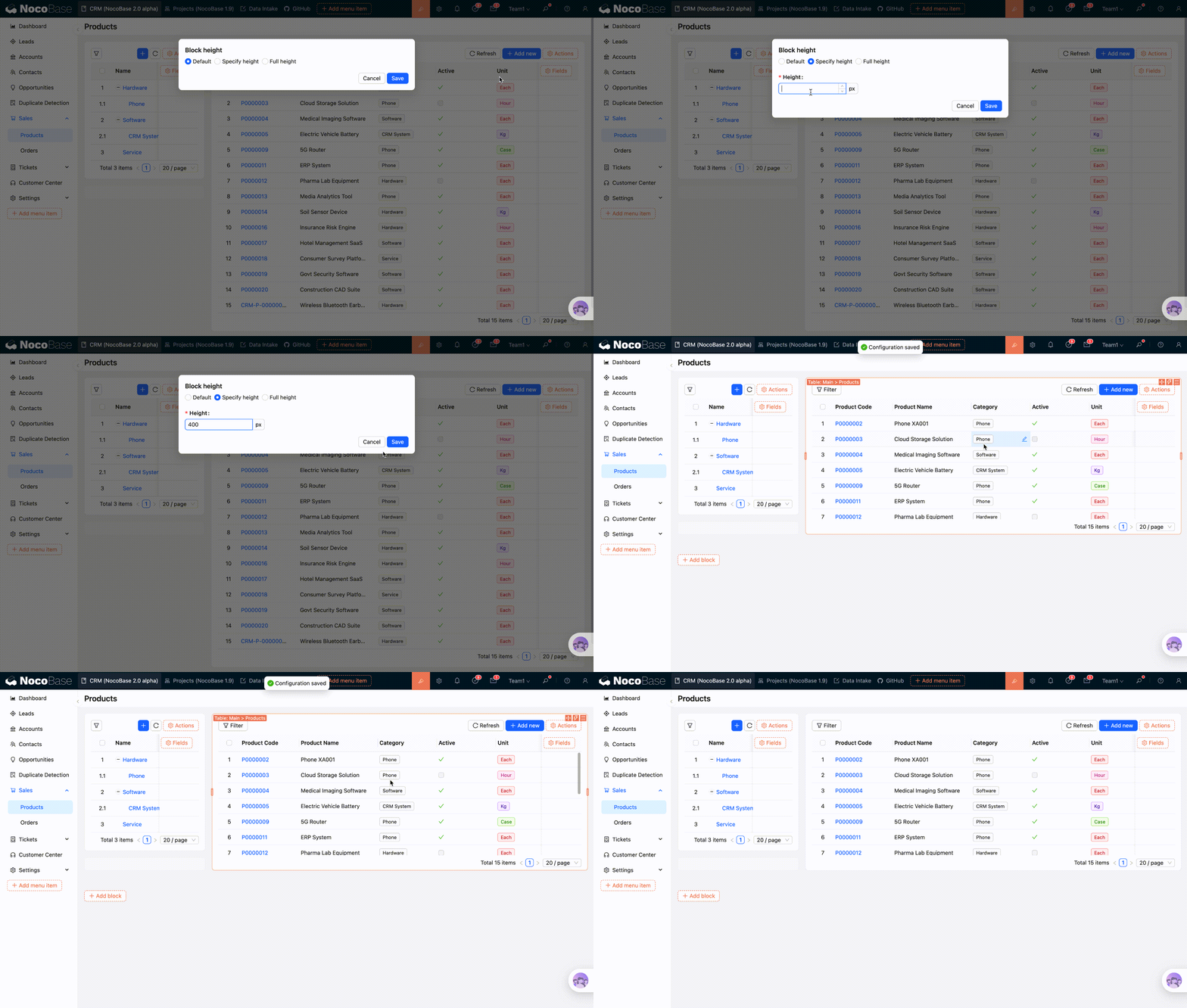
Block height supports three modes: Default height, Specified height, and Full height. Most blocks support height settings.
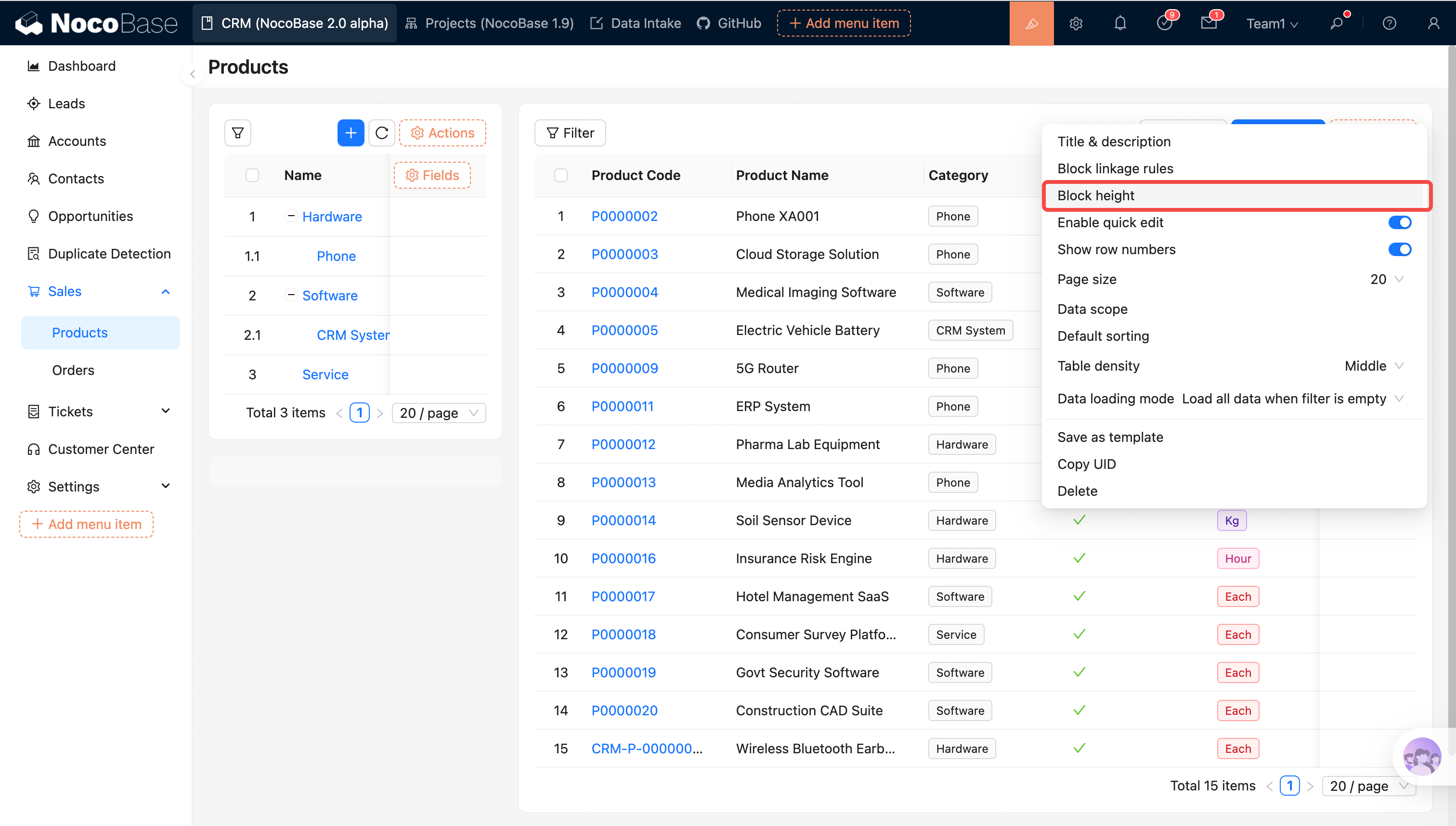
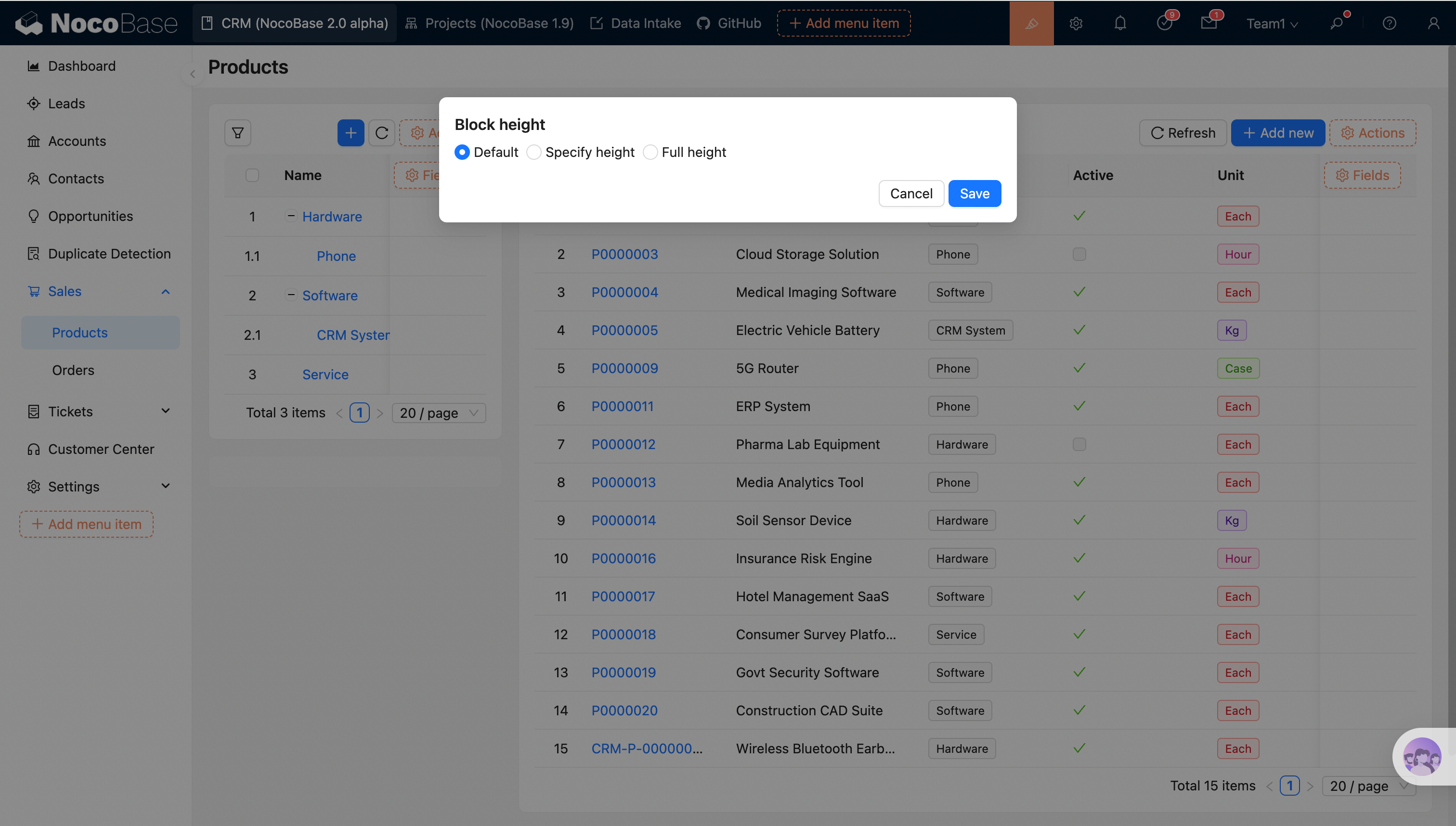
20260211153947

20260211154020

#Height Modes

#Default Height

Different types of blocks have different default height strategies. For example, Table and Form blocks automatically adjust their height based on content, and scrollbars will not appear inside the block.

#Specified Height

You can manually specify the total height of the block's outer frame. The internal area of the block will automatically calculate and allocate the available height.

20260211154043

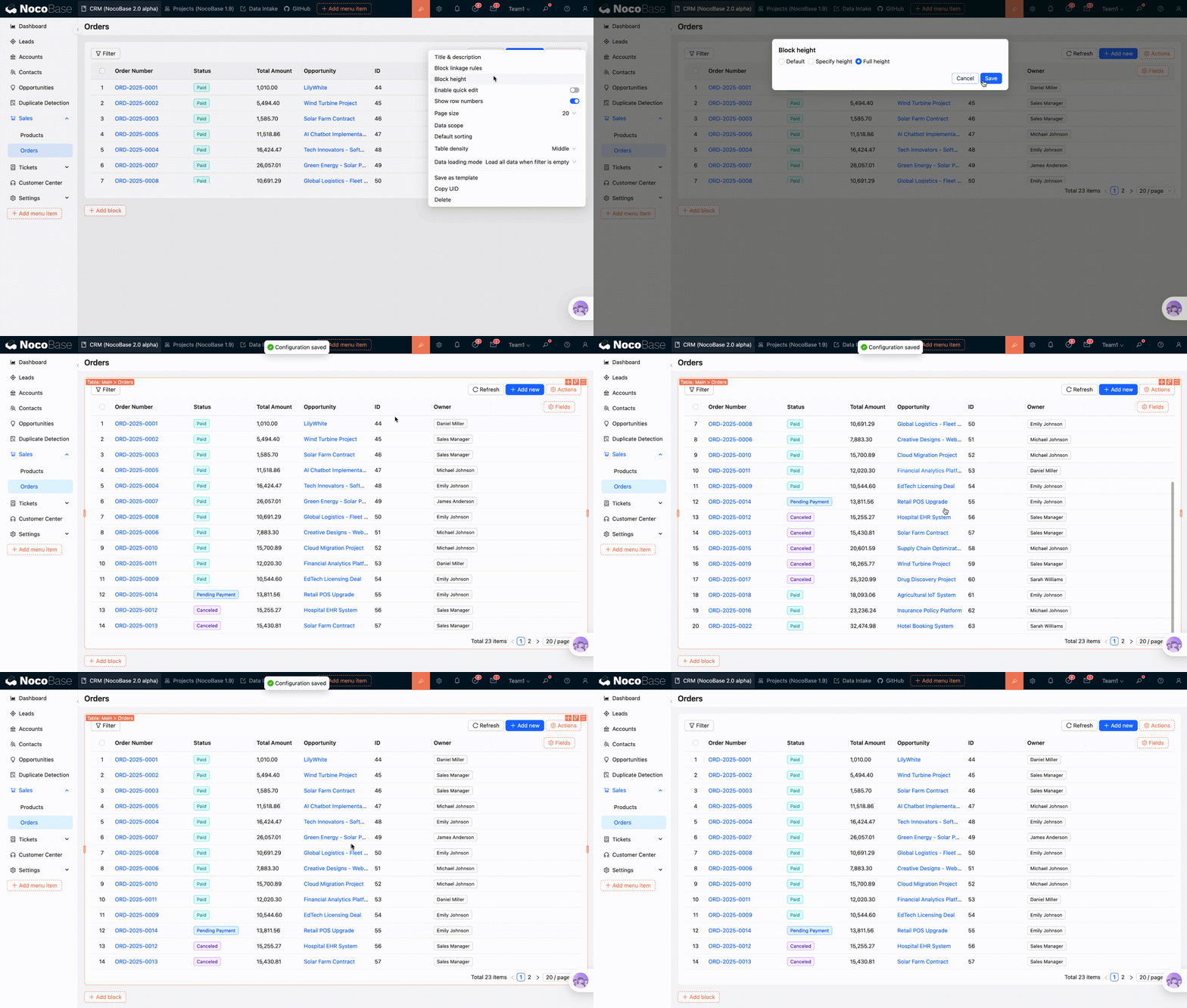
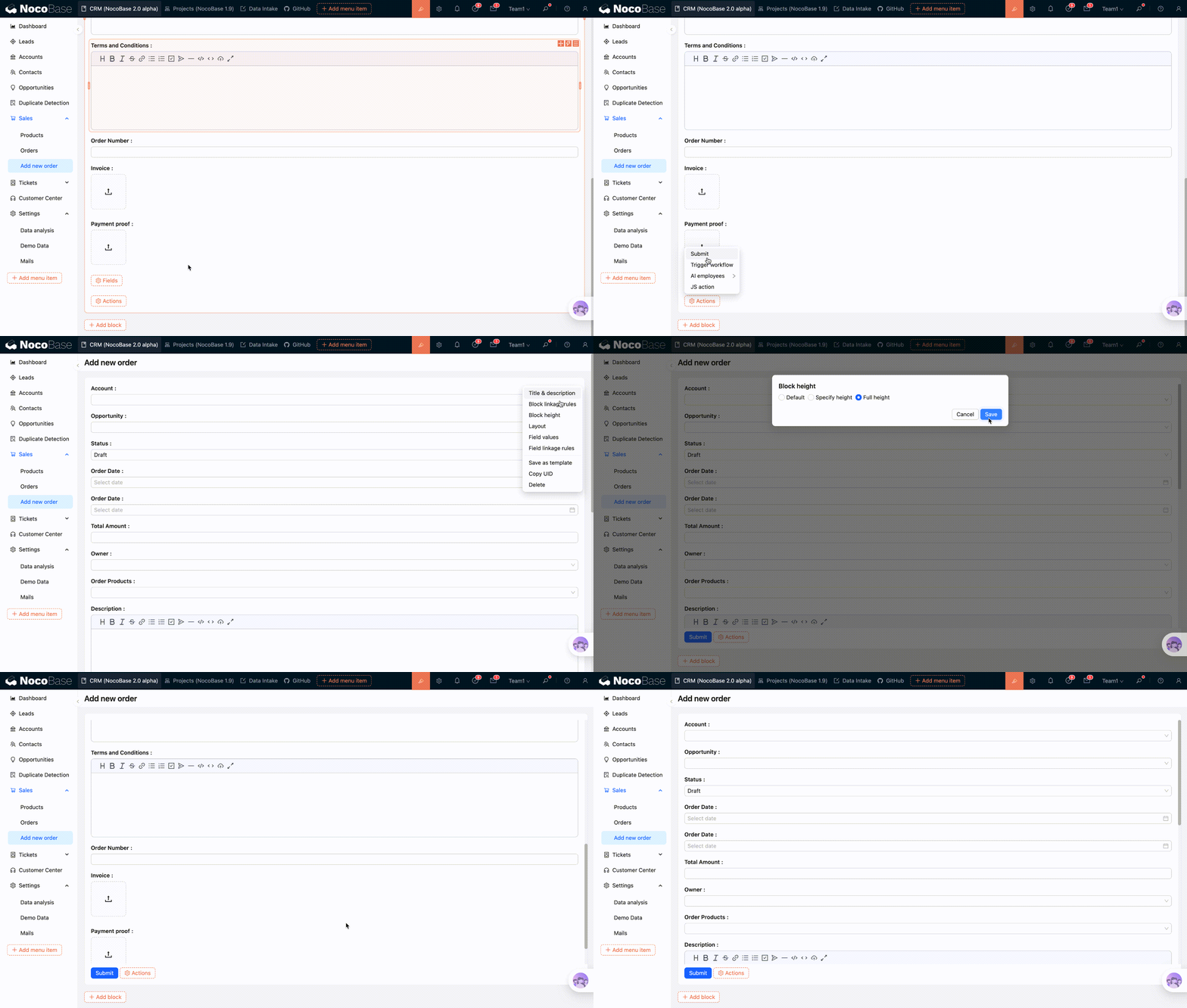
#Full Height

Full height mode is similar to specified height, where the block height is calculated based on the current browser's viewport to fill the maximum screen height. No scrollbars appear on the browser page; scrollbars only appear inside the block.

Internal scrolling behavior in full height mode varies slightly across different blocks:

  • Table: Internal scrolling within the tbody;
  • Form / Details: Scrolling within the Grid (content scrolls except for the action area);
  • List / Grid Card: Scrolling within the Grid (content scrolls except for the action area and pagination bar);
  • Map / Calendar: Overall adaptive height, no scrollbars;
  • Iframe / Markdown: Limits the total height of the block's outer frame, with scrollbars appearing inside the block.

#Full Height Table

20260211154204

#Full Height Form

20260211154335