

logologo
Get Started
Guide
Development
Plugins
API
English
简体中文
Get Started
Guide
Development
Plugins
API
English
简体中文
logologo
Overview

Blocks

Overview

Data Blocks

Table
Form
Details
List
Grid Card
Chart

Filter Blocks

Form

Other Blocks

Action Panel
Iframe
Reference block
Markdown
JS Block

Block Settings

Data Scope
Layout
Block Linkage Rules
Field Linkage Rules
Sorting Rules
Block Deletion
Block Title
Form Drafts

Fields

Overview

Generic Settings

Table Column
Detail Form Item
Filter Form Item
Form Item

Specific Settings

Date
File Manager
Sub-form
Select
Picker
Cascade Select
Sub-table
Sub-detail
Title
JS Field
JS Item
JS Column

Field Settings

Default Value
Field Label
Show Label
Field Tooltip
Data Scope
Field Component
Number Format
Pattern
Required
Title Field
Validation Rules
Association Field

Actions

Overview

Action Settings

Edit Button
Double Check
Assign Values
Bind Workflow
Edit Popup
Action Linkage Rules

Action Types

Add New
View
Delete
Edit
Import
Import Pro
Export
Export Pro
Export Attachments
Filter
Link
Pop-up
Refresh
Submit
Trigger Workflow
Update Record
Bulk Update
Add Child
JS Action
Action Permissions

Advanced

Linkage Rules
Event Flow
Variables
RunJS
Previous PageBlock Title
Next PageOverview

#Form Drafts

This feature is provided by the commercial plugin «Form drafts», please purchase to use

When form drafts are enabled, the content being filled in is automatically saved locally. Even if the form is accidentally closed or the page is refreshed, the filled data will not be lost.
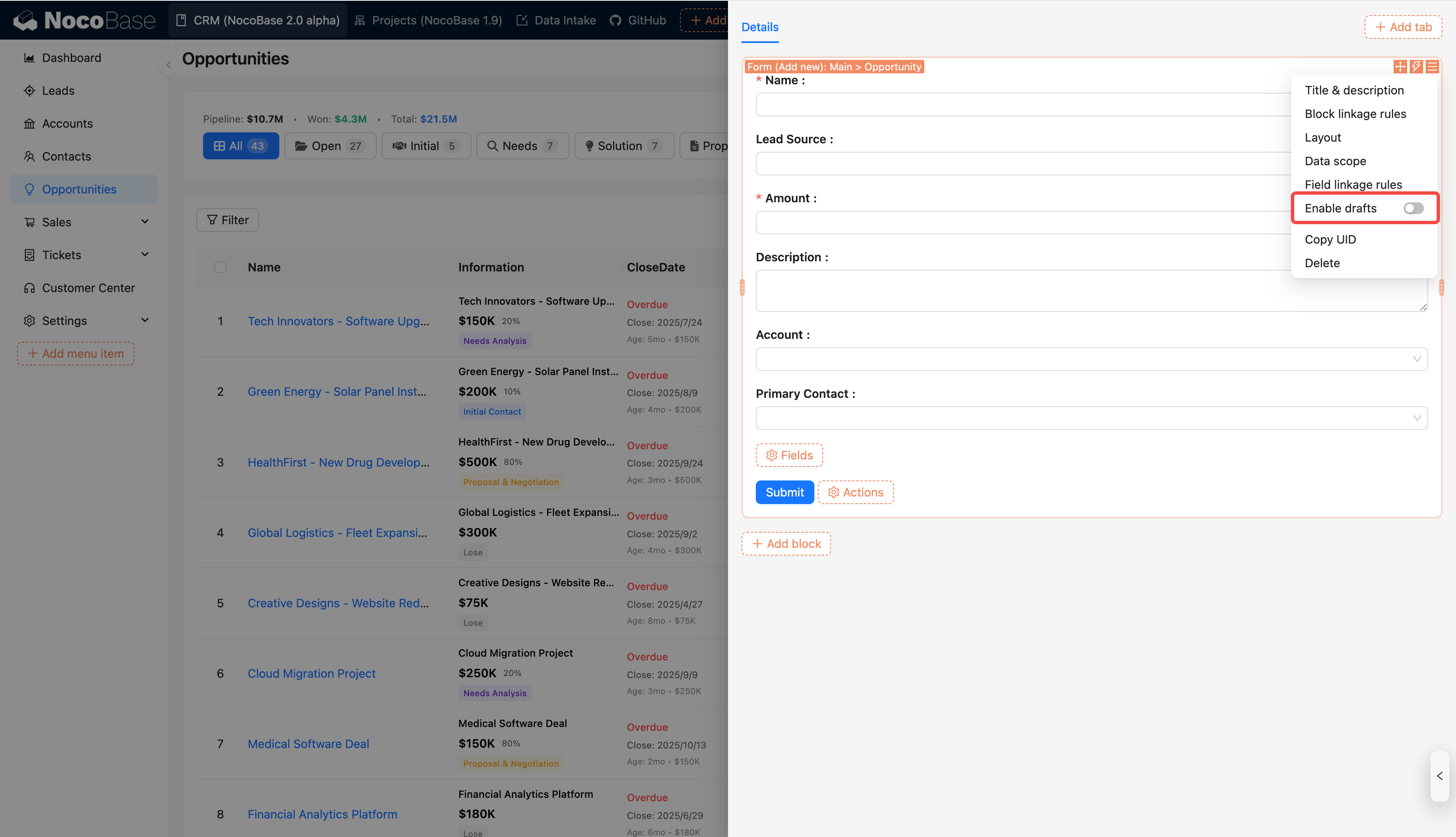
20251213093717

When a draft exists, a notification will be displayed at the top of the form. The draft will be automatically deleted after successful submission; if it is no longer needed, it can also be manually deleted at any time.
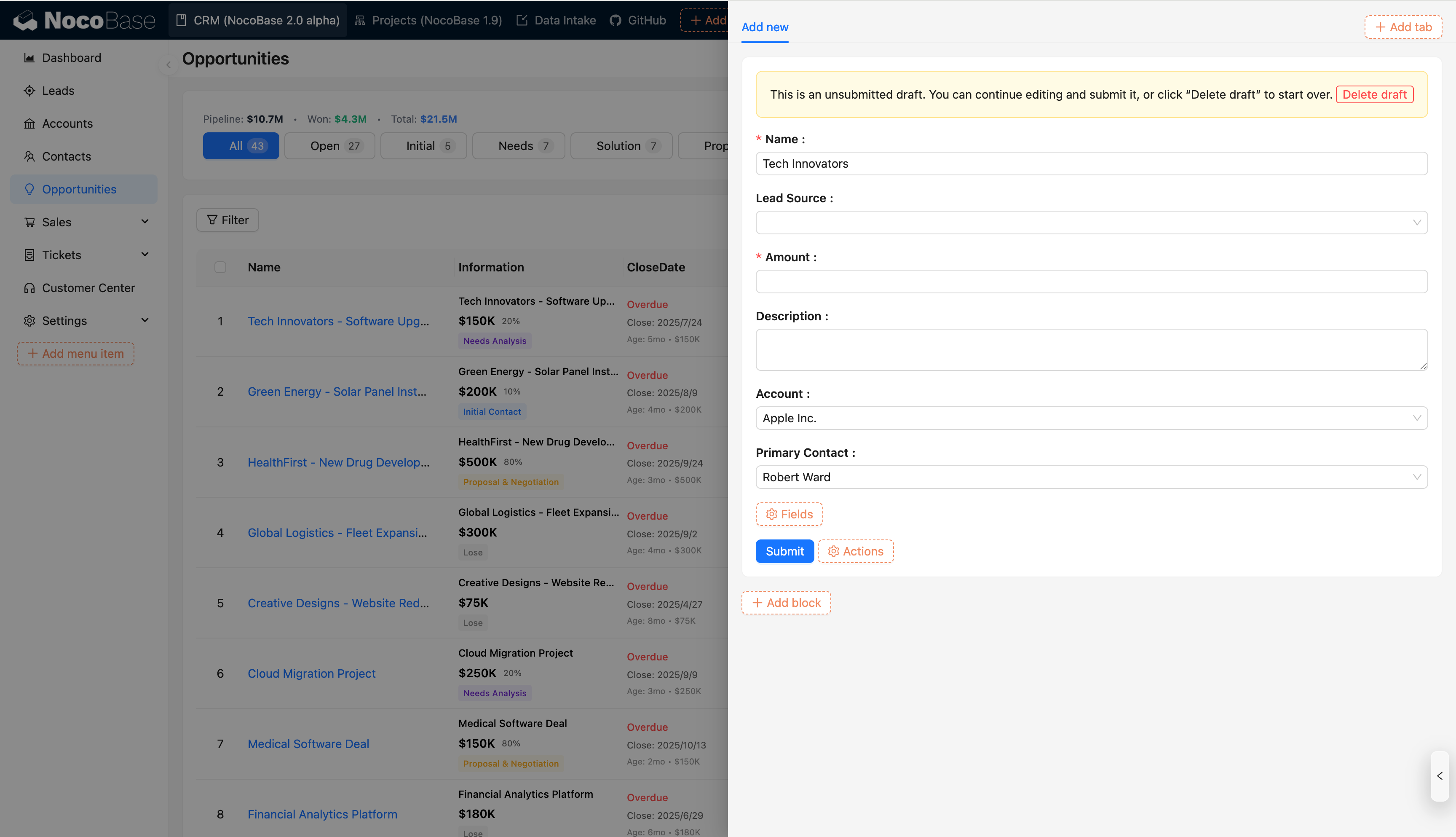
20251213092734

Tip

Currently, form drafts only support local caching. Future versions will support server-side caching to enable multi-device synchronization.